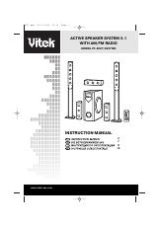
Инструкция для Vitek VT-4052
 1
 2
 3
 4
 5
 6
 7
 8
 9
 10
 11
 12
 13
 14
 15
 16
 17
 18
 19
 20
 21
 22
 23
 24
 25
 26
51
SAFETY INSTRUCTIONS
Read all the safety instructions before first use of your DVD player.
POWER SOURCE
You should only plug the appliance a 100V to 240V AC, 50Hz supply.
SAFETY CONSIDERATIONS
•
Position the power supply lead other leads so that they are not be walked on or pinched by things placed on or
against them.
•
Do not use the appliance in humid or damp conditions. Do not allow the appliance to get wet, I, e. dripping or splash(
ing, as this may be dangerous.
•
Do not place water filled objects, such as vases, on top of the appliance.
•
Make sure that no naked flame sources, such as candles are placed on top of the appliance.
•
It is recommended that during long periods of at the power switch and not left in standby mode.
CLEANING
•
Unplug the appliance before you clean it.
•
Do not use liquid or aerosol to clean it.
•
Clean your appliance with a soft damp (not wet) cloth.
VENTILATION
•
Any slots or openings on the appliance are for ventilation. Do not cover or black them as this could lead to over(
heating.
•
NEVER let children push anything into the holes or slots on the case.
SERVICING
There are no user serviceable parts in your DVD player. When servicing, refer to qualified service personnel.
BATTERY DISPOSAL
Please ensure batteries are disposed of safely.
ELECTRICAL INFORMATION
Make sure that the voltage of your electricity supply is the same as that indicated on the rear plate. This appliance may
be fitted with a nonrewireable plug. If you need to change the fuse cover must be refitted. If the fuse cover is lost or dam(
aged, the plug must not be used until a replacement is obtained (available from the appliance manufacturers).
It is important that the colour of the replacement fuse cover corresponds with the colour marking on the base of the plug.
If the plug has to be changed because it is not suitable be removed and an appropriate
Plug fitted following the writing instructions below. The plug removed must be disposted
of safety as insertion into a mains socket is to cause an electrical hared.
Notice:
•
All OSD and Pictures will base on the English version!
•
Designs and specifications are subject to change without notice.
Notice:
•
All OSD and Pictures will base on the English version!
•
Designs and specifications are subject to change without notice.
2
ENGLISH
INTRODUCTION
This product incorporates copyright protection technology that is protected
by method claims of certain of certain U.S. patents and other intellectual
property rights owned by Macrovision Corporation and other rights owners.
Use of this copyright protection technology must be authorized by
Macrovision Corporation, and is intended for home and other limited view(
ing uses only unless otherwise authorized by Macrovision Corporation.
Reverse engineering or disassembly is prohibited.
СОДЕРЖАНИЕ
1. Подготовка к использованию
(
Задняя/передняя панель /дисплей ((((((((((((((((((((((((((((((((((((((((((((((((((((((((((((((((((((((((((((((( 27
(
Пульт дистанционного управления(((((((((((((((((((((((((((((((((((((((((((((((((((((((((((((((((((((((((((((((( 28
2
Настройка и работа РАДИО
(
Настройка и работа РАДИО ((((((((((((((((((((((((((((((((((((((((((((((((((((((((((((((((((((((((((((((((((((((( 29
3
Основные функции
(
Воспроизведение DVD, CD или VCD((((((((((((((((((((((((((((((((((((((((((((((((((((((((((((((((((((((((((((((( 29
(
Дополнительные возможности воспроизведения дисков((((((((((((((((((((((((((((((((((((((((((((((((((((((( 30
(
Использование меню DVD(((((((((((((((((((((((((((((((((((((((((((((((((((((((((((((((((((((((((((((((((((((((((( 30
(
Воспроизведение Видео CD с функцией PBC ((((((((((((((((((((((((((((((((((((((((((((((((((((((((((((((((((( 30
4
Продвинутые функции
(
Выбор каналов звука ((((((((((((((((((((((((((((((((((((((((((((((((((((((((((((((((((((((((((((((((((((((((((((((( 30
(
Ускоренное воспроизведение((((((((((((((((((((((((((((((((((((((((((((((((((((((((((((((((((((((((((((((((((((( 31
(
Замедленное воспроизведение((((((((((((((((((((((((((((((((((((((((((((((((((((((((((((((((((((((((((((((((((( 31
(
Повторное воспроизведение(((((((((((((((((((((((((((((((((((((((((((((((((((((((((((((((((((((((((((((((((((((( 31
(
Выбор субтитров ((((((((((((((((((((((((((((((((((((((((((((((((((((((((((((((((((((((((((((((((((((((((((((((((((( 32
(
Функция перейти/ поиск((((((((((((((((((((((((((((((((((((((((((((((((((((((((((((((((((((((((((((((((((((((((((( 32
(
Выбор угла(((((((((((((((((((((((((((((((((((((((((((((((((((((((((((((((((((((((((((((((((((((((((((((((((((((((((( 34
(
OSD ( Меню на экране((((((((((((((((((((((((((((((((((((((((((((((((((((((((((((((((((((((((((((((((((((((((((((( 34
(
Масштаб((((((((((((((((((((((((((((((((((((((((((((((((((((((((((((((((((((((((((((((((((((((((((((((((((((((((((((( 35
(
Воспроизведение из памяти((((((((((((((((((((((((((((((((((((((((((((((((((((((((((((((((((((((((((((((((((((((( 35
(
Воспроизведение по программе(((((((((((((((((((((((((((((((((((((((((((((((((((((((((((((((((((((((((((((((((( 35
(
Сканирование диска(((((((((((((((((((((((((((((((((((((((((((((((((((((((((((((((((((((((((((((((((((((((((((((((( 36
5
Настройка
(
Общие настройки((((((((((((((((((((((((((((((((((((((((((((((((((((((((((((((((((((((((((((((((((((((((((((((((((( 36
(
Настройки звука((((((((((((((((((((((((((((((((((((((((((((((((((((((((((((((((((((((((((((((((((((((((((((((((((((( 37
(
Настройки Dolby Digital (((((((((((((((((((((((((((((((((((((((((((((((((((((((((((((((((((((((((((((((((((((((((((( 40
(
Настройки изображения (Настройка прогрессивной развертки)((((((((((((((((((((((((((((((((((((((((((((((( 40
(
Задание предпочтений((((((((((((((((((((((((((((((((((((((((((((((((((((((((((((((((((((((((((((((((((((((((((((( 41
6. Подключение
(
Подключение к системе объемного звучания(((((((((((((((((((((((((((((((((((((((((((((((((((((((((((((((((((( 42
(
Подключение к телевизору (((((((((((((((((((((((((((((((((((((((((((((((((((((((((((((((((((((((((((((((((((((((( 43
7. Воспроизведение файлов
(
Воспроизведение файлов формата MP3 (((((((((((((((((((((((((((((((((((((((((((((((((((((((((((((((((((((((( 44
(
Чтение дисков Kodak или файлов JPEG (((((((((((((((((((((((((((((((((((((((((((((((((((((((((((((((((((((((((( 46
8. Обслуживание и устранение неполадок
(
Обслуживание((((((((((((((((((((((((((((((((((((((((((((((((((((((((((((((((((((((((((((((((((((((((((((((((((((((( 47
(
Проблемы и их решения(((((((((((((((((((((((((((((((((((((((((((((((((((((((((((((((((((((((((((((((((((((((((((( 48
9. Технические характеристики((((((((((((((((((((((((((((((((((((((((((((((((((((((((((((((((((((((((((((((((((((((( 49
4052.qxd 09.06.04 17:48 Page 2
Оглавление инструкции
- Страница 1 из 27
4052.qxd 09.06.04 17:48 Page 2 MANUAL INSTRUCTION ИНСТРУКЦИЯ ПО ЭКСПЛУАТАЦИИ DIGITAL HOME THEATER SYSTEM ДОМАШНИЙ КИНОТЕАТР МОДЕЛЬ VT'4052
- Страница 2 из 27
4052.qxd 09.06.04 17:48 Page 2 ENGLISH СОДЕРЖАНИЕ INTRODUCTION SAFETY INSTRUCTIONS Read all the safety instructions before first use of your DVD player. POWER SOURCE You should only plug the appliance a 100V to 240V AC, 50Hz supply. SAFETY CONSIDERATIONS • Position the power supply lead other leads
- Страница 3 из 27
4052.qxd 09.06.04 17:48 Page 4 ENGLISH Table of Content 1. ( ( 2 ( 3 ( ( ( ( 4 ( ( ( ( ( ( ( ( ( ( ( ( 5. ( ( ( ( ( 6. ( Preparations before Using Rear/Font panel/display ((((((((((((((((((((((((((((((((((((((((((((((((((((((((((((((((((((((((((((((((((((((((( 3 Remote control
- Страница 4 из 27
4052.qxd 09.06.04 17:48 Page 6 ENGLISH РУССКИЙ PREPARATIONS BEFORE USING Внимание: Этот продукт относится к технологии, защищенной авторскими правами, и охраняется соответствующими патентами США и другими правами на интеллектуальную собственность, принадлежащую корпорации Macrovision и другим
- Страница 5 из 27
4052.qxd 09.06.04 17:48 Page 8 РУССКИЙ ENGLISH ОБСЛУЖИВАНИЕ И УСТРАНЕНИЕ НЕПОЛАДОК RADIO SETUP & OPERATIONS Проблемы и их решение Причина Проблемы Решение This DVD receiver has a built(in a FM RDS (Radio Data System) radio turner. An ID will display on the VFD when there is RDS signal in FM mode.
- Страница 6 из 27
4052.qxd 09.06.04 17:48 Page 10 ENGLISH РУССКИЙ 5. Press the POWER button on the front panel of the DVD player. 6. Press OPEN/CLOSE on the remote control or front panel to open the disc tray. 7. Place the disc in the tray with the label side facing up and playback side facing down. If the disc has
- Страница 7 из 27
4052.qxd 09.06.04 17:48 Page 12 РУССКИЙ ENGLISH Возврат в режим нормального воспроизведения • Нажмите кнопку ПРОГРАММА (PROGRAM) для возврата в режим нормального воспроизведения. • Режим программирования будет отключен, при любом нажатии кнопки ОТКРЫТЬ (OPEN). • Example: When playing CD discs,
- Страница 8 из 27
4052.qxd 09.06.04 17:48 Page 14 ENGLISH РУССКИЙ When playing CD the player can repeat a single track and a whole disc with the fol( lowing steps. • Repeat % One Press (REPEAT) button once to repeat to repeat a single track. • Repeat % All Press (REPEAT) button again, the screen shows Rep ( All, and
- Страница 9 из 27
4052.qxd 09.06.04 17:48 Page 16 РУССКИЙ ENGLISH Примечания: Пожалуйста, сверяйтесь с инструкцией к вашему телевизору. Ваш DVD проигрыватель имеет несколько режимов выхода аудио/видео, например 2)х канальный звук (микширование), S) видео выход, компонентный видео выход, цифровой коаксиальный выход.
- Страница 10 из 27
4052.qxd 09.06.04 17:48 Page 18 ENGLISH РУССКИЙ Angle selection For DVD incorporating with multi angle views, you can view different screen angles, with the (ANGLE) button. For example, when viewing the scene of a train moving forward, you can also chose to view the scene ahead of the train or from
- Страница 11 из 27
4052.qxd 09.06.04 17:48 Page 20 РУССКИЙ ENGLISH МЕНЮ ДИСКА • Выберите язык для сообщений на экране проигрывателя. • And there are also 3 levels of zoom out mode, press (ZOOM) to choose. • Press arrow buttons to move the zoomed picture. РОДИТЕЛЬСКИЙ КОНТРОЛЬ • Позволяет установить максимальную
- Страница 12 из 27
4052.qxd 09.06.04 17:48 Page 22 ENGLISH РУССКИЙ Scan disc This function allows the user to scan the content of a disc or a song. When playing CD discs • To access the intro function, press (INTRO) button on the remote control. • Press the arrow button to choose the intro mode. When playing DVD disc
- Страница 13 из 27
4052.qxd 09.06.04 17:48 Page 24 РУССКИЙ ENGLISH Установка цифровой системы Dolby Angle mark Set it on: During play back multi(angle DVD disc, a logo like will be shown automatically on top right TV screen, it mean that the DVD you are playing has two angle and you are watching the first angle, you
- Страница 14 из 27
4052.qxd 09.06.04 17:48 Page 26 ENGLISH РУССКИЙ AUDIO SETUP Настройка SPDIF Схема настройки приведена ниже: DOWNMIX The unit can mix a multi(channel sound to encode a two(chan( nel sound, it's called downmix. LT/RT: for Dolby Pro Logic Surround stereo, it is a matrix encoding process enabling
- Страница 15 из 27
4052.qxd 09.06.04 17:48 Page 28 РУССКИЙ ENGLISH НАСТРОЙКА АУДИО МИКШИРОВАНИЕ Ваш прибор может смешивать многоканальный звук, для воспроизведения в формате двухканального звука. Это называется микширование. Л/П: В системе объемного звука Долби Pro Logic стерео, матричная кодировка позволяет
- Страница 16 из 27
4052.qxd 09.06.04 17:48 Page 30 ENGLISH РУССКИЙ Dolby Digital Setup Метка ракурса Включение: Во время воспроизведения DVD диска с возможностью изменения угла обзора, в верхнем правом углу экрана появится логотип , это означает, что на DVD, который вы смотрите, записано два угла обзора, и вы
- Страница 17 из 27
4052.qxd 09.06.04 17:48 Page 32 РУССКИЙ ENGLISH Сканирование диска Эта функция позволяет сканировать содержимое диска или песни. Для CD дисков • Чтобы включить функцию ознакомления, нажмите кнопку ОЗНАКОМЛЕНИЕ (INTRO) на пульте дистанционного управления. • Нажмите стрелку, чтобы выбрать режим
- Страница 18 из 27
4052.qxd 09.06.04 17:48 Page 34 ENGLISH РУССКИЙ PARENTAL CONTROL • Allows the user to set a maximum rating of movie that can be viewed(e. g. PG rating).Movies rated higher than the level set for the parental lock can not be viewed. The parental lock can only be changed by the keying in of a pass
- Страница 19 из 27
4052.qxd 09.06.04 17:48 Page 36 РУССКИЙ ENGLISH Режимы (Диск. Перейти к) и (Запись. Перейти к) Введите время (общего звучания диска /настоящей записи) с помощью кнопок с цифрами, в формате Мин/Сек. После введения желаемого времени, проигрыватель автоматически начнет воспроизведение указанной
- Страница 20 из 27
4052.qxd 09.06.04 17:48 Page 38 ENGLISH РУССКИЙ Remarks: Please refer to TV operation manual at the same time, This DVD player can output multi audio/video signals such as 2 channel audio (downmix) output, S)Video output, component video output, coaxial digital signal output. You can choose any of
- Страница 21 из 27
4052.qxd 09.06.04 17:48 Page 40 РУССКИЙ ENGLISH Во время воспроизведения CD, проигрыватель может повторять одну запись и весь диск, для чего требуется выполнить следующие шаги. Other functions: Function such as mute, volume control pause Prev/Next song selection, audio selection and so on, the also
- Страница 22 из 27
4052.qxd 09.06.04 17:48 Page 42 ENGLISH РУССКИЙ KODAK PICTURE CD OPERATIONS Playing Kodak picture CD or JPEG files This function is similar to MP3 playback function. Upon loading a Kodak picture CD or JPEG file CD, the TV screen shows: • Пример: При воспроизведении CD дисков, нажмите кнопку КАНАЛ
- Страница 23 из 27
4052.qxd 09.06.04 17:48 Page 44 РУССКИЙ ENGLISH 6. Установите диск этикеткой вверх и записанной стороной вниз. Если диск двусторонний, установите эго нужной этикеткой вверх. 7. Нажмите кнопку ОТКРЫТЬ/ЗАКРЫТЬ еще раз, чтобы закрыть загрузчик диска. 8. Нажмите кнопку ВОСПРОИЗВЕДЕНИЕ на пульте
- Страница 24 из 27
4052.qxd 09.06.04 17:48 Page 46 ENGLISH РУССКИЙ MAINTENANCE & TROUBLESHOOTING НАСТРОЙКА И РАБОТА РАДИО Problems and Solutions Ваш DVD приемник оборудован FM радио приемником с системой RDS (Система Радио Данных). При получении сигнала RDS сигнала в режиме FM на экране включится индикатор. Cause
- Страница 25 из 27
4052.qxd 09.06.04 17:48 Page 48 РУССКИЙ ENGLISH ПУЛЬТ ДИСТАНЦИОННОГО УПРАВЛЕНИЯ 1. 2. 3. 4. 5. 6. 7. 8. 9. 10. 11. 12. 13. 14. 15. 16. 17. 18. 19. 20. 21. 22. 23. 24. 25. 26. SPECIFICATIONS OPEN/CLOSE: Открыть/Закрыть лоток для диска RESET: Перезагрузка заводских параметров "по умолчанию". P(SCAN:
- Страница 26 из 27
4052.qxd 09.06.04 17:48 Page 50 РУССКИЙ РУССКИЙ ВВЕДЕНИЕ ПОДГОТОВКА К ИСПОЛЬЗОВАНИЮ ПРАВИЛА ТЕХНИКИ БЕЗОПАСНОСТИ Прежде чем использовать ваш проигрыватель DVD, внимательно прочтите правила техники безопасности. Передняя панель / Задняя панель / VFD экран ИНФОРМАЦИЯ О ЗАДНЕЙ ПАНЕЛИ ИСТОЧНИК ПИТАНИЯ
- Страница 27 из 27