Инструкция для Sony HX100V, DSC-HX100
 1
 2
 3
 4
 5
 6
 7
 8
 9
 10
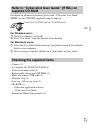 11
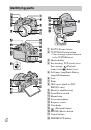 12
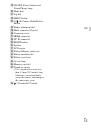 13
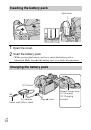 14
 15
 16
 17
 18
 19
 20
 21
 22
 23
 24
 25
 26
 27
 28
 29
 30
 31
 32
 33
 34
 35
 36
 37
 38
 39
 40
 41
 42
 43
 44
 45
 46
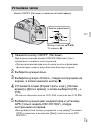 47
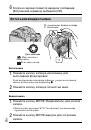 48
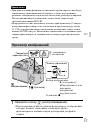 49
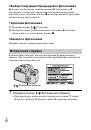 50
 51
 52
 53
 54
 55
 56
 57
 58
 59
 60
 61
 62
 63
 64
 65
 66
 67
 68
 69
 70
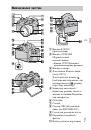 71
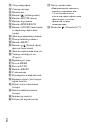 72
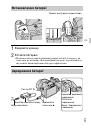 73
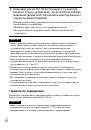 74
 75
 76
 77
 78
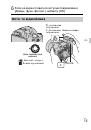 79
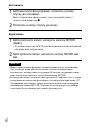 80
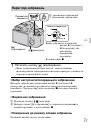 81
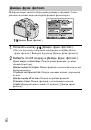 82
 83
 84
 85
 86
 87
 88
 89
 90
 91
 92
 93
 94
 95
 96
GB
24
x
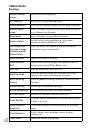
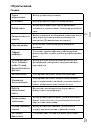
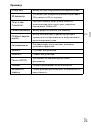
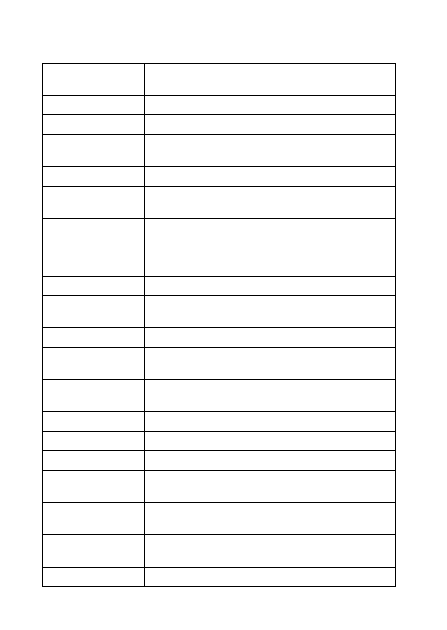
Menu Items
Shooting
Movie shooting
scene
Select movie recording mode.
3D Shooting
Select the 3D image shooting mode.
Scene Selection
Select pre-set settings to match various scene conditions.
Memory recall
mode
Select a setting you want to recall when the mode dial is
set to [Memory recall mode].
Easy Mode
Shoot still images using minimal functions.
Defocus Effect
Set the level of background defocus effect when
shooting in Background Defocus mode.
Still Image Size/
Panorama Image
Size/Movie Size/
Movie Quality
Select the image size and the quality for still images,
panoramic images or movie files.
White Balance
Adjust color tones of an image.
White Balance
Shift
Adjust color tones according to the adjusted value set
based on the selected White Balance tone.
ND Filter
Turn the internal ND filter on or off.
Metering Mode
Select the metering mode that sets which part of the
subject to measure to determine the exposure.
Burst Shooting
Interval
Select the number of images taken per second for Burst
shooting.
Bracket Setting
Set the type of the bracket shooting.
Scene Recognition
Set to automatically detect shooting conditions.
Soft Skin Effect
Set the Soft Skin Effect and the effect level.
Smile Shutter
Set to the camera automatically release the shutter when
a smile is detected.
Smile Detection
Sensitivity
Set the Smile Shutter function sensitivity for detecting
smiles.
Face Detection
Select to detect faces and adjust various settings
automatically.
Flash Level
Adjust the amount of flash light.
Оглавление инструкции
- English
- Refer to “Cyber-shot User Guide” (HTML) on supplied CD-ROM
- Checking the supplied items
- Identifying parts
- Inserting the battery pack
- Charging the battery pack
- Inserting a memory card (sold separately)
- Setting the clock
- Shooting still images/movies
- Viewing images
- In-Camera Guide
- Introduction of other functions
- Number of still images and recordable time of movies
- Notes on using the camera
- Specifications
- Русский
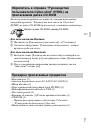
- Обратитесь к справке “Руководство пользователя Cyber-shot” (HTML) на прилагаемом диске CD-ROM
- Проверка прилагаемых предметов
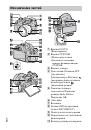
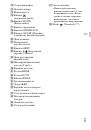
- Обозначение частей
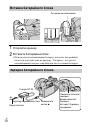
- Вставка батарейного блока
- Зарядка батарейного блока
- Вставка карты памяти (продается отдельно)
- Установка часов
- Фотосъемка/видеосъемка
- Просмотр изображений
- Встроенная справка
- Введение в другие функции
- Количество фотоснимков и время видеозаписи
- Примечания по использованию фотоаппарата
- Технические характеристики
- Українська
- Додаткова інформація у «Посібник користувача Cyber-shot» (HTML) на компакт-диску, що додається
- Перевірка комплектації
- Визначення частин
- Встановлення батареї
- Заряджання батареї
- Встановлення карти пам’яті (продається окремо)
- Налаштування годинника
- Фото- та відеозйомка
- Перегляд зображень
- Довідн. функ. фотоап.
- Знайомство з іншими функціями
- Кількість фотознімків і тривалість відеозапису
- Примітки щодо використання фотоапарата
- Технічні характеристики