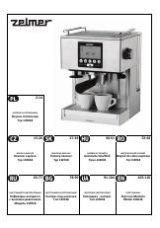
Инструкция для Zelmer 13Z016, Nerro+ 13Z016
 1
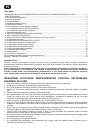 2
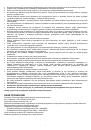 3
 4
 5
 6
 7
 8
 9
 10
 11
 12
 13
 14
 15
 16
 17
 18
 19
 20
 21
 22
 23
 24
 25
 26
 27
 28
 29
 30
 31
 32
 33
 34
 35
 36
 37
 38
 39
 40
 41
 42
 43
 44
 45
 46
 47
 48
 49
 50
 51
 52
 53
 54
 55
 56
 57
 58
 59
 60
 61
 62
 63
 64
 65
 66
 67
 68
 69
 70
 71
 72
 73
 74
 75
 76
 77
 78
 79
 80
 81
 82
 83
 84
 85
 86
 87
 88
 89
 90
 91
 92
 93
 94
 95
 96
 97
 98
 99
 100
 101
 102
 103
 104
 105
 106
 107
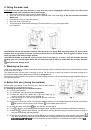 108
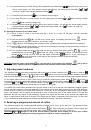 109
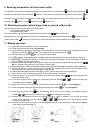 110
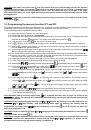 111
 112
 113
 114
 115
 116
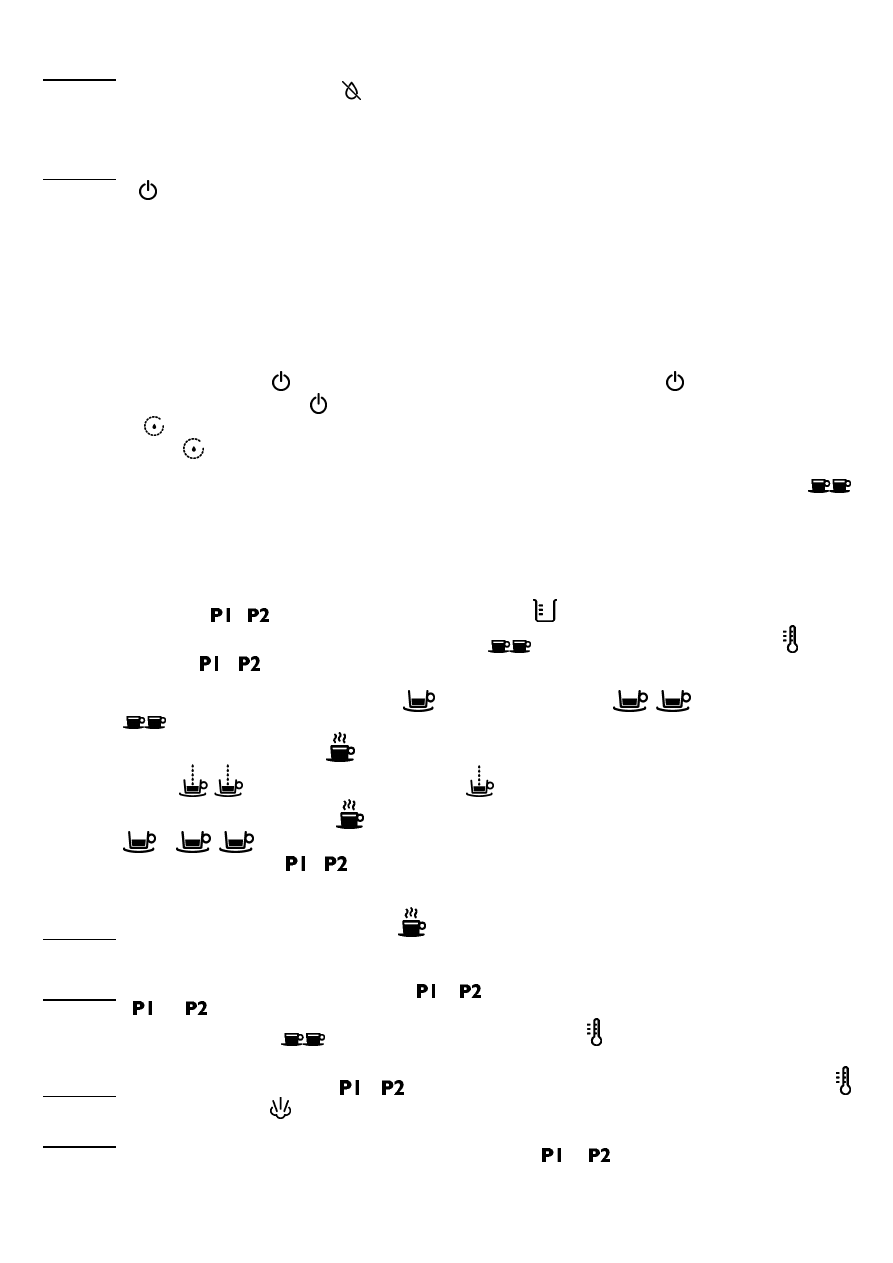
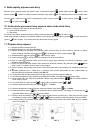
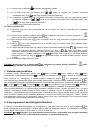
CAUTION! If the water in the water tank (1) runs out of water during the coffee brewing process, the espresso
machine will stop working. The indicator
will flash on the display panel and you will hear a repeating sound
signal informing you about the necessity to fill in water. Open the water tank cover (1) and pour in the water.
After replenishing water, the sound signal will stop and the espresso machine will automatically finish the coffee
brewing process.
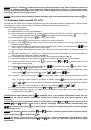
CAUTION! It is possible to stop the coffee brewing process at any given moment. It is enough to push the Power
on/off button
(A)
.
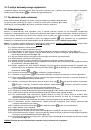
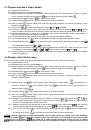
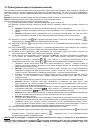
12. Programming the memory function (P1 and P2)
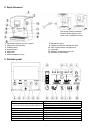
The espresso machine has two memory modes letting you program your custom settings including temperature, espresso
instant bags mode or ground coffee mode, selecting 1 or 2 cups and a given amount of coffee.
The programming process includes the following steps:
12.1. Unplug the espresso machine from the power supply.
12.2. Fill the water tank
(1)
according to
paragraph 4
.
12.3. Plug the espresso machine by putting the cord into the socket. The machine will turn on. The display panel and
the power on/off button
(A)
will flash. The display panel will indicate power is on
.
12.4. Push the power on/off button
(A)
. You will hear a sound signal.
12.5. The
indicator on the display panel will begin to whirl, signalizing that the espresso machine is heating up.
12.6. When the
indicator stops whirling, you will hear a sound signal informing you that the machine is ready for
use (has reached the right temperature).
12.7. Choose espresso instant bags mode or ground coffee mode by pressing single/double cup select button
2 seconds. After each push you will hear a sound signal.
(B)
for
12.8. Pour ground coffee by means of a measuring cup
(13)
or insert espresso instant bags into the filter handle container
(6)
.
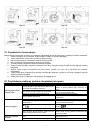
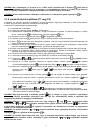
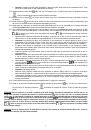
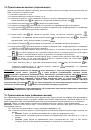
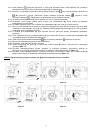
12.9. Remove the excess of coffee from the edge of the filter and compress the coffee by the permanent coffee
compressor
(5)
or the whip of the measuring cup
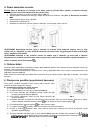
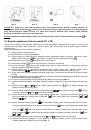
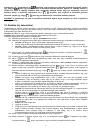
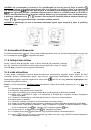
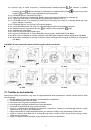
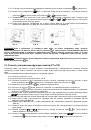
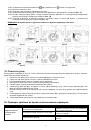
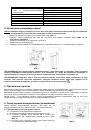
(13) (Fig. 4)
.
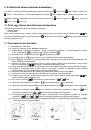
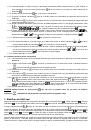
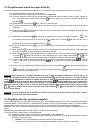
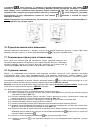
12.10. Attach filter handle
(6)
to the brew head
(4)
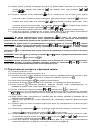
, by turning it with a firm motion to the right
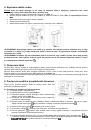
(Fig. 3)
.
12.11. Place a cup or cups on the drip tray grid
(7)
, directly under the brew head
(4)
.
12.12. Select program
or
by pressing the coffee amount select button
(C)
. After each push you will hear a sound signal.
12.13. Press and hold the single/double cup select button
(B)
and temperature select button
(D)
for
2 seconds.
or
indicator will flash on the display panel.
12.14. Select temperature setting (see
paragraph 9
), choose espresso instant bags mode or ground coffee mode
(see
paragraph 10
) and the single cup (
indicator) or double cup (
indicator) select button
(B)
.
12.15. Push the brew coffee button
(F)
and espresso will come out of the machine. The display panel will
indicate
(after choosing a double cup) or
(after choosing a single cup). After getting the coffee
release the brew coffee button
(F)
. You will hear two sound signals and the display panel will indicate
or
.
12.16. After saving the settings
or
indicator will stop flashing and you will hear a sound signal.
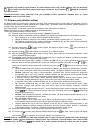
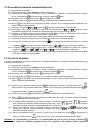
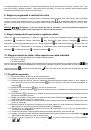
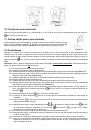
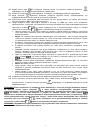
12.17. Remove the filter handle by turning it to the left
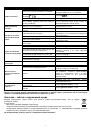
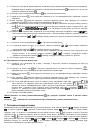
(Fig. 5)
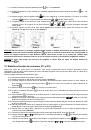
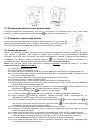
and throw out the used bag or coffee grounds
(Fig. 6)
.
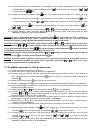
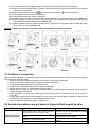
Clean the filter with water
(Fig. 7)
.
CAUTION! While holding the brew coffee button
(F) remember that after when a single cup is filled to the
maximum (ca. 250 ml), the machine will automatically stop the brewing process (you will hear two sound signals)
and save the settings.
CAUTION! During programming pay attention if the
or
indicator are flashing. If they stop flashing for any
reason the
or
stops flashing, start programming mode again by pressing and holding both the
single/double cup select button
(B) and temperature select button (D) for 2 seconds and follow the
steps up to paragraph 11.16.
CAUTION! In order to delete the program
or
settings press and hold both the temperature select button
(D) and the steam select button
(E).
CAUTION! A complete switch-off of the coffee maker or leaving the coffee maker in an automatic switch-off mode
will cause a return to the manufacturer’s capacity settings for the
or
programme (i.e. approx. 30 ml),
provided that the previously programmed capacity exceeded 90 ml.
111
Оглавление инструкции
- 1. Charakterystyka urządzenia 4
- 2. Budowa urządzenia 4
- 3. Panel sterowania 4
- 4. Napełnianie zbiornika wodą 5
- 5. Podgrzewanie filiżanek 5
- 6. Przed pierwszym użyciem (płukanie ekspresu) 5
- 7. Ustawianie twardości wody 6
- 17. Opróżnianie tacki ociekowej 12
- 18. Odkamienianie 12
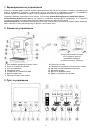
- 3. Panel sterowania
- 4. Napełnianie zbiornika wodą
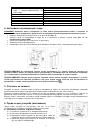
- 5. Podgrzewanie filiżanek
- Użycie podgrzanej do odpowiedniej temperatury filiżanki przed procesem zaparzania kawy zwiększa walory smakowe samej kawy tuż po jej przyrządzeniu jak i powstanie gęstej pianki na jej wierzchu.
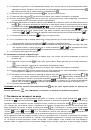
- 6. Przed pierwszym użyciem (płukanie ekspresu)
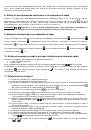
- 7. Ustawianie twardości wody
- 17. Opróżnianie tacki ociekowej
- 18. Odkamienianie
- 3. Ovládací panel 17
- 4. Plnění zásobníku na vodu 18
- 5. Ohřívání šálků 18
- 6. Před prvním použitím (propláchnutí kávovaru) 18
- 7. Nastavení tvrdosti vody 19
- 17. Vyprázdnění odkapávací misky 24
- 18. Odstraňování vodního kamene 24
- 3. Ovládací panel
- 4. Plnění zásobníku na vodu
- 5. Ohřívání šálků
- Používání šálků předehřátých na příslušnou teplotu před zahájením přípravy kávy zlepšuje chuťové vlastnosti kávy po její přípravě i vznik husté pěny na jejím povrchu.
- 6. Před prvním použitím (propláchnutí kávovaru)
- 7. Nastavení tvrdosti vody
- 17. Vyprázdnění odkapávací misky
- 18. Odstraňování vodního kamene
- Ekologicky vhodná likvidace
- 3. Riadiaci panel 29
- 4. Naplnenie nádrže vodou 30
- 5. Ohrievanie šálok 30
- 6. Pred prvým použitím (prepláchnutie kávovaru) 30
- 7. Nastavenie tvrdosti vody 31
- 17. Vyprázdnenie zásobníka na kávový odpad 36
- 18. Odstánenie vodného kameňa 36
- 3. Riadiaci panel
- 4. Naplnenie nádrže vodou
- 5. Ohrievanie šálok
- Použitie šálky, ktorá je ohriata do zodpovedajúcej teploty pred procesom zalievania kávy, zväčšuje chuťové hodnoty samotnej kávy hneď po jej príprave a tiež vznik hustej peny na jej povrchu.
- 6. Pred prvým použitím (prepláchnutie kávovaru)
- 7. Nastavenie tvrdosti vody
- 17. Vyprázdnenie zásobníka na kávový odpad
- 18. Odstránenie kameňa
- Ekologicky vhodná likvidácia
- 3. Vezérlőpult 42
- 4. A víztartály feltöltése 43
- 5. Csészemelegítés 43
- 6. Első használat előtt (a kávéfőző öblítése) 43
- 7. Vízkeménység beállítása 43
- 17. A túlfolyó tálca ürítése 49
- 18. A vízkő eltávolítása 49
- 3. Vezérlőpanel
- 4. A víztartály feltöltése
- 5. Csészemelegítés
- A megfelelő hőmérsékletre felmelegített csészék használata kiemeli a kávé ízét és elősegíti a habképződést.
- 6. Első használat előtt (a kávéfőző öblítése)
- 7. Vízkeménység beállítása
- 17. A túlfolyó tálca ürítése
- 18. A vízkő eltávolítása
- 3. Panoul de control 54
- 4. Umplerea rezervorului cu apă 55
- 5. Încălzirea ceştilor 55
- 6. Înainte de prima întrebuinţare (clătirea maşinii) 55
- 7. Stabilirea durităţii apei 56
- 17. Golirea tăviţei pentru apa reziduală 62
- 18. Decalcifierea 62
- 3. Panoul de control
- 4. Umplerea rezervorului cu apă
- 5. Încălzirea ceştilor
- 6. Înainte de prima întrebuinţare (clătirea maşinii)
- 7. Stabilirea durităţii apei
- 17. Golirea tăviţei pentru apa reziduală
- 18. Decalcifierea
- 3. Панель управления 67
- 4. Наполнения накопителя водой 68
- 5. Подогрев чашек 68
- 6. Перед первым употреблением (полоскание экспресса) 68
- 7. Установление твёрдости воды 69
- 17. Очистка подноса для капель 75
- 18. Удаление накипи 75
- 3. Панель управления
- 4. Наполнение накопителя водой
- 5. Подогревание чашек
- Использование подогретой до соответствующей температуры чашки подносит вкусовые качества самого кофе сразу после его приготовления и появление сверху густой пенки.
- 6. Пользуясь первый раз (очистка)
- 7. Установление твёрдости воды
- 17. Очищение поднося для капель
- 18. Удаление накипи
- 3. Пулт за управление 80
- 4. Напълване на резервоара с вода 81
- 5. Стопляне на чашките 81
- 6. Преди първа употреба (изплакване на експреса) 81
- 7. Поставяне на твърдост на вода 82
- 17. Изпразване на поднос за оттичане 88
- 18. Отстраняване на камък 88
- 3. Пулт за управление
- 4. Напълване на резервоара с вода
- 5. Стопляне на чашките
- Употреба на чашка, стоплена преди процеса на запарване на кафето за съответна температура, повишава вкусови свойства на самото кафе веднага след приготвяне и увеличава гъстата пена отгоре му.
- 6. Преди първа употреба (изплакване)
- 7. Поставяне на твърдост на вода
- 17. Изпразване на поднос за оттичане
- 18. Отстраняване на камък
- 3. Панель управління 93
- 4. Наповнення резервуару водою 94
- 5. Підігрівання горняток 94
- 6. Перед першим використанням (промивання кавоварки) 94
- 7. Установлення твердості води 95
- 17. Опорожнення підносу для стікання води 101
- 18. Усування каменю 101
- 3. Панель управління
- 4. Наповнення резервуару водою
- 5. Підігрівання горняток
- Використання підігрітого до відповідної температури перед процесом запарювання кави горнятка збільшує смакові якості самої кави відразу після її приготування, а також виникнення густої піни на його поверхні.
- 6. Перед першим використанням (промивання)
- 7. Установка твердості води
- 17. Опорожнення підносу для стікання води
- 18. Усування каменю
- 3. Control panel 107
- 4. Filling the water tank 108
- 5. Warming up the cups 108
- 6. Before first use (rinsing the machine) 108
- 7. Adjusting water hardness 109
- 17. Emptying the drip tray 114
- 18. Removing limescale 114
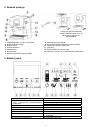
- 3. Control panel
- 4. Filling the water tank
- 5. Warming up the cups
- Using a cup warmed up to a certain temperature before brewing coffee increases the taste of the coffee itself and creates a thick froth on its surface.
- 6. Before first use (rinsing the machine)
- 7. Adjusting water hardness
- 17. Emptying the drip tray
- 18. Removing limescale