Инструкция для Panasonic NV-VZ55EM, NV-VZ55EMM, NV-VZ55EN, NV-VZ55ENC, NV-VZ75EM
 1
 2
 3
 4
 5
 6
 7
 8
 9
 10
 11
 12
 13
 14
 15
 16
 17
 18
 19
 20
 21
 22
 23
 24
 25
 26
 27
 28
 29
 30
 31
 32
 33
 34
 35
 36
 37
 38
 39
 40
 41
 42
 43
 44
 45
 46
 47
 48
 49
 50
 51
 52
 53
 54
 55
 56
 57
 58
 59
 60
 61
 62
 63
 64
 65
 66
 67
 68
 69
 70
 71
 72
 73
 74
 75
 76
 77
 78
 79
 80
 81
 82
 83
 84
 85
 86
 87
 88
 89
 90
 91
 92
 93
 94
 95
 96
 97
 98
 99
 100
 101
 102
 103
 104
 105
 106
 107
 108
 109
 110
 111
 112
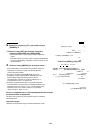 113
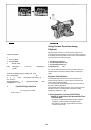 114
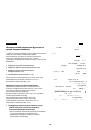 115
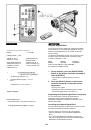 116
 117
 118
 119
 120
 121
 122
 123
 124
 125
 126
 127
 128
 129
 130
 131
 132
 133
 134
 135
 136
 137
 138
 139
 140
 141
 142
 143
 144
 145
 146
 147
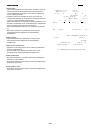
AUDIO IN\ 1 . VIDEO IN
3i
smmm±mwikmB$
-
1 )l$ [CAMERA/OFFA/CR] MSaiSS® [OFF] »
i
sisisssitssisigisai«»»
4
■ n^MmT ■>
• iamitMmmmAiAtv ■ *;it)il;^lf®s§A]gP?
mnmmmmMM
mmwiAt,i$.iyxmw\mmmm»
ENGLISH
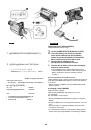
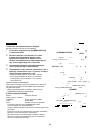
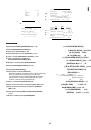
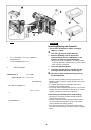
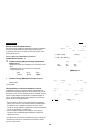
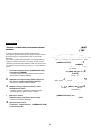
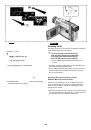
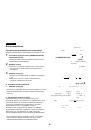
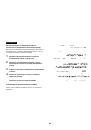
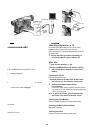
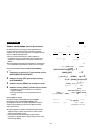
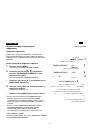
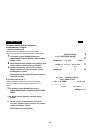
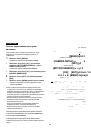
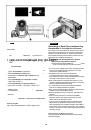
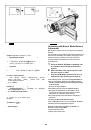
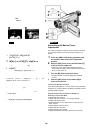
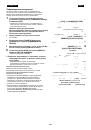
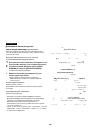
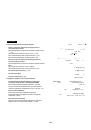
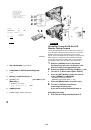
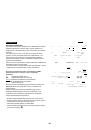
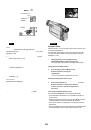
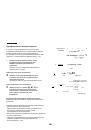
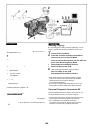
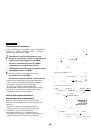
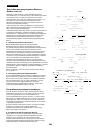
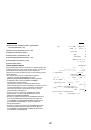
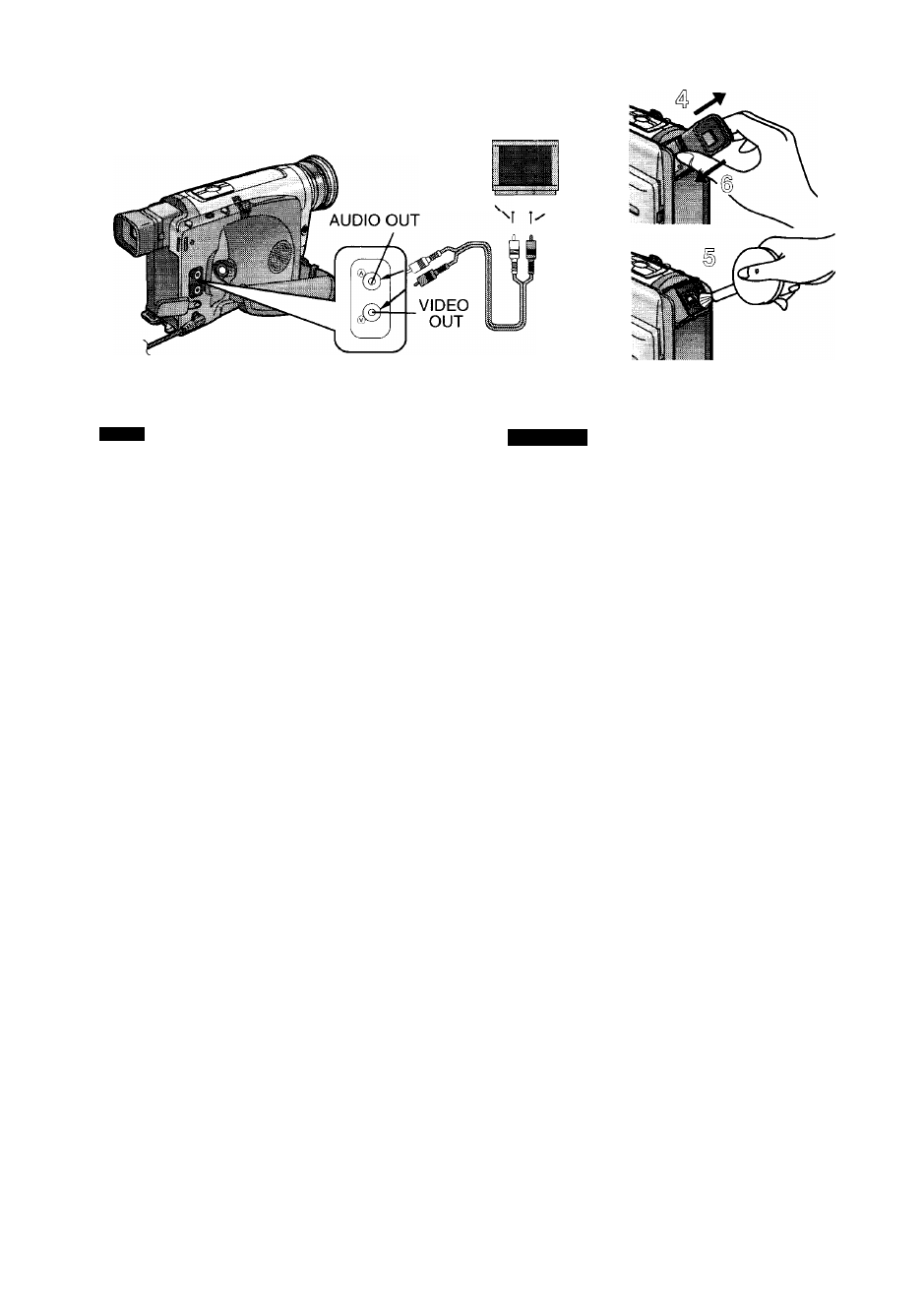
Watching Playback on a TV
By connecting the Movie Camera to a TV, you can watch
playback of the recorded scenes on the TV screen.
Before connecting, turn off both the Movie Camera and the TV
for safety’s sake.
1
Use the AV Cable (purchase separately) to
connect the Movie Camera with the TV.
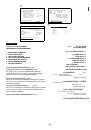
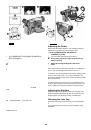
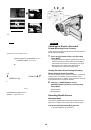
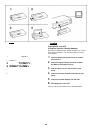
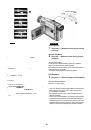
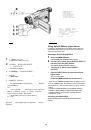
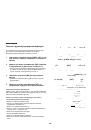
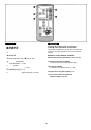
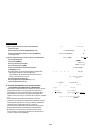
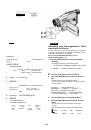
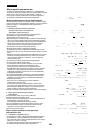
After Use
1
]
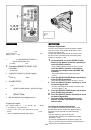
Take out the cassette. (-» 40)
1 Set the [CAMERA/OFFA^CR] Switch to [OFF].
3
Disconnect the AC Adaptor or remove the
Battery.
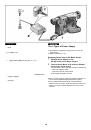
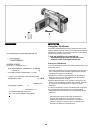
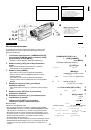
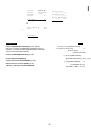
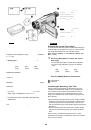
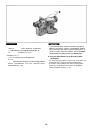
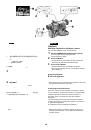
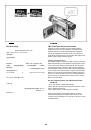
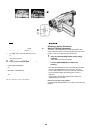
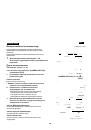
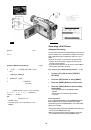
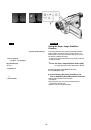
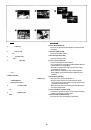
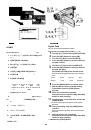
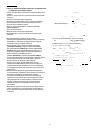
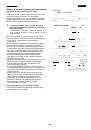
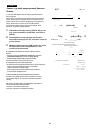
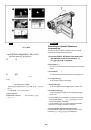
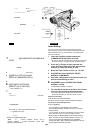
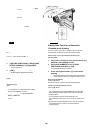
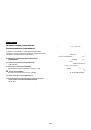
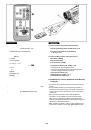
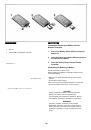
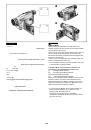
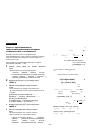
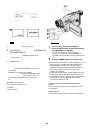
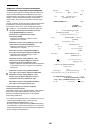
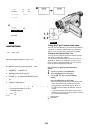
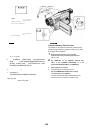
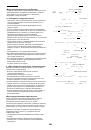
Cleaning the Finder
If dust has entered the Finder...
^ Push the Buttons on both sides of the Finder
and remove it in the direction of the arrow.
S
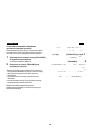
Remove dust with a blower brush
(not supplied).
• If you use a cotton swab or similar to clean the inside of
the Finder, use it very carefully to prevent scratching the
screen inside the Finder.
® To re-attach the Finder, push it forward onto
the Finder Tube until It locks with a click.
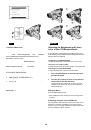
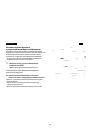
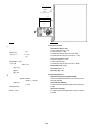
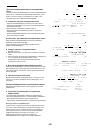
Cleaning the LCD Monitor
Clean the LCD Monitor with a soft cloth or a blower brush.
Cleaning the Movie Camera Body
Wipe it with a soft cloth.
Cleaning the Lens
Clean the lens with a soft cloth or a blower brush.
68
Оглавление инструкции
- Panasonic
- Operating Instructions
- Информация для Вашей безопасности
- Содержание
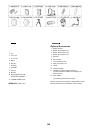
- Standard Accessories
- Аксессуары в комплекте
- Controls and Components
- Органы управления и компоненты
- 27 m>t!jsa (-♦ 20)
- 43 H^a?a]g?L
- 1 )i§35):jit3iiEis*gMi8ig^iiw [DC IN] im^mx)
- 1 I^Ì»ÌI)[ÀOPEN]#
- 5
- 6 7
- 2
- 3
- 5
- 6 7
- функции меню
- .1
- 0
- Подменю [НАСТРОЙКА ДАТЫ/ВРЕМЕНИ] (5) (-» 47)
- Подменю [ИНДИКАЦИЯ НА ЭКРАНЕ] (6)
- Подменю [ЭКРАН/ВИДОИСКАТЕЛЬ] ©(-> 39)
- Подменю [ДРУГИЕ ФУНКЦИИ] @
- РУССКИМ язык
- Главное меню режима ВКМ [ФУНКЦИИ ВОСПРОИЗВЕДЕНИЯ]
- 1. ЦИФРОВЫЕ ЭФФЕКТЫ
- 2. НАСТРОЙКА FADE
- 3. НАСТРОЙКА ТИТРОВ
- 4. НАСТРОЙКА ДАТЫ/ВРЕМЕНИ
- 5. ИНДИКАЦИЯ НА ЭКРАНЕ
- 6. ЭКРАН/ВИДОИСКАТЕЛЬ
- 7. ДРУГИЕ ФУНКЦИИ
- BRIGHTNESS] iSal|/T^i£mgSfe»«¥[LCD COLOUR] S?^#iS»S[EVF BRIGHTNESS]
- 1 S[SET](|gS)ffl . S»®#SIOT®5fi^^S »
- 2 «ii[AV]^ ■ »
- 3 [^¡^^»[AOPEN]:^' mmiammPiTT- ■ MiSs^ig
- 4 EJECT] (S^tti)ffl°
- 6 mfmmmmm. ■ [lock]a»
- 1
- 2 fè[MENu](mm)ffl®tiisii»
- 1
- 2
- 3
- 1
- 2 3
- 2 3
- iiLbuJ/
- Присоединение крышки объектива
- 1 ©SllAT]« ’ ISSM[2002] °
- 2 S[SET](ISS)ffl ’ S»[MONTH](^) °
- 3 ©»[AT]« ' tSSM[10] »
- 4 S [SET] ffl ’ m» [DATE] ( 0 ) ■>
- 5 «»[AT]^ • IS£M[15] °
- 6 ^[SET]ffl ’ S»[HOUR](d'0f) =
- 7 «»[AT]5I ’ ISSM[14] °
- 8 S[SET]ffl ’ Sjf [MIN.](»^) 0
- 9 «Sl[AT]^ ■ I6SM[30] °
- ENGLISH
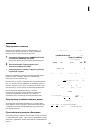
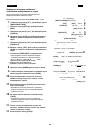
- Setting the Date and Time
- 1 Turn the [AT] Dial to set to [2002].
- 2 Press the [SET] Button to select [MONTH].
- 3 Turn the [AT] Dial to set to [10].
- 4 Press the [SET] Button to select [DATE].
- 5 Turn the [AT] Dial to set to [15].
- 6 Press the [SET] Button to select [HOUR].
- 7 Turn the [AT] Dial to set to [14].
- 8 Press the [SET] Button to select [MIN.].
- 9 Turn the [AT] Dial to set to [30].
- 1 0 Press the [MENU] Button to finish the date and time setting.
- Recording with the Date/Time/Title Superimposed in the Picture
- Запись с датой/временем/титрами, наложенными на изображение
- ©
- 1 ;l§[CAMERA/OFFA/CR]M8SlgMte [CAMERA] °
- 2 *«S[PROG. AE](gJiAE)ffl, MMtiJiaiAUTO]
- 3 ’ MS&iea-
- 5 iS$«aa$:
- )l§[CAMERA/OFFA/CR]MIS|gMft[OFF] »
- ENGLISH
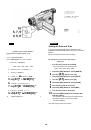
- Recording in the Fuil Auto Mode
- Set the [CAMERA/OFFA/CR] Switch to [CAMERA],
- Press the [PROG. AE] Button repeatedly until the [AUTO] Indication © appears.
- Press the Recording Start/Stop Button to start recording.
- To pause recording:
- Press the Recording Start/Stop Button again.
- To finish recording:
- Set the [CAMERA/OFF/VCR] Switch to [OFF].
- Запись в полностью автоматическом режиме
- 1 Установите переключатель [CAMERA/OFF/VCR] в положение [CAMERA].
- 2 Нажимайте повторно кнопку [PROG. АЕ] до тех пор, пока не появится индикация [AUTO] о
- 3 Нажмите кнопку Старт/Стоп записи, чтобы инициировать запись.
- 4 Для паузы записи:
- Нажмите кнопку Старт/Стоп записи снова.
- 5 Для окончания записи:
- Установите переключатель [CAMERA/OFF/VCR] в положение [OFF].
- jujuLJf
- J^LSJf
- J‘jj ^3
- 1
- Просмотр записанных сцен во время паузы записи (функция поиска камерой)
- Запись сцен с задней подсветкой
- is[T]:&^g[w/T]*«ff °
- 3
- 3
- 4
- (О а И|П аШ ^ 3^3] 3
- .^91лЛ «НаЛЛ ^¡9 шЦ iaJ^I 4
- л 5
- 2 [◄◄]!»
- 1 ^l!l[AT]^ ’ ^»[TOPREC BUTTON] (]I®«a
- 2 m [SET] () ffl ' [SNAP] ■>
- 3 g[MENU]ffl ’ Jiytillll °
- 4 ' S[SNAP]ffl °
- 1 i$iss*ffi«si§ia[sis] °
- ISjgiaSiiHSSiAiga#
- ENGLISH
- Using the Super Image Stabilizer Function
- Использование функции суперстабилизатора изображения
- Using Special Effects (Digital Effects)
- Использование специальных
- эффектов
- (цифровых эффектов)
- Выбор желаемого цифрового эффекта
- O «ft»*)«® [D.ZOOM] (->80)
- O [MOSAIC]
- a[MENu]ffl' mttjsm “
- 1 )t§[FADE SETUP](mtSS)iSH-liKl[DIGITAL
- 2 ■ i$*sft[FADE]
- 4 ,^3-4#ii^ ’ lt^M[FADE]ffl °
- D ^ [FADE SETUP] i [DIGITAL FADE] ISS
- B[OFF] °
- i ’ i#l»Stt[FADE]ffl ■>
- 4 ^M[FADE]ffl°
- 1 «»[ AT] Ig ’ ^»[DIGITAL FADE](«a^iil
- 2 S[SET](IS£)ffl ’ M»[ON] 0
- 3 W» [ATjlg ’ mm [FADE IN] (JiitA) »
- 4 «[SET]M ’ “
- 5 «I!)[AT]^'3Mjf [FADE OUT](JiiltiJ) »
- 6 fé [SET] M »
- 7 4 [FADE COLOUR]
- 8 fé [MENU] (sm) ffl ’ Siiisim °
- 13 g«®^±;BAiÉ ’ fé«atMfè/Ì̱ffl ' ff±fé
- 1
- 6
- 8
- 2
- 6
- Turn the [AT] Dial to select [INTERVALTIME].
- Press the [SET] Button to select the desired Interval Time.
- Press the [MENU] Button to exit the menu.
- Press the Recording Start/Stop Button.
- Поверните регулятор [АТ] для выбора пункта [INTERVAL TIME].
- Нажмите кнопку [SET] для выбора желаемого интервала записи.
- 1 S[MENU]ffl»
- 2 «»[AT]« ’ ^»[CAMERA SETUP]
- %) ' ^^S[SET]ffl °
- 3 «» [AT] « - S#[MOTION SENSOR] °
- 4 S[SET]ffl ■ ^»[ON] o
- 5 ^[MENU]ffi ’ Jitamii »
- 6«a4^iS';g®i!)®«iSiiiSga#
- ENGLISH
- Motion-Sensor-Controlled Recording
- Запись, управляемая сенсором движения
- 1 Нажмите кнопку [MENU].
- 2 Поверните регулятор [АТ] для выбора подменю [НАСТРОЙКА КАМЕРЫ], а затем нажмите кнопку [SET].
- 3 Поверните регулятор [АТ] для выбора пункта [СЕНСОР ДВИЖЕНИЯ].
- 4 Нажмите кнопку [SET] для выбора режима [ВКЛ].
- 5 Нажмите кнопку [MENU] для выхода из меню.
- ■ Сенсор движения может работать неправильно в следующих ситуациях записи:
- Recording in Dark Piaces without Any iiiumination (O Lux Night View Function)
- Запись в темных местах без освещения
- 1 «i*fôll[PROG. AE](ë)ÎAE)ffl ■ aMISrstU^ [AUTO] (gi!))Îg/T'l'>!.;5'hË)ÎBTx)&± °
- 2 s±âfeSiiiM ’
- 3 [w.B] ( âfe¥W) ffl ' MM [b-^j ig/TN ® s
- 2 il§[Wn-]»m^i#*il[S][T] ’ afigil!® o o
- 3 ®l)[MF]^ ’
- ENGLISH
- Recording with Manuai Focus Adjustment
- Запись с ручной регулировкой фокуса
- O ^ ]
- O [H]
- © [8"’]
- 7
- 1
- 3
- 4
- 5
- 6
- 3
- 4
- 5
- 6
- 2 tI§[OTHER FUNCTIONS] (^'Bibtg)Tlill±M [AUDIO DUBBING] (^»]%l)tgSai[ON] °
- 3 ^]fM[^] ’ »
- ENGLISH
- Adding New Sound on a Recorded Cassette (Audio Dubbing)
- Добавление нового звука на записанную кассету (аудио перезапись)
- Выполните действия пунктов 1-4 на стр. 107 перед выполнением действий следующих пунктов.
- Выполните воспроизведение стоп-кадра в точке, в которой Вы желаете начать аудио перезапись.
- Установите режим [ВКЛ] для пункта [AUDIO DUBBING] в подменю [ДРУГИЕ ФУНКЦИИ].
- 3 Нажмите кнопку Воспроизведение [^] для начала аудио перезаписи.
- O iinaa^ia [snap] (-» to)
- 2 <iiaiait«)tì3Én^(+)®isK)®^A ' SA«>tfe»
- (+) оШ ^ 2
- 1 lS]i»»l[AOPEN]# ■ n^ya^mff\7T..
- 2 l^/TNtti [DISPLAY SETUP] (PWa/TNSgS) iSH °
- 3 WliAVjlg ’ S»[SELFSHOOT](i«) o
- 4 g[SET] ffl ’ ([NORMAL] s£
- [MIRROR]) <=
- 5 S[MENU](lim)ffl ’ °
- 6 ©iJiSfeP^xSilgS ’ aSKffi^l5l80°S±»
- 1
- 6 - ^»[SIZE](S«K^)0°
- 8 s[MENu](mm)ffl-
- iSSPiffWS^iSA«®'i3tiTifiaa#
- liJ^H=Sa#
- ENGLISH
- 6 Turn the [AT] Dial to select [SIZE] Q-
- 7 Press the [SET] Button to select the desired size ([NORMAL] or [LARGE]).
- 8 Press the [MENU] Button to exit the menu.
- Recording with Pre-programmed Title Inserted in the
- Deleting the Title
- .0[SIZE]jL^y[AT] 6
- [SET] h i 7
- .([LARGE] 9! [NORMAL])
- ENGLISH
- 1 • ^[DATE/TITLE](a^/M=S)ffi ■
- 1 . *«g*Si|±fl©EFFECT/FADE](5j(
- 1 ’ ««^*SiS±fl^[EFFECT/FADE] m^l ffl’S»[D.FADE] (»em) iiTx“
- 2 S«e«ei§±ai)[SELECT] (Sff)M ’ S»[D.
- FADEON]íiт^ °
- 7 B[fi^*Sfl±W[FADE COLOUR]()ife-[kfe»)® ’
- 15}g]fM«eglt^ki;btgB#
- Playback Digital Fade
- Цифровое плавное введение/выведение изображения и звука при воспроизведении
- Нажимайте повторно кнопку [SELECT] на пульте ДУ, чтобы выбрать индикацию [D.FADE ON].
- Нажимайте повторно кнопку [EFFECT/FADE] на пульте ДУ, чтобы выбрать индикацию [FADE IN].
- Нажимайте повторно кнопку [EFFECT/FADE] на пульте ДУ, чтобы выбрать индикацию [FADE OUT].
- Нажимайте повторно кнопку [FADE COLOUR] на пульте ДУ, чтобы выбрать нужный цвет.
- [FADE OUT] oL JI
- fq-SL*i-UI ^lifl f [FADE COLOUR] jjJI 7
- 1 Wll [AT] ^ ’ S»[DISPLAY] °
- 2 ®[SET](|g:S)ffl ’ Sjf [ALL](±gP) °
- 3 ©»[ AT ] ig - ]1»[COUNTER RESET] (H-im« Ji) o
- 4 ^[SET]ffl . Sff[YES](S) o
- ENGLISH
- Using the Tape Counter Indication
- Использование индикации счетчика ленты
- Проверка времени, истекшего на ленте
- 1 Поверните регулятор [АТ] для выбора пункта [ПОКАЗАТЬ].
- 2 Нажмите кнопку [SET] для выбора режима [ВСЕ].
- 3 Поверните регулятор [АТ] для выбора пункта [ОБНУЛЕНИЕ СЧЕТЧИКА].
- 4 Нажмите кнопку [SET] для выбора режима [ДА].
- ENGLISH
- ■ Changing the Tape Counter Indication
- 3 »
- 4 sèiiiagtìsièmit :
- 1
- 2 »
- 4 »
- 5 Mi&VCRflDiS»°
- 1?±VCRKliiHe =
- 7 if»
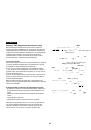
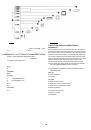
- Dubbing (Copying)
- Connect the AC Adaptor.
- Insert the recorded cassette into the Movie Camera and put it in the VCR Mode.
- Insert an unrecorded cassette into the VCR and put it in the Recording Pause Mode.
- Start playback on the Movie Camera.
- Start recording on the VCR.
- Stop recording on the VCR.
- Stop playback on the Movie Camera.
- Personal Computer Connection Kit
- Перезапись (копирование)
- Подсоедините адаптер переменного тока.
- Вставьте записанную кассету в видеокамеру и переключите видеокамеру в режим ВКМ.
- Вставьте незаписанную кассету в ВКМ и переведите его в режим паузы записи.
- Инициируйте воспроизведение на видеокамере.
- Инициируйте запись на ВКМ.
- Остановите запись на ВКМ.
- Остановите воспроизведение на видеокамере.
- Перезапись (копирование)
- Набор для подсоединения к персональному компьютеру
- Меры предосторожности
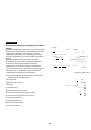
- Как работает регулировка баланса белого (окраски)
- Как работает регулировка фокуса
- 0
- 0
- 0
- 0
- O 146)
- © i^«aEKP5f (-»146)
- O (-► 40)
- © ttaJttii(Afi5ii.Ts) (-»50)
- © ^mn.m (d'fl^ii/TN) (-»50)
- 0 (-♦ 50)
- 0 aa*^jt»i!i (AS5ffi/Ts) (-»50)
- 0 aawifiytii (^j'fl^ig/TN) (-»50)
- 0 ffiaaaj«(!g (-♦ 54)
- © (-» 58)
- i-* 54)
- 0
- © 60)
- 0 i»±№.!^um (-»66)
- 0
- 0
- 0
- ©
- 0
- 0
- 0
- 0
- ©
- ©
- ©
- 0
- ©
- 0
- 0
- ©
- ©
- ©
- ©
- © iÌ?eWtì1Bt!H)(^42)
- © ìS?g«®(-»42)
- © ¥itìa}bf«(-> 96-100)
- © «llitì(!!g (-> 102)
- © *ÌS<fèSitì(ÌÌ (-> 102)
- © 3R3fe)g}KÌÌ(->102)
- ©
- ©
- 0
- 0
- ©
- ©
- © ia®«®ii$}bt* (-♦ 72)
- © »e»*)yiig (-» 80)
- © B#S«iEiS(^60)
- © (-M08)
- ©
- Dubbing (Copying)
- Operating Instructions