Инструкция для Saturn ST-EC7774 Miranda
 1
 2
 3
 4
 5
 6
 7
 8
 9
 10
 11
 12
 13
 14
 15
 16
 17
 18
 19
 20

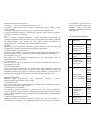
4. QUICK: kneading, rise and baking loaf within the time less than Basic bread. But the
bread baked on this setting is usually smaller with a dense texture.
5. SWEET: kneading, rise and baking sweet bread. You may also add ingredients to add
flavor.
6. GLUTEN FREE: kneading, rise and baking gluten-free bread. You may also add
ingredients to add flavor.
7. DESSERT: kneading, rise and baking dessert.
8. ULTRA-FAST: kneading, rise and baking loaf in a short time, bread with a dense
texture.
9. DOUGH: kneading and rise, but without baking. Remove the dough and use for making
bread rolls, pizza, steamed bread, etc.
10. JAM: boiling jams and marmalades. Fruit or vegetables must be chopped before
putting it into the bread pan.
11. CAKE: kneading, rise and baking, but rise with soda or baking powder.
12. BAKE: only baking, no kneading and rise. Also used for increasing the baking time on
selected settings.
Color
With the button you can select LIGHT, MEDIUM or DARK color for the crust.
Loaf
Press this button to select the size of the bread: 1.5LB, 2.0LB (750g, 900g), when you
select the desired size, the LCD will display the corresponding size. Please note the total
operation time may vary with the different loaf size. This button is only applicable for the
following program: BASIC, FRENCH, WHOLE WHEAT, SWEET, GLUTEN FREE and
ULTRA-FAST.
Time
This bread maker has delay function. Use the “TIME+” and “TIME-” buttons to set your
desired end time for baking. The maximum delayed time is up to 13 hours.
The steps of setting delay function are as follows:
1) Select a program including menu, color, loaf size.
2) Set the delay timer. Press the “TIME+” button once, the end time will be delayed 10
minutes. And if the “TIME+” button is pressed down continuously, the delayed time will
increase rapidly. If you have overshot, you can correct it by pressing the “TIME-” button.
Example: Now it is 8:30p.m, if you would like your bread to be ready in the next morning
at 7 o’clock, i.e. in 10 hours and 30 minutes. Select your menu, color, loaf size then press
the “TIME+” or “TIME–” to add the time until 10:30 appears on the LCD. Then press the
STOP/START button to activate this delay program. LCD will count down to show the
remaining time.
You will get fresh bread at 7:00 in the morning, if you don’t want to take out the bread
immediately, the keeping warm time of 1hour starts.
Note: the ULTRA-FAST and 9JAM programs do not have delay function.
Note
:
Do not use the timer function when working with easy spoiling ingredients such as
eggs, milk, cream or cheese.
KEEP WARM
Bread can be automatically kept warm for 1 hour after baking. During keeping warm, if
you would like to take the bread out, switch the program off by pressing the START/STOP
button.
MEMORY
If the power supply has been interrupted during the course of making bread, the process of
making bread will be continued automatically within 10 minutes, even without pressing
START/STOP button. If the interruption time exceeds 10 minutes, the memory cannot be
kept, you must discard the ingredients in the bread pan and add the ingredients into bread
pan again, and the bread maker must be restarted. But if the dough has not entered the
rising phase when the power supply breaks off, you can press the START/STOP directly to
continue the program from the beginning.
ENVIRONMENT
The machine may work well in a wide range of temperature, but there may be any
difference in loaf size between a very warm room and a very cold room. We suggest that
the room temperature should be within the temperature of 15 to 34.
WARNING DISPLAY
1. If the display shows “HHH” after you have pressed START/STOP button, it means that
the temperature inside of baking mould is too high. You should stop the program and
unplugged the power outlet immediately. Then open the lid and let the machine cool down
completely before using again. If the display shows “LLL” after the program has been
started, it means that the temperature inside of baking mould is too low. You should place
the bread maker into environment of higher temperature for using.
2. If the display shows “EE0” after you have pressed START/STOP button, it means the
temperature sensor open circuit, please check the sensor carefully by Authorized expert. If
the display shows “EE1”, it means the temperature sensor short circuit.
BEFORE THE FIRST USE
The appliance may emit a little smoke and a characteristic smell when you turn it on for
the first time. This is normal and will soon stop. Make sure the appliance has sufficient
ventilation.
1. Please check whether all parts and accessories are complete and free of damage.
2. Clean all the parts according to the section “Cleaning and Maintenance”.
3. Set the bread maker on BAKE mode and bake empty for about 10 minutes. Then let it
cool down and clean all the detached parts again.
4. Dry all parts thoroughly and assemble them, the appliance is ready for using.
Оглавление инструкции
- Страница 1 из 21
ST-EC7774 BREAD MAKER ХЛЕБОПЕЧКА ХЛІБОПІЧКА
- Страница 2 из 21
GB BREAD MAKER Dear Buyer! We congratulate you on having bought the device under trade name «Saturn». We are sure that our devices will become faithful and reliable assistance in your housekeeping. Avoid extreme temperature changes. Rapid temperature change (e.g. when the unit is moved from
- Страница 3 из 21
This indicates the program you have chosen 1. BASIC 2. FRENCH 3. WHOLE WHEAT 4. QUICK 5. SWEET 6. GLUTEN FREE The operation time for each program ST /ST ART OP LIGHT MEDIUM DARK 1.5LB 2.0LB AF LO NU ME TIME- KNOW YOUR BREAD MAKER (Product may be subject to change without prior notice) H a n d le L
- Страница 4 из 21
4. QUICK: kneading, rise and baking loaf within the time less than Basic bread. But the bread baked on this setting is usually smaller with a dense texture. 5. SWEET: kneading, rise and baking sweet bread. You may also add ingredients to add flavor. 6. GLUTEN FREE: kneading, rise and baking
- Страница 5 из 21
HOW TO MAKE BREAD 1. Place the bread pan in position, then turning it in clockwise until they click in correct position. Fix the kneading blade onto the drive shaft. It is recommended to fill hole with heat-resisting margarine prior to place the kneading blade to avoid the dough sticking the
- Страница 6 из 21
clean and dry, and the lid is closed. INTRODUCTION OF BREAD INGREDIENTS 1. Bread flour Bread flour has high content of high gluten (so it can be also called high-gluten flour which contains high protein), it has good elastic and can keep the size of the bread from collapsing after rise. As the
- Страница 7 из 21
yeast can't press with salt. After the flour has been kneaded for some time and a beep will prompt you to put fruit ingredients into the mixture. If the fruit ingredients are added too early, the flavor will be diminished after long time mixing. When you use the delay function for a long time,
- Страница 8 из 21
14 Crust is too thick and baking color is too dark when making cakes or food with excessive sugar Different recipes or ingredients have great effect on making bread, baking color will become very dark because of much sugar If baking color is too dark for the recipe with excessive sugar, press
- Страница 9 из 21
горячее масло или другие горячие жидкости. 13. Не касайтесь вращающихся частей машины в процессе работы 14. Не включайте устройство без установленной хлебной формы, наполненной ингредиентами. 15. Аккуратно извлекайте лоток, небрежное обращение может повредить его. 16. Не используйте металлическую
- Страница 10 из 21
Описание функций 1. Basic: вымешивание теста, подъем теста, выпекание обычного хлеба. 2. French: вымешивание теста, подъем теста, выпекание с более длительным сроком подъема. Хлеб, испеченный таким способом, обычно имеет хрустящую корочку и легкую структуру. 3.Whole wheat: вымешивание теста, подъем
- Страница 11 из 21
устранения. Перед первым использованием 1. Проверьте наличие и целостность всех комплектующих деталей прибора. 2. Произведите очистку прибора согласно главе «УХОД И ОЧИСТКА» 3. Включите программу «BAKE» (выпекание) и прогревайте без ингредиентов в течение 10 минут. После того, как прибор остынет,
- Страница 12 из 21
ОЧИСТКА И УХОД Перед очисткой отключите прибор от сети и дайте ему остыть. 1. Противень: Чтобы извлечь противень, прокрутите его против часовой стрелки и выньте за ручку. Протрите противень внутри и снаружи при помощи мягкой ткани. Не используйте для протирания грубые и абразивные материалы, чтобы
- Страница 13 из 21
оптимальная температура воды для приготовления теста 20°-25°. Воду можно заменить свежим или растворимым молоком. В некоторых рецептах используются фруктовые соки (яблочный, апельсиновый, лимонный и др.) МЕРА ИНГРЕДИЕНТОВ Важно строго придерживаться меры ингредиентов, указанной в рецепте.
- Страница 14 из 21
10 11 12 13 14 Проседание теста внутри хлеба Тяжелое тесто Хлеб полый внутри Мука прилипла к поверхности хлеба Слишком толстая корочка, цвет корочки слишком темный при выпекании сладкого теста 1. Недостаточно плотная мука для подъема 2. Излишне высокая скорость подъема дрожжей, или слишком высокая
- Страница 15 из 21
UA ХЛІБОПІЧ Шановний покупець! Поздоровляємо Вас із придбанням виробу торгової марки «Saturn». Впевнені, що наші вироби будуть вірними і надійними помічниками у Вашому домашньому господарстві. Не піддавайте пристрій різким перепадам температур. Різка зміна температури (наприклад, внесення пристрою
- Страница 16 из 21
Панель керування (дизайн панелі керування може змінюватися без попереднього повідомлення) Start/Stop Запуск і завершення обраної програми для випікання. Для вмикання програми натисніть кнопку "START/STOP". При цьому пролунає короткий звуковий сигнал, дві крапки в іконці, що показують час, будуть
- Страница 17 из 21
екрані буде відображатися час, що залишився до закінчення програми. У 7 годин у вас буде свіжий гарячий хліб. Хліб автоматично підігрівається протягом однієї години після завершення випікання. Примітка: програми ULTRA FAST і JAM не мають функцій затримки. Будь ласка, пам’ятайте про те, що
- Страница 18 из 21
Акуратно витягніть хліб і залиште охолоджуватися на 20 хвилин. Якщо ви відсутні у момент завершення випікання або не натиснули кнопку START/STOP, хліб буде автоматично підігріватися впродовж 1 години і потім відключиться. Відключайте прилад від мережі, якщо він не використовується довгий час.
- Страница 19 из 21
Визначення придатності дріжджів: 1) залийте в ємність ½ склянки теплої води ( 45º-50°) 2) додайте 1 чайну ложку цукру в склянку і розмішайте, зверху додайте 2 чайні ложки дріжджів 3) залиште мірну склянку в теплому місці на 10 хвилин. Не збовтуйте воду. 4) дріжджі повинні спінитися і збільшитися в
- Страница 20 из 21
7 8 9 10 Хліб дуже великого розміру Хліб маленького розміру або не піднявся Забагато тіста, що не уміщається в деку Просідання тіста усередині хліба 11 Важке тісто 12 Хліб порожній усередині Зайва кількість дріжджів, води або борошна. Дуже висока температура в приміщенні Немає дріжджів, або
- Страница 21 из 21