Инструкция для Indesit PWSE 6128S
 1
 2
 3
 4
 5
 6
 7
 8
 9
 10
 11
 12
 13
 14
 15
 16
 17
 18
 19
 20
 21
 22
 23
 24
4
GB
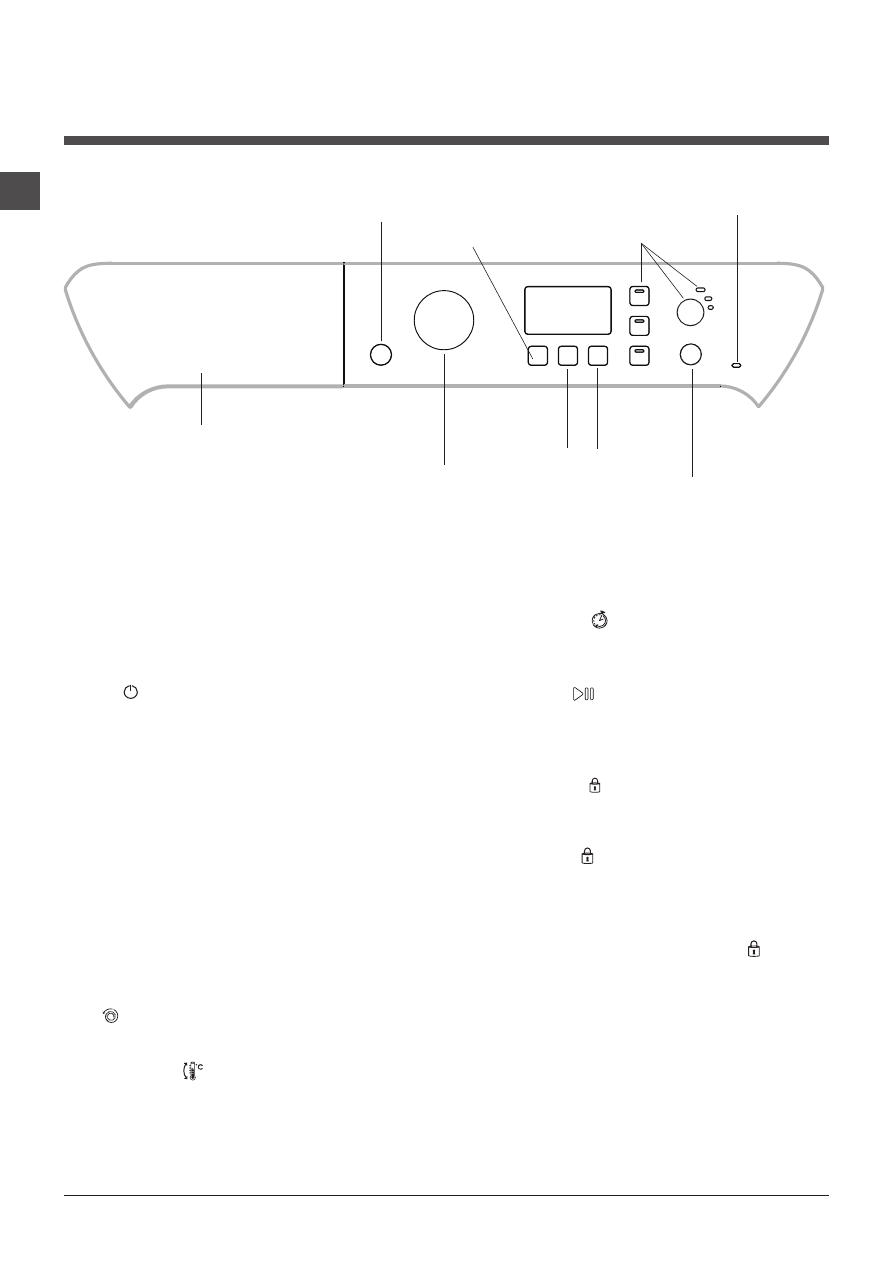
Description of the washing
machine
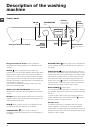
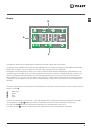
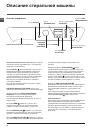
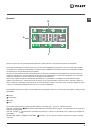
Control panel
TEMPERATURE
button
WASH
CYCLE
SELECTOR
KNOB
Detergent dispenser drawer
ON/OFF
button
SPIN
button
START/PAUSE
button and indicator
light
DISPLAY
DELAYED
START
button
OPTION
buttons and
indicator lights
DOOR
LOCKED
indicator light
Detergent dispenser drawer:
used to dispense
detergents and washing additives (
see “Detergents and
laundry”
).
ON/OFF
button: press this briefly to switch the
machine on or off. The START/PAUSE indicator light which
flashes slowly in a blue colour shows that the machine is
switched on. To switch off the washing machine during the
wash cycle, press and hold the button for approximately 3
seconds; if the button is pressed briefly or accidentally the
machine will not switch off.
If the machine is switched off during a wash cycle, this
wash cycle will be cancelled.
WASH CYCLE SELECTOR KNOB
:
used to set the
desired wash cycle (see “
Table of programmes and wash
cycles
”).
OPTION
buttons and indicator lights:
press to select the
available options. The indicator light corresponding to the
selected option will remain lit.
SPIN
button: press to reduce or completely exclude
the spin cycle; the value appears on the display.
TEMPERATURE
button: press to reduce or
completely exclude the temperature; the value appears on
the display.
DELAYED START
button: press to set a delayed start
for the selected wash cycle; the delay period appears on
the display.
START/PAUSE
button and indicator light: when the
blue indicator light flashes slowly, press the button to start
a wash cycle. Once the cycle has begun the indicator light
will remain lit in a fixed manner. To pause the wash cycle,
press the button again; the indicator light will flash in an
amber colour. If the symbol is not illuminated, the door
may be opened. To start the wash cycle from the point at
which it was interrupted, press the button again.
DOOR LOCKED
indicator light:
The lit symbol indicates that the door is locked. To prevent
any damage, wait until the symbol turns off before opening
the door.
To open the door while a cycle is in progress, press the
START/PAUSE button; if the DOOR LOCKED symbol is
switched off the door may be opened.
Standby mode
This washing machine, in compliance with new energy
saving regulations, is fitted with an automatic standby
system which is enabled after a few minutes if no activity is
detected. Press the ON-OFF button briefly and wait for the
machine to start up again.
Оглавление инструкции
- Страница 1 из 25
Instructions for use WASHING MACHINE Contents GB English, 1 CIS Русский,13 GB Installation, 2-3 Unpacking and levelling Connecting the electricity and water supplies The first wash cycle Technical data Description of the washing machine, 4-5 Control panel Display Running a wash cycle, 6 Wash cycles
- Страница 2 из 25
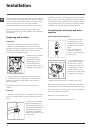
Installation GB ! This instruction manual should be kept in a safe place for future reference. If the washing machine is sold, transferred or moved, make sure that the instruction manual remains with the machine so that the new owner is able to familiarise himself/herself with its operation and
- Страница 3 из 25
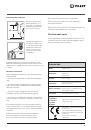
! The cable should not be bent or compressed. Connecting the drain hose 65 - 100 cm Connect the drain hose, without bending it, to a drain duct or a wall drain situated between 65 and 100 cm from the floor; GB ! The power supply cable must only be replaced by authorised technicians. Warning! The
- Страница 4 из 25
Description of the washing machine GB Control panel OPTION ON/OFF button buttons and indicator lights TEMPERATURE button DOOR LOCKED indicator light DISPLAY Detergent dispenser drawer WASH CYCLE SELECTOR KNOB SPIN button DELAYED START button START/PAUSE button and indicator light Detergent
- Страница 5 из 25
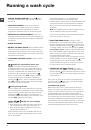
Display GB B A C The display is useful when programming the machine and provides a great deal of information. The duration of the available wash cycles and the remaining time of a running cycle appear in section A; if the DELAYED START option has been set, the countdown to the start of the selected
- Страница 6 из 25
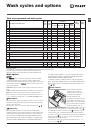
Running a wash cycle GB 1. SWITCH THE MACHINE ON. Press the button; the START/PAUSE indicator light will flash slowly in a blue colour. 2. LOAD THE LAUNDRY. Open the porthole door. Load the laundry, making sure you do not exceed the maximum load value indicated in the table of programmes and wash
- Страница 7 из 25
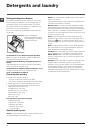
Wash cycles and options 1 2 2 2 3 4 5 6 7 8 9 GB Detergents Description of the wash cycle Smart cycles Cottons with Pre-wash: extremely soiled whites. White Cottons: extremely soiled whites. White Cottons (1): heavily soiled whites and resistant colours. White Cottons (2): heavily soiled whites and
- Страница 8 из 25
Detergents and laundry GB Detergent dispenser drawer Successful washing results also depend on the correct dose of detergent: adding too much detergent will not necessarily result in a more efficient wash, and may in fact cause build up on the inside of your appliance and contribute to
- Страница 9 из 25
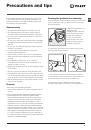
Precautions and tips ! This washing machine was designed and constructed in accordance with international safety regulations. The following information is provided for safety reasons and must therefore be read carefully. General safety • This appliance was designed for domestic use only. • The
- Страница 10 из 25
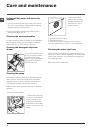
Care and maintenance GB Cutting off the water and electricity supplies • Turn off the water tap after every wash cycle. This will limit wear on the hydraulic system inside the washing machine and help to prevent leaks. 2. Unscrew the lid by rotating it anti-clockwise (see figure): a little water
- Страница 11 из 25
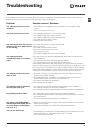
Troubleshooting Your washing machine could occasionally fail to work. Before contacting the Technical Assistance Service (see “ Service”), make sure that the problem cannot be not solved easily using the following list. Problem: Possible causes / Solutions: The washing machine does not switch on. •
- Страница 12 из 25
Service GB Before contacting the Technical Assistance Service: • Check whether you can solve the problem alone (see “Troubleshooting”). • Restart the wash cycle to check whether the problem has been solved. • If this is not the case, contact an authorised Technical Assistance Centre. ! Always
- Страница 13 из 25
Руководство по эксплуатации СТИРАЛЬНАЯ МАШИНА Содержание CIS Русский CIS Монтаж, 14-15 Распаковка и выравнивание Водопроводное и электрическое подсоединение Первый цикл стирки Технические данные Описание стиральной машины, 16-17 Консоль управления Дисплей Цикл стирки, 18 Программы и дополнительные
- Страница 14 из 25
Установка CIS ! Важно сохранить данное руководство для его последующих консультаций. В случае продажи, передачи или переезда на новую квартиру необходимо проверить, чтобы руководство оставалось вместе со стиральной машиной, чтобы ее новый владелец мог ознакомиться с порядком ее функционирования и
- Страница 15 из 25
Присоединение сливного шланга 65 - 100 cm Подсоедините сливной шланг, не сгибая его, к сливному трубопроводу или к настенному сливу, расположенному на высоте 65 – 100 см от пола. Внимание! Компания-производитель снимает с себя всякую ответственность в случае несоблюдения вышеописанных правил.
- Страница 16 из 25
Описание стиральной машины CIS Консоль управления Индикатор ЛЮК Кнопка ON/OFF Кнопка Кнопки с индикаторами ТЕМПЕРАТУРА ЗАБЛОКИРОВАН ФУНКЦИИ ДИСПЛЕЙ Ячейка для стирального вещества РУКОЯТКА ВЫБОРА ПРОГРАММ Кнопка ОТЖИМ Кнопка с индикатором START/PAUSE Кнопка ТАЙМЕР ОТСРОЧКИ Ячейки для стирального
- Страница 17 из 25
Дисплей CIS B A C Дисплей служит для программирования машины и предоставляет пользователю множество сведений. В секторе A показывается продолжительность различных имеющихся программ и, после запуска цикла, время, остающееся до завершения программы. Если был задан ТАЙМЕР ОТСРОЧКИ, на дисплее
- Страница 18 из 25
Порядок выполнения цикла стирки CIS 1. ПОРЯДОК ВКЛЮЧЕНИЯ МАШИНЫ. Нажмите кнопку ; индикатор START/PAUSE редко мигает синим цветом. 2. ЗАГРУЗКА БЕЛЬЯ. Откройте люк машины. Загрузите в барабан белье, не превышая максимальный допустимый вес, указанный в таблице программ на следующей странице. 3.
- Страница 19 из 25
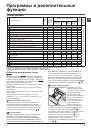
Программы и дополнительные функции Ïðîãðàììû Таблица программ Макс. Макс. скорость темп. (оборотов в (°C) минуту) Описание программы Стиральные вещества и добавки Предварительная мойка Стирка Макс. Продзагру- олжит -ть Отбели- Ополаски- зка (кг) цикла ватель ватель 90° 1200 - 6 2 Белое х/б
- Страница 20 из 25
Стиральные вещества и типы белья CIS Ячейка для стирального вещества Специальные программы Хороший результат стирки зависит также от правильной дозировки стирального вещества: избыток стирального вещества не гарантирует более эффективную стирку, напротив, способствует образованию налетов внутри
- Страница 21 из 25
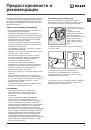
Предосторожности и рекомендации ! Стиральная машина спроектирована и изготовлена в соответствии с международными нормативами по безопасности. Необходимо внимательно прочитать настоящие предупреждения, составленные в целях вашей безопасности. Общие требования безопасности • Данное изделие
- Страница 22 из 25
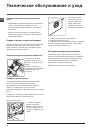
Техническое обслуживание и уход CIS Отключение воды и электрического тока • Перекрывайте водопроводный кран после каждой стирки. Таким образом сокращается износ водопроводной системы машины и сокращается риск утечек. • Выньте штепсельную вилку из сетевой розетки в процессе чистки и технического
- Страница 23 из 25
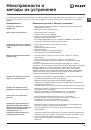
Неисправности и методы их устранения Если ваша стиральная машина не работает. Прежде чем обратиться в Центр Сервисного обслуживания (см. Сервисное обслуживание), проверьте, можно ли устранить неисправность, следуя рекомендациям, приведенным в следующем перечне. Неисправности: Возможные причины /
- Страница 24 из 25
Сервисное обслуживание CIS 195077174.00 03/2009 - Xerox Fabriano Перед тем как обратиться в Сервисное Обслуживание: • Проверьте, нельзя ли устранить неисправность самостоятельно (см. “Неисправности и методы их устранения”); • Вновь запустите программу для проверки исправности машины; • В случае
- Страница 25 из 25