Инструкция для Pioneer DEH-1500UB (UBA) (UBB) (UBG)
 1
 2
 3
 4
 5
 6
 7
 8
 9
 10
 11
 12
 13
 14
 15
 16
 17
 18
 19
 20
 21
 22
 23
 24
 25
 26
 27
 28
 29
 30
 31
 32
 33
 34
 35
 36
 37
 38
 39
 40
 41
 42
 43
 44
 45
 46
 47
 48
 49
 50
 51
 52
 53
 54
 55
 56
 57
 58
 59
 60
 61
 62
 63
 64
 65
 66
 67
 68
 69
 70
 71
 72
 73
 74
 75
 76
 77
 78
 79
 80
 81
 82
 83
 84
 85
 86
 87
 88
 89
 90
 91
 92
 93
 94
 95
 96
 97
 98
 99
 100
 101
 102
 103
 104
 105
 106
 107
 108
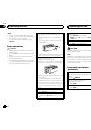
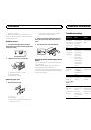
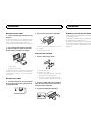
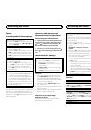
Playing songs on a USB storage device
1
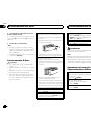
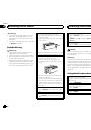
Open the USB port cover.
2
Plug in the USB storage device using a USB
cable.
Playback is performed automatically.
Stopping playback of files on a USB storage de-
vice
1
You may disconnect the USB storage device at
any time.
The unit stops playback.
Selecting a folder
1
Press
1
/ or
2
/ .
Selecting a track
1
Press
c
or
d
.
Fast forwarding or reversing
1
Press and hold
c
or
d
.
!
When playing compressed audio, there is no
sound during fast forward or reverse.
Returning to root folder
1
Press and hold
BAND
.
Switching between compressed audio and CD-DA
1
Press
BAND
.
Switching between playback memory devices
You can switch between playback memory devices
on USB storage devices with more than one Mass
Storage Device-compatible memory device.
1
Press
BAND
.
!
You can switch between up to 32 different
memory devices.
Note
Disconnect USB storage devices from the unit
when not in use.
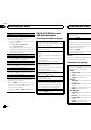
Switching the display
Selecting the desired text information
1
Press
DISP
to cycle between the following:
CD-DA
!
ELAPSED TIME
(track number and play-
back time)
!
CLOCK
(source name and clock)
!
SPEANA
(spectrum analyzer)
CD-TEXT
!
TRACK INFO
(track title/track artist/disc
title)
!
ELAPSED TIME
(track number and play-
back time)
!
CLOCK
(source name and clock)
!
SPEANA
(spectrum analyzer)
MP3/WMA/WAV
!
TRACK INFO
(track title/artist name/album
title)
!
FILE INFO
(file name/folder name)
!
ELAPSED TIME
(track number and play-
back time)
!
CLOCK
(source name and clock)
!
SPEANA
(spectrum analyzer)
Notes
!
TRACK INFO
and
FILE INFO
text information
will change automatically.
!
Depending on the version of iTunes used to
write MP3 files to a disc or media file types,
incompatible text stored within an audio file
may be displayed incorrectly.
!
Text information items that can be changed
depend on the media.
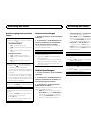
Selecting and playing files/
tracks from the name list
1
Press
to switch to the file/track name
list mode.
2
Use M.C. to select the desired file name
(or folder name).
Selecting a file or folder
1
Turn
M.C.
Playing
1
When a file or track is selected, press
M.C.
Viewing a list of the files (or folders) in the se-
lected folder
1
When a folder is selected, press
M.C.
Playing a song in the selected folder
1
When a folder is selected, press and hold
M.C.
Operations using special buttons
Selecting a repeat play range
1
Press
6
/
to cycle between the following:
CD/CD-R/CD-RW
!
ALL
–
Repeat all tracks
!
ONE
–
Repeat the current track
!
FLD
–
Repeat the current folder
USB storage device
!
ALL
–
Repeat all files
!
ONE
–
Repeat the current file
!
FLD
–
Repeat the current folder
Playing tracks in random order
1
Press
5
/
to turn random play on or off.
Tracks in a selected repeat range are played in
random order.
!
To change songs during random play, press
d
to switch to the next track. Pressing
c
restarts
playback of the current track from the begin-
ning of the song.
Pausing playback
1
Press
4
/
PAUSE
to pause or resume.
Enhancing compressed audio and restoring rich
sound (sound retriever)
1
Press
3
/
S.Rtrv
to cycle between:
1
—
2
—
OFF
(off)
1
is effective for low compression rates, and
2
is effective for high compression rates.
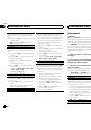
Function settings
1
Press M.C. to display the main menu.
2
Turn M.C. to change the menu option
and press to select FUNCTION.
Once selected, the function below can be ad-
justed.
S.RTRV
(sound retriever)
Automatically enhances compressed audio and
restores rich sound.
1
Press
M.C.
to select the desired setting.
For details, refer to
audio and restoring rich sound (sound retriever)
Audio adjustments
1
Press M.C. to display the main menu.
2
Turn M.C. to change the menu option
and press to select AUDIO.
3
Turn M.C. to select the audio function.
Once selected, the following audio functions
can be adjusted.
!
FADER
is not available when
SUB.W/SUB.W
is selected in
SP-P/O MODE
. For details, refer
to
Operating this unit
6
Section
Operating this unit
En
02