Инструкция для LG 32LA660V
 1
 2
 3
 4
 5
 6
 7
 8
 9
 10
 11
 12
 13
 14
 15
 16
 17
 18
 19
 20
 21
 22
 23
 24
 25
 26
 27
 28
 29
 30
 31
 32
 33
 34
 35
 36
 37
 38
 39
 40
ENG
EN
G
L
ISH
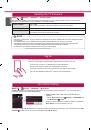
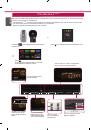
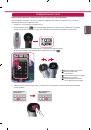
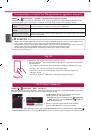
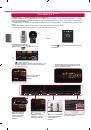
9
»
a
:
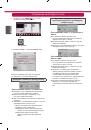
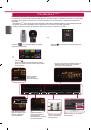
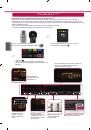
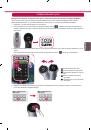
Change Device tab
»
b
:
Device control buttons
»
c
:
Expand the ScreenRemote
»
d
:
Exits the Screen Remote
»
e
:
Moves the position of the
ScreenRemote to left or right
External Device Menu
External Device Menu
a
b
d
e
c
Universal Control
To use the Universal Control function (for Magic Remote Control only)
With the Magic Remote Control, you can easily control your set-top box, Blu-ray player, home theater system, and
Sound Bar.
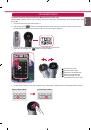
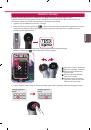
1 Check if the device is connected to the TV.
2 After pressing the '
' button on the Magic Remote Control, select the device you want to control in the
Change Device tab. The Screen Remote that can control the device appears.
3 You can control external devices using the Screen Remote on the screen.
(This may not work with the '
' button for some models.)
4 Control external devices using the navigation keys, wheel (OK), or BACK button on the Magic Remote Control.