Инструкция для Sony Cyber-shot DSC-HX9V
 1
 2
 3
 4
 5
 6
 7
 8
 9
 10
 11
 12
 13
 14
 15
 16
 17
 18
 19
 20
 21
 22
 23
 24
 25
 26
 27
 28
 29
 30
 31
 32
 33
 34
 35
 36
 37
 38
 39
 40
 41
 42
 43
 44
 45
 46
 47
 48
 49
 50
 51
 52
 53
 54
 55
 56
 57
 58
 59
 60
 61
 62
 63
 64
 65
 66
 67
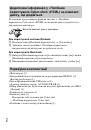 68
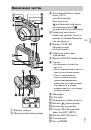 69
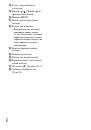 70
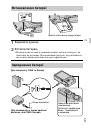 71
 72
 73
 74
 75
 76
 77
 78
 79
 80
 81
 82
 83
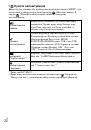 84
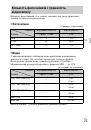 85
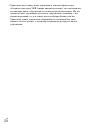 86
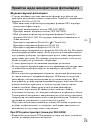 87
 88
 89
 90
 91
 92
 93
 94
 95
 96
GB
20
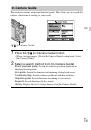
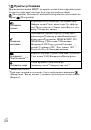
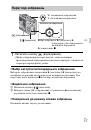
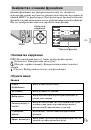
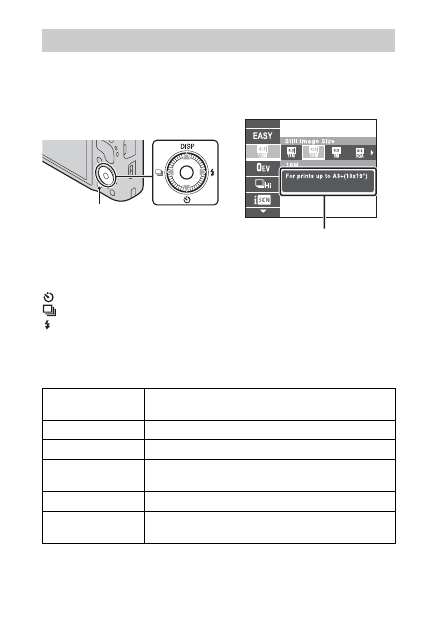
Other functions used when shooting or playing back can be operated using the
control wheel or MENU button on the camera. This camera is equipped with a
Function Guide that allows you to easily select from the functions. While
displaying the guide, try the other functions.
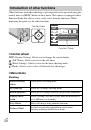
x
Control wheel
DISP
(Display Setting): Allows you to change the screen display.
(Self-Timer): Allows you to use the self-timer.
(Burst Settings): Allows you to use the burst shooting mode.
(Flash): Allows you to select a flash mode for still images.
x
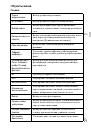
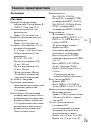
Menu Items
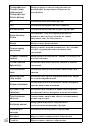
Shooting
Introduction of other functions
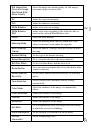
Movie shooting
scene
Select movie recording mode.
3D Shooting
Select the 3D image shooting mode.
Scene Selection
Select pre-set settings to match various scene conditions.
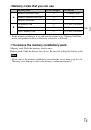
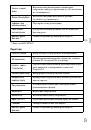
Memory recall
mode
Select a setting you want to recall when the mode dial is
set to [Memory recall mode].
Easy Mode
Shoot still images using minimal functions.
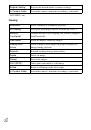
Defocus Effect
Set the level of background defocus effect when
shooting in Background Defocus mode.
MENU
Control wheel
Function Guide
Оглавление инструкции
- English
- Refer to “Cyber-shot User Guide” (HTML) on supplied CD-ROM
- Checking the supplied items
- Identifying parts
- Inserting the battery pack
- Charging the battery pack
- Inserting a memory card (sold separately)
- Setting the clock
- Shooting still images/movies
- Viewing images
- In-Camera Guide
- Introduction of other functions
- Number of still images and recordable time of movies
- Notes on using the camera
- Specifications
- Русский
- Обратитесь к справке “Руководство пользователя Cyber-shot” (HTML) на прилагаемом диске CD-ROM
- Проверка прилагаемых предметов
- Обозначение частей
- Вставка батарейного блока
- Зарядка батарейного блока
- Вставка карты памяти (продается отдельно)
- Установка часов
- Фотосъемка/видеосъемка
- Просмотр изображений
- Встроенная справка
- Введение в другие функции
- Количество фотоснимков и время видеозаписи
- Примечания по использованию фотоаппарата
- Технические характеристики
- Українська
- Додаткова інформація у «Посібник користувача Cyber-shot» (HTML) на компакт-диску, що додається
- Перевірка комплектації
- Визначення частин
- Встановлення батареї
- Заряджання батареї
- Встановлення карти пам’яті (продається окремо)
- Налаштування годинника
- Фото- та відеозйомка
- Перегляд зображень
- Довідн. функ. фотоап.
- Знайомство з іншими функціями
- Кількість фотознімків і тривалість відеозапису
- Примітки щодо використання фотоапарата
- Технічні характеристики