Инструкция для SoundMAX SM-CDM1035
 1
 2
 3
 4
 5
 6
 7
 8
 9
 10
 11
 12
 13
 14
 15
 16
 17
 18
 19
 20
 21
 22
 23
 24
 25
 26
 27
 28
 29
 30
 31
 32
 33
17
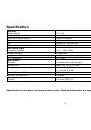
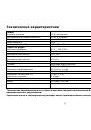
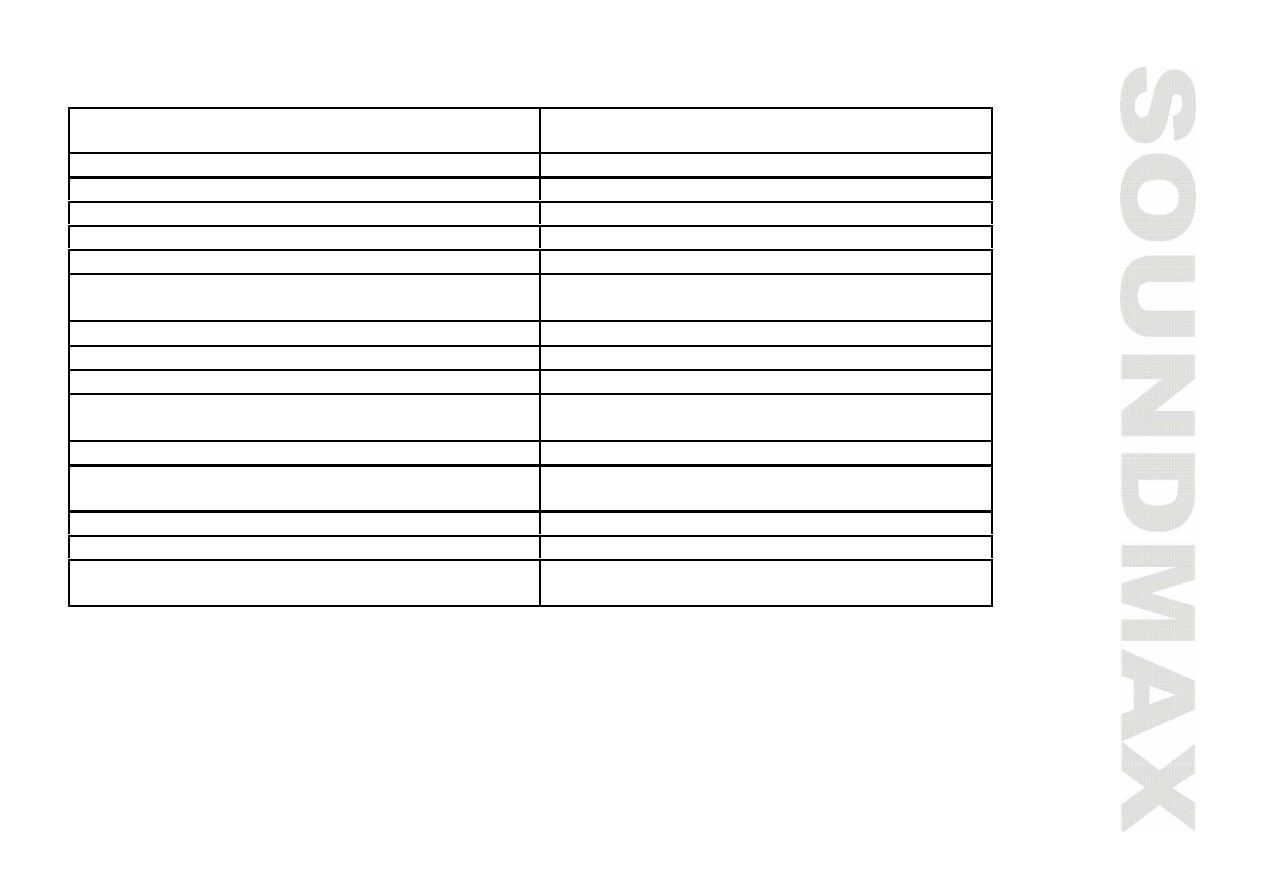
Specification
Specifications are subject to change without notice. Mass and dimension are approximate.
General
Power supply
12 V DC
Current consumption
max. 15 A
Maximum power output
50Wx4 channels
Fuse
15A
ESP
40sec CD, 120 sec MP3
Dimensions (L x W x H)
178 x 50 x 150 mm
FM stereo radio
Frequency range
87.5 - 108.0 MHz
Preset memory
18 stations
Usable sensitivity
12dB
I.F. Frequency
10.7 MHz
Disc player
System:
Compact disc audio system
Usable disc:
MP3/ CD/ CD-R/ CD-RW
Frequency characteristics:
20-20 KHz (+3dB)
10-20 kHz 5 dB
Signal to noise CD:
70 dB (1kHz)
Number of channels:
2 stereo
Line out
Output:
CD max 2000 mV
Оглавление инструкции
- Страница 1 из 34
SM-CDM1035 CD/MP3 RECEIVER Instruction manual CD/MP3-
- Страница 2 из 34
Dear customer! Thank you for purchasing our product. For safety, it is strongly recommended to read this manual carefully before connecting, operating and/or adjusting the product and keep the manual for reference in the future. Table of contents Table of contents
- Страница 3 из 34
Important safeguards - Read carefully through this manual to familiarize yourself with this high-quality sound system. Disconnect the vehicle's negative battery terminal while mounting and connecting the unit. When replacing the fuse, be sure to use one with an identical amperage rating. Using a
- Страница 4 из 34
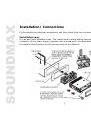
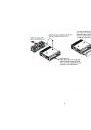
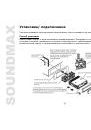
Installation/ Connections First complete the electrical connections, and then check them for correctness. Installation way It is an anti-theft installation way. The chassis wear a metal sliding housing. Please have the wiring connection of the power supply, speakers and antenna as for the
- Страница 5 из 34
5
- Страница 6 из 34
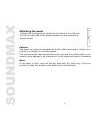
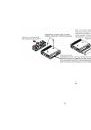
Attaching the panel 1 Attach the front panel by fixing the left side of it into the unit 2 Push the right side of the panel towards into the connecting plug as shown Caution: The panel can easily be damaged by shocks. After removing it, place it in a protective case and be careful not to drop it or
- Страница 7 из 34
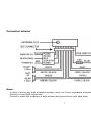
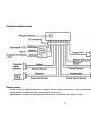
Connection scheme Notes: - In spite of having any kinds of speaker system, must use 4 ohms impedance of speaker to reduce the distortion during high volume level. - Prohibit to make the conductors of auto antenna and ground touch with each other. 7
- Страница 8 из 34
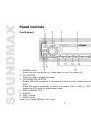
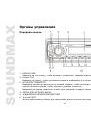
Panel controls Front panel 1. POWER button Press it to turn the power on. Press again to turn the power off. 2. CLK BUTTON Press it to set or display the time. 3. VOL KNOB/ SEL BUTTON Rotate VOL knob clockwise to increase the volume level; rotate anticlockwise to decrease the volume level. Press
- Страница 9 из 34
8. RELEASE button Press it to release the faceplate 9. EQ3 BUTTON Use the EQ3 button to set the equalizer. 10 NUMBERED BUTTONS Use these buttons as PRESET MEMORY buttons to store radio stations. -MANUAL PRESET: keep pressing any of 1-6 buttons to store any radio station. -AUTOMATIC PRESET: use
- Страница 10 из 34
Functions of controls General operations Reset the unit Operating the unit for the first time or after replacing the car battery, you must reset the unit. Press RELEASE button, then press the RESET button to restore the unit to the original factory settings. Power button Press the PWR button to
- Страница 11 из 34
Radio operations BAND selection Press the BAND button repeatedly to select your desired radio band during RADIO mode: FM1, FM2, FM3. Auto/ Manual tuning - Manual tuning: Press the - Automatic tuning: Press the buttons and hold for 2 seconds, the automatic search downwards or upwards will start. It
- Страница 12 из 34
Discs operations Discs for playback This unit can play disc types: CD/CD-R/-RW. Compatible with formats: MP3 Loading/ eject a disc Insert the disk into the slot with the printed side facing upwards. Press EJECT button on the front panel to eject the disc. Playing/ pausing playback - Press the
- Страница 13 из 34
MP3 overview Notes on MP3 - MP3 is short for MPEG Audio Layer 3 and refers to an audio compression technology standard. - This product allows playback of MP3 files on CD-ROM, CD-R or CD-RW discs. - The unit can read MP3 files written in the format compliant with ISO 9660. However it does not
- Страница 14 из 34
- Note that the unit may not play Tracks in the order that you wrote them to the disc. Anti-theft system This unit is equipped with a mask panel which can be detached and taken with you, helping to deter theft. Detaching the front panel 1. Press the PWR button to turn the power off. 2. Press the
- Страница 15 из 34
Handling compact discs Dirty, scratched or warped discs may cause skip ping or noise. Handle the disc only by the edges. To keep clean do not touch its surface. Discs should be stored in their cases after use to avoid scratches. Do not expose discs to direct sunlight, high humidity, high
- Страница 16 из 34
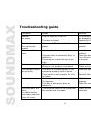
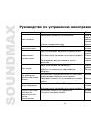
Troubleshooting guide Symptom Cause Solution General No power The car ignition is not on. The fuse is blown. If the power supply is properly connected to the car accessory switch the ignition key to " ACC ". Replace the fuse. Presence of CD disc inside the player. Remove the disc in the player then
- Страница 17 из 34
Specification General Power supply Current consumption Maximum power output Fuse ESP Dimensions (L x W x H) FM stereo radio Frequency range Preset memory Usable sensitivity I.F. Frequency Disc player System: Usable disc: Frequency characteristics: Signal to noise CD: Number of channels: Line out
- Страница 18 из 34
! . , , . .................................................................................................................................... 18 .................................................................................................................. 18
- Страница 19 из 34
- , . - , . . , , . - . , , - . , . , . - , , - . . - , - , , . , , , . . - , . , . , . - . 19 . ,
- Страница 20 из 34
/ , . . , , . . 20
- Страница 21 из 34
21
- Страница 22 из 34
, . 1 2 . . : : , . . . , , . : , . , . 22
- Страница 23 из 34
: - , , . - . 23 4
- Страница 24 из 34
1. PWR , 2. . CLK , 3. . , , . . , 4. 5. 6. EJECT . 24
- Страница 25 из 34
7. MODE 8. RELEASE /CD. , 9. EQ3/ . . 10. 1-6 11. 12. 13. 14. 15. 16. 17. 18. 19. PLAY/PAUSE ( SCN ( REPEAT ( SHUF ( MUTE, MONO BAND BAND ( P-SCAN . , 6 ). 10 ). ). ). . MONO/STEREO. ) . , . 25 .
- Страница 26 из 34
RESET ( ) RELEASE. . . RESET, : , , PWR, . : , . , , . , . , . SEL ( ), ) => BAL ( ) => TRE ( ). : VOL ( / , : BASS ) => BAS ( ) => FAD ( . TREBLE . 5 , . 5 . MOD , : BAND ( ). . MUTE, . 26 , ) => CD ( /
- Страница 27 из 34
CLK . CLK 3 . , . B ND, : FM1, FM2, FM3. / - : , - . : , . , . , 18 . ( 6 3 FM : - ( - ). 1~6, . : - ( ). 1~6. . : 27 ).
- Страница 28 из 34
- ST – : CD/CD-R/-RW. : MP3. - , . - EJECT / , PLAY/PAUSE . , PLAY/ PAUSE, , , . . , PLAY/PAUSE, , . . . , / . , . , , . R . , . SHF, . , 28 .
- Страница 29 из 34
3 3 - 3 MPEG 3 CD-ROM, CD-R 3, 3, “.mp3”. - 3 , . 3, , , PC “ ” “ “ ” , “ ”, . . , VBR, 8 MP3” . 8, 256. - CD-RW. ISO 9660. “.mp3”, . - , 3. , . VBR: . CD-R - 44,1 . , 8, - . , - . 3 CD-RW, 128 MP3 3 256 . 3 ISO 9660, ( CD-R , MP3 CD-R ). , CD-RW . 3 3 , 29 , 3.
- Страница 30 из 34
CD-R CD-RW . . CD-R . 16 CD-RW . 1. ID3TAG. , , . . , . 1. 2. 3. PWR, RELEASE 1. , . . , . , . 2. , 1. 2. . 3. ( . , . . 1). .1 30
- Страница 31 из 34
- , ( ). , . - , , . , . - ( ). - , - , . , , . . , . - CD CD , , 3 . 3 (8 ). , CD . . ( , ), , . ) . , , , . . ) , , . . 31
- Страница 32 из 34
. , « . CD ». . . , . . . . . . . . . . . RESET. . . . 30 . , 30 . . . . . . 32 . .
- Страница 33 из 34
12 50 ( FM 15 178 ) , 4 . 15 50 150 87.5 - 108.0 3 10.7 40 450 MP3/ CD-R/ 20-100 10-20 70 (1 2 CD CD CD-RW 5 5 ) . 2000 . . 33
- Страница 34 из 34

