Инструкция для Lincoln MKZ Hybrid (2014)
 1
 2
 3
 4
 5
 6
 7
 8
 9
 10
 11
 12
 13
 14
 15
 16
 17
 18
 19
 20
 21
 22
 23
 24
 25
 26
 27
 28
 29
 30
 31
 32
 33
 34
 35
 36
 37
 38
 39
 40
 41
 42
 43
 44
 45
 46
 47
 48
 49
 50
 51
 52
 53
 54
 55
 56
 57
 58
 59
 60
 61
 62
 63
 64
 65
 66
 67
 68
 69
 70
 71
 72
 73
 74
 75
 76
 77
 78
 79
 80
 81
 82
 83
 84
 85
 86
 87
 88
 89
 90
 91
 92
 93
 94
 95
 96
 97
 98
 99
 100
 101
 102
 103
 104
 105
 106
 107
 108
 109
 110
 111
 112
 113
 114
 115
 116
 117
 118
 119
 120
 121
 122
 123
 124
 125
 126
 127
 128
 129
 130
 131
 132
 133
 134
 135
 136
 137
 138
 139
 140
 141
 142
 143
 144
 145
 146
 147
 148
 149
 150
 151
 152
 153
 154
 155
 156
 157
 158
 159
 160
 161
 162
 163
 164
 165
 166
 167
 168
 169
 170
 171
 172
 173
 174
 175
 176
 177
 178
 179
 180
 181
 182
 183
 184
 185
 186
 187
 188
 189
 190
 191
 192
 193
 194
 195
 196
 197
 198
 199
 200
 201
 202
 203
 204
 205
 206
 207
 208
 209
 210
 211
 212
 213
 214
 215
 216
 217
 218
 219
 220
 221
 222
 223
 224
 225
 226
 227
 228
 229
 230
 231
 232
 233
 234
 235
 236
 237
 238
 239
 240
 241
 242
 243
 244
 245
 246
 247
 248
 249
 250
 251
 252
 253
 254
 255
 256
 257
 258
 259
 260
 261
 262
 263
 264
 265
 266
 267
 268
 269
 270
 271
 272
 273
 274
 275
 276
 277
 278
 279
 280
 281
 282
 283
 284
 285
 286
 287
 288
 289
 290
 291
 292
 293
 294
 295
 296
 297
 298
 299
 300
 301
 302
 303
 304
 305
 306
 307
 308
 309
 310
 311
 312
 313
 314
 315
 316
 317
 318
 319
 320
 321
 322
 323
 324
 325
 326
 327
 328
 329
 330
 331
 332
 333
 334
 335
 336
 337
 338
 339
 340
 341
 342
 343
 344
 345
 346
 347
 348
 349
 350
 351
 352
 353
 354
 355
 356
 357
 358
 359
 360
 361
 362
 363
 364
 365
 366
 367
 368
 369
 370
 371
 372
 373
 374
 375
 376
 377
 378
 379
 380
 381
 382
 383
 384
 385
 386
 387
 388
 389
 390
 391
 392
 393
 394
 395
 396
 397
 398
 399
 400
 401
 402
 403
 404
 405
 406
 407
 408
 409
 410
 411
 412
 413
 414
 415
 416
 417
 418
 419
 420
 421
 422
 423
 424
 425
 426
 427
 428
 429
 430
 431
 432
 433
 434
 435
 436
 437
 438
 439
 440
 441
 442
 443
 444
 445
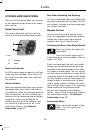
Press the button again within three
seconds to confirm that all the doors are
closed. The doors will lock again, the horn
will sound and the turn signals will
illuminate if all the doors and the luggage
compartment are closed.
Mislock
If any door or the luggage compartment
is open, or if the hood is open on vehicles
with an anti-theft alarm or remote start, the
horn will sound twice and the lamps will
not flash. You can enable or disable this
feature in the information display. See
General Information (page 97).
Opening the Luggage Compartment
E138630
Press twice within three seconds
to open the luggage
compartment.
Make sure to close and latch the luggage
compartment before driving your vehicle.
An unlatched luggage compartment may
cause objects to fall out or block your
view.
Activating Intelligent Access
You must have the intelligent access key
within 3 feet (1 meter) of your vehicle.
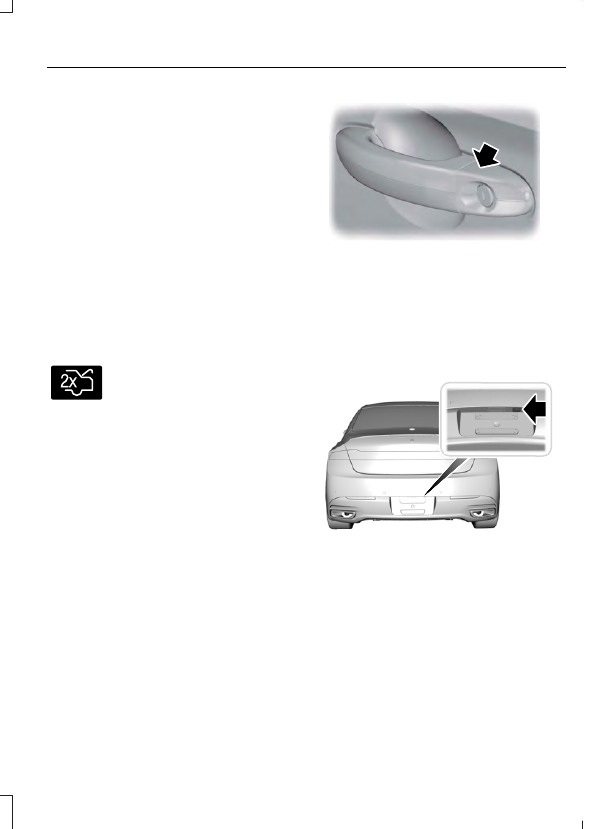
At a Door
Pull an exterior door handle to unlock and
open the door. Make sure not to touch the
lock sensor on top of the handle.
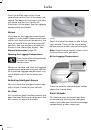
E146044
Touch the top of the door handle to lock
your vehicle. There will be a brief delay
before you can unlock your vehicle again.
Note: Keep the door handle surface clean
to avoid issues with operation.
At the Luggage Compartment
E164806
Press the exterior release button hidden
above the license plate.
Smart Unlocks
This feature helps to prevent you from
unintentionally locking your intelligent
access key inside your vehicle’s passenger
compartment or rear cargo area.
59
MKZ (CC9)
Locks
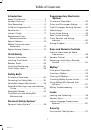
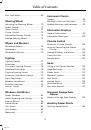
Оглавление инструкции
- Copyright ©
- Introduction
- Child Safety
- Safety Belts
- Personal Safety System™
- Supplementary Restraints System
- Keys and Remote Controls
- MyKey™
- Locks
- Security
- Steering Wheel
- Wipers and Washers
- Lighting
- Windows and Mirrors
- Instrument Cluster
- Information Displays
- Climate Control
- Seats
- Universal Garage Door Opener
- Auxiliary Power Points
- Storage Compartments
- Starting and Stopping the Engine
- Unique Driving Characteristics
- Fuel and Refueling
- High Voltage Battery
- Transmission
- Brakes
- Traction Control
- Stability Control
- Parking Aids
- Cruise Control
- Driving Aids
- Load Carrying
- Towing
- Driving Hints
- Roadside Emergencies
- Customer Assistance
- Getting the Services You Need
- In California (U.S. Only)
- The Better Business Bureau (BBB) Auto Line Program (U.S. Only)
- Utilizing the Mediation/Arbitration Program (Canada Only)
- Getting Assistance Outside the U.S. and Canada
- Ordering Additional Owner's Literature
- Reporting Safety Defects (U.S. Only)
- Reporting Safety Defects (Canada Only)
- Fuses
- Maintenance
- General Information
- Opening and Closing the Hood
- Under Hood Overview
- Engine Oil Dipstick
- Engine Oil Check
- Oil Change Indicator Reset
- Engine Coolant Check
- Automatic Transmission Fluid Check
- Brake Fluid Check
- Power Steering Fluid Check
- Washer Fluid Check
- Fuel Filter
- Changing the 12V Battery
- Checking the Wiper Blades
- Changing the Wiper Blades
- Adjusting the Headlamps
- Changing a Bulb
- Bulb Specification Chart
- Changing the Engine Air Filter
- Vehicle Care
- Wheels and Tires
- Capacities and Specifications
- Audio System
- MyLincoln Touch™
- Accessories
- Appendices
- Ford Extended Service Plan (ESP)
- Scheduled Maintenance