Инструкция для Pioneer MVH-08UB
 1
 2
 3
 4
 5
 6
 7
 8
 9
 10
 11
 12
 13
 14
 15
 16
 17
 18
 19
 20
 21
 22
 23
 24
 25
 26
 27
 28
 29
 30
 31
 32
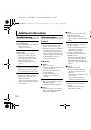
12
H:\PDF-OUT\127075006696_KM636UW\020Chapter_EN.fm
MVH-08UB/MVH-08UBG
127075006696
En
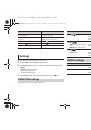
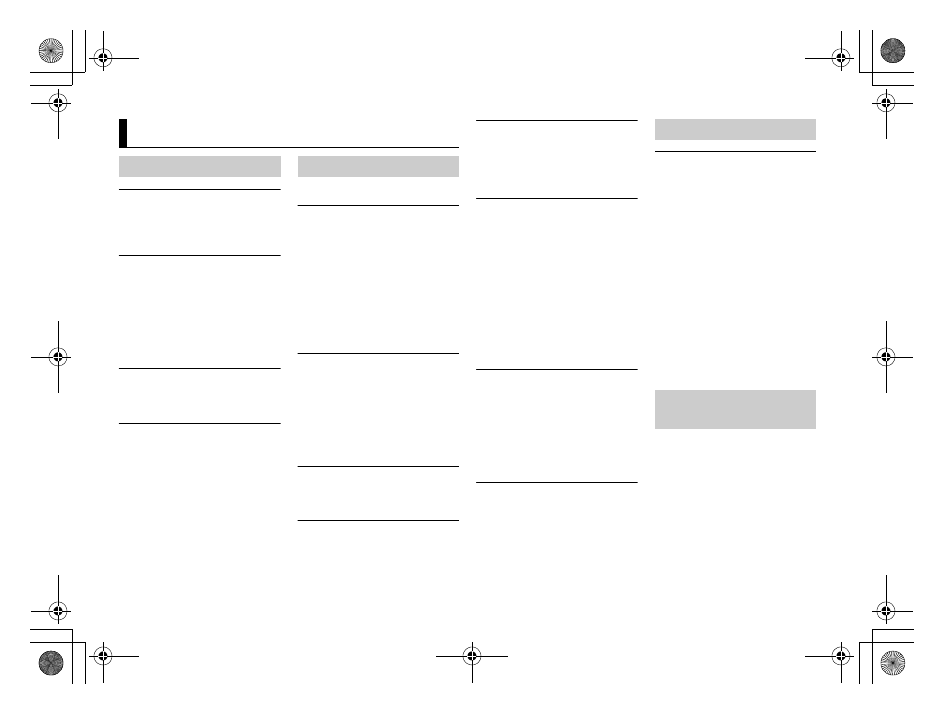
The display automatically returns to
the normal display.
→
No operations have been made for
about 30 seconds.
– Perform an operation.
The repeat play range changes
unexpectedly.
→
Depending on the repeat play
range, the selected range may
change when another folder or
track is being selected or during
fast forwarding/reversing.
– Select the repeat play range
again.
A subfolder is not played back.
→
Subfolders cannot be played when
[FLD] (folder repeat) is selected.
– Select another repeat play range.
The sound is intermittent.
→
You are using a device, such as a
cellular phone, that may cause
audible interference.
– Move electrical devices that may
be causing the interference away
from the unit.
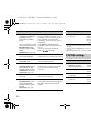
Common
AMP ERROR
→
This unit fails to operate or the
speaker connection is incorrect.
→
The protective circuit is activated.
– Check the speaker connection.
– Turn the ignition switch OFF and
back to ON again. If the message
remains, contact your dealer or an
authorized Pioneer Service
Station for assistance.
USB device
NO AUDIO
→
There are no songs.
– Transfer the audio files to the USB
device and connect.
→
The connected USB device has
security enabled.
– Follow the USB device
instructions to disable the
security.
SKIPPED
→
The connected USB device contains
DRM protected files.
– The protected files are skipped.
PROTECT
→
All the files on the connected USB
device are embedded with DRM.
– Replace the USB device.
Additional Information
Troubleshooting
Error messages
N/A USB
→
The connected USB device is not
supported by this unit.
– Disconnect your device and
replace it with a compatible USB
device.
CHECK USB
→
The USB connector or USB cable
has short-circuited.
– Check that the USB connector or
USB cable is not caught in
something or damaged.
→
The connected USB device
consumes more than maximum
allowable current.
– Disconnect the USB device and
do not use it. Turn the ignition
switch OFF and back to ACC or
ON. Connect only compliant USB
devices.
ERROR-19
→
Communication failed.
– Perform one of the following
operations, then return to the
USB source.
•
Turn the ignition switch OFF and
back to ON.
•
Disconnect the USB device.
•
Change to a different source.
ERROR-23
→
USB device was not formatted
properly.
– Format the USB device with
FAT12, FAT16 or FAT32.
USB storage device
•
Connections via USB hubs are not
supported.
•
Firmly secure the USB storage device
before driving. Do not let the USB
storage device fall onto the floor,
where it may become jammed under
the brake or accelerator pedal.
•
Depending on the USB storage
device, the following problems may
occur.
– Operations may vary.
– The storage device may not be
recognized.
– Files may not be played back
properly.
– The device may cause audible
interference when you are listening
to the radio.
•
Only the first 32 characters can be
displayed as a file name (including
the file extension) or a folder name.
•
The unit may not work properly
depending on the application used
to encode WMA files.
•
There may be a slight delay at the
start of the playback of audio files
embedded with image data, or audio
files stored on a USB device with
numerous folder hierarchies.
Handling guidelines
Compressed audio
compatibility
_127075006696_artwork.book Page 12 Monday, July 27, 2015 10:01 AM
Оглавление инструкции
- Страница 1 из 33
H:\PDF-OUT\127075006696_KM636UW\010COV_KM636UW.fm _127075006696_artwork.book Page 1 Monday, July 27, 2015 10:01 AM English DIGITAL MEDIA RECEIVER ЦИФРОВОЙ МЕДИАРЕСИВЕР Русский MVH-08UB MVH-08UBG Owner’s Manual Руководство пользователя MVH-08UB/MVH-08UBG 127075006696
- Страница 2 из 33
H:\PDF-OUT\127075006696_KM636UW\020Chapter_EN.fm _127075006696_artwork.book Page 2 Monday, July 27, 2015 10:01 AM Table of Contents Before You Start ......................................................................... 2 Getting Started
- Страница 3 из 33
H:\PDF-OUT\127075006696_KM636UW\020Chapter_EN.fm _127075006696_artwork.book Page 3 Monday, July 27, 2015 10:01 AM If you experience problems Purpose Should this unit fail to work properly, please contact your dealer or nearest authorized PIONEER Service Station. Return to the previous display/list
- Страница 4 из 33
H:\PDF-OUT\127075006696_KM636UW\020Chapter_EN.fm _127075006696_artwork.book Page 4 Monday, July 27, 2015 10:01 AM • Keep the front panel out of direct sunlight and high temperatures. • Always store the detached front panel in a protective case or bag. Setup menu When you turn the ignition switch to
- Страница 5 из 33
H:\PDF-OUT\127075006696_KM636UW\020Chapter_EN.fm _127075006696_artwork.book Page 5 Monday, July 27, 2015 10:01 AM Description SP-P/O MODE Select when there is a full-range speaker connected to the rear speaker output leads and there is a subwoofer connected to the RCA output. [REAR/SUB.W]
- Страница 6 из 33
H:\PDF-OUT\127075006696_KM636UW\020Chapter_EN.fm _127075006696_artwork.book Page 6 Monday, July 27, 2015 SRC (source)/OFF 10:01 AM USB port 1 Press SRC/OFF to select [ANDROID]. Basic operations Purpose M.C. (multi-control) dial AUX input jack (3.5 mm stereo jack) USB devices (including Android) 1
- Страница 7 из 33
H:\PDF-OUT\127075006696_KM636UW\020Chapter_EN.fm _127075006696_artwork.book Page 7 Monday, July 27, 2015 10:01 AM Purpose Operation Menu Item View a list of the les in the selected folder/category* Press the M.C. dial when a folder/ category is selected. BSM Play a song in the selected folder/
- Страница 8 из 33
H:\PDF-OUT\127075006696_KM636UW\020Chapter_EN.fm _127075006696_artwork.book Page 8 Monday, July 27, 2015 Menu Item 10:01 AM Description EQ SETTING [SUPER BASS], [POWERFUL], [NATURAL], [VOCAL], [CUSTOM1], [CUSTOM2], [FLAT] Select an equalizer band and level for further customizing. Equalizer band:
- Страница 9 из 33
H:\PDF-OUT\127075006696_KM636UW\020Chapter_EN.fm _127075006696_artwork.book Page 9 Monday, July 27, 2015 Menu Item 10:01 AM Description USB AUTO Select [ON] to automatically switch to [USB] source when a USB device/Android is connected to the unit. Select [OFF] when a USB device/Android is being
- Страница 10 из 33
H:\PDF-OUT\127075006696_KM636UW\020Chapter_EN.fm _127075006696_artwork.book Page 10 Monday, July 27, 2015 • The black cable is ground. Ground cables for this unit and other equipment (especially, high-current products such as power amps) must be wired separately. If they are not, an accidental
- Страница 11 из 33
H:\PDF-OUT\127075006696_KM636UW\020Chapter_EN.fm _127075006696_artwork.book Page 11 Monday, July 27, 2015 10:01 AM 2 sleeve into the dashboard. Secure the mounting sleeve by using a screwdriver to bend the metal tabs (90°) into place. 1 English Removing the unit (installed with the supplied
- Страница 12 из 33
H:\PDF-OUT\127075006696_KM636UW\020Chapter_EN.fm _127075006696_artwork.book Page 12 Monday, July 27, 2015 10:01 AM Additional Information Troubleshooting The display automatically returns to the normal display. → No operations have been made for about 30 seconds. – Perform an operation. The repeat
- Страница 13 из 33
H:\PDF-OUT\127075006696_KM636UW\020Chapter_EN.fm _127075006696_artwork.book Page 13 Monday, July 27, 2015 CAUTION • Pioneer cannot guarantee compatibility with all USB mass storage devices, and assumes no responsibility for any loss of data on media players, smartphones, or other devices while
- Страница 14 из 33
H:\PDF-OUT\127075006696_KM636UW\020Chapter_EN.fm _127075006696_artwork.book Page 14 Monday, July 27, 2015 This product includes technology owned by Microsoft Corporation and cannot be used or distributed without a license from Microsoft Licensing, Inc. Android™ Android is a trademark of Google Inc.
- Страница 15 из 33
H:\PDF-OUT\127075006696_KM636UW\020Chapter_EN.fm _127075006696_artwork.book Page 15 Monday, July 27, 2015 10:01 AM English En MVH-08UB/MVH-08UBG 127075006696 15
- Страница 16 из 33
H:\PDF-OUT\127075006696_KM636UW\030Chapter_RU.fm _127075006696_artwork.book Page 2 Monday, July 27, 2015 10:01 AM Содержание Перед началом эксплуатации .............................................. 2 Начало работы.......................................................................... 3 Радио
- Страница 17 из 33
H:\PDF-OUT\127075006696_KM636UW\030Chapter_RU.fm _127075006696_artwork.book Page 3 Monday, July 27, 2015 10:01 AM ПРЕДУПРЕЖДЕНИЕ • Не пытайтесь самостоятельно производить установку или ремонт изделия. Установка или ремонт изделия лицами, не обладающими специальными навыками и опытом работы с
- Страница 18 из 33
H:\PDF-OUT\127075006696_KM636UW\030Chapter_RU.fm _127075006696_artwork.book Page 4 Monday, July 27, 2015 10:01 AM * Когда голубой/белый провод этого устройства подключен к терминалу релейного управления автоматической антенны, антенна на автомобиле выдвигается при включении источника сигнала этого
- Страница 19 из 33
H:\PDF-OUT\127075006696_KM636UW\030Chapter_RU.fm _127075006696_artwork.book Page 5 Monday, July 27, 2015 10:01 AM ПРИМЕЧАНИЯ Элемент меню Описание • Вы можете отменить настройку параметра меню, нажав кнопку SRC/OFF. • Настроить параметры меню можно в настройках SYSTEM (стр. 9) и настройках INITIAL
- Страница 20 из 33
H:\PDF-OUT\127075006696_KM636UW\030Chapter_RU.fm _127075006696_artwork.book Page 6 Monday, July 27, 2015 10:01 AM Прием предварительно установленных станций 1 2 3 Нажмите SRC/OFF для выбора [RADIO]. Нажмите BAND/DIMMER [MW] или [LW]. для выбора полосы [FM1], [FM2], [FM3], Нажмите числовую кнопку
- Страница 21 из 33
H:\PDF-OUT\127075006696_KM636UW\030Chapter_RU.fm _127075006696_artwork.book Page 7 Monday, July 27, 2015 10:01 AM ПРИМЕЧАНИЕ 2 Для автоматического переключения на источник [USB], когда устройство USB подключено к главному устройству, установите для [USB AUTO] значение [ON] в настройках SYSTEM (стр.
- Страница 22 из 33
H:\PDF-OUT\127075006696_KM636UW\030Chapter_RU.fm _127075006696_artwork.book Page 8 Monday, July 27, 2015 Назначение Операция Произвольное воспроизведение Нажмите 5/ Пауза/Возобновление воспроизведения Нажмите 4/PAUSE. 10:01 AM Элемент меню . Описание BSM Автоматическое сохранение шести радиостанций
- Страница 23 из 33
H:\PDF-OUT\127075006696_KM636UW\030Chapter_RU.fm _127075006696_artwork.book Page 9 Monday, July 27, 2015 Элемент меню 10:01 AM Описание EQ SETTING [SUPER BASS], [POWERFUL], [NATURAL], [VOCAL], [CUSTOM1], [CUSTOM2], [FLAT] Описание HPF SETTING Выберите или настройте кривую эквалайзера. [CUSTOM1]
- Страница 24 из 33
H:\PDF-OUT\127075006696_KM636UW\030Chapter_RU.fm _127075006696_artwork.book Page 10 Monday, July 27, 2015 Элемент меню 10:01 AM Описание 12H/24H [12H], [24H] Выбор формата времени. AUX [ON], [OFF] Выберите [ON] при подключении к данному устройству вспомогательного устройства. USB AUTO [ON], [OFF]
- Страница 25 из 33
H:\PDF-OUT\127075006696_KM636UW\030Chapter_RU.fm _127075006696_artwork.book Page 11 Monday, July 27, 2015 Данное устройство Задний выход или выход сабвуфера Вход антенны Вход шнура питания Предохранитель (10 A) Шнур питания Выполняйте данные подключения, когда провод заднего динамика не подключен к
- Страница 26 из 33
H:\PDF-OUT\127075006696_KM636UW\030Chapter_RU.fm _127075006696_artwork.book Page 12 Monday, July 27, 2015 Выполните подключение к синему/белому кабелю. Усилитель (приобретается отдельно) Выполните подключение с помощью RCA (приобретается отдельно) К заднему выходу или выходу сабвуфера Задний
- Страница 27 из 33
H:\PDF-OUT\127075006696_KM636UW\030Chapter_RU.fm _127075006696_artwork.book Page 13 Monday, July 27, 2015 10:01 AM Дополнительная информация Устранение неисправностей 3 Дисплей автоматически возвращается в исходный режим. → В течение 30 секунд не было выполнено никаких операций. – Выполните
- Страница 28 из 33
H:\PDF-OUT\127075006696_KM636UW\030Chapter_RU.fm _127075006696_artwork.book Page 14 Monday, July 27, 2015 SKIPPED → Подключенное устройство USB содержит файлы, защищенные технологией DRM. – Защищенные файлы пропускаются. PROTECT → Все файлы на подключенном устройстве USB защищены по технологии DRM.
- Страница 29 из 33
H:\PDF-OUT\127075006696_KM636UW\030Chapter_RU.fm _127075006696_artwork.book Page 15 Monday, July 27, 2015 Совместимая версия тегов ID3 Список воспроизведения M3u MP3i (интерактивный MP3), mp3 PRO 2.2, 2.3, 2.4 Не поддерживается Не поддерживается Расширение Разрядность квантования Частота
- Страница 30 из 33
H:\PDF-OUT\127075006696_KM636UW\030Chapter_RU.fm _127075006696_artwork.book Page 16 Monday, July 27, 2015 Авторское право и товарные знаки 10:01 AM Серийный номер На этом рисунке показана информация о месяце и годе изготовления устройства. WMA Windows Media – это зарегистрированная торговая марка
- Страница 31 из 33
H:\PDF-OUT\127075006696_KM636UW\030Chapter_RU.fm _127075006696_artwork.book Page 17 Monday, July 27, 2015 USB Стандартная спецификация USB: USB 2.0 полноскоростной Максимальная сила тока: 500 мА Протокол USB: MSC (Mass Storage Class) AOA (Android Open Accessory) 2.0 Файловая система: FAT12, FAT16,
- Страница 32 из 33
H:\PDF-OUT\127075006696_KM636UW\040BCO_KM636UW.fm _127075006696_artwork.book Page 28 Monday, July 27, 2015 © 2015 PIONEER CORPORATION. All rights reserved. © PIONEER CORPORATION, 2015. Все права защищены. 10:01 AM <127075006696> UW MVH-08UB/MVH-08UBG 127075006696
- Страница 33 из 33