Инструкция для Candy CM 126 TXT
 1
 2
 3
 4
 5
 6
 7
 8
 9
 10
 11
 12
 13
 14
 15
 16
 17
 18
 19
 20
 21
 22
 23
 24
 25
 26
 27
 28
 29
 30
 31
 32
 33
 34
 35
 36
 37
 38
 39
 40
 41
 42
 43
 44
 45
 46
 47
 48
 49
 50
 51
 52
 53
 54
 55
 56
 57
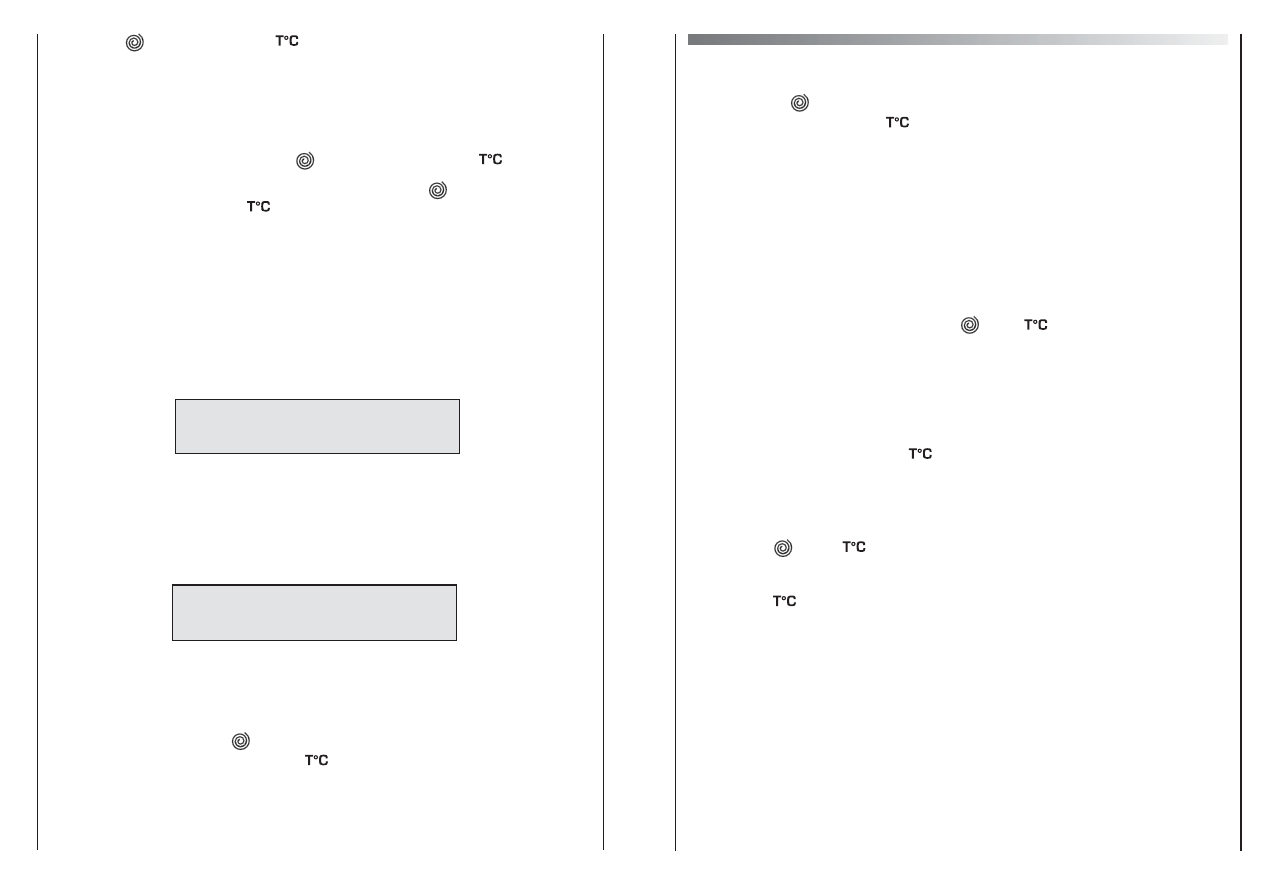
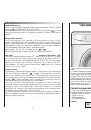
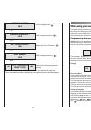
Enable Final Beeping
Here you have the option to have a beeping alarm to let you know the wash cycle has finished.
By pressing the ( ) button you can scroll through the “yes” and “no” options.
To enter your selection press the ( ) button and the screen will then move to the next
stage and ask you to “Enable memory”
Enable Memory
This is a useful feature if you frequently wash laundry using the same programme.
Selecting “Enable Memory” will tell the machine to remember the last programme/functions
used and set them in the memory. This function works only on cottons, delicates, synthetics
and woolens programme. The memory does not retain settings within the special programme
group.
Select “Yes” or “No” to this option by using the ( ) and ( ) button to input the selection.
The display will then shown a message that asks if you require demo mode to be set.
Demo mode
(default setting - NO)
Please set this option to “No” if not done so already - as this is for SERVICE use only.
If the demo mode option is not set on “NO” when exiting the infotext menu the wash
programme WILL NOT commence. Demo Mode must be set at “NO” for the wash cycle to
commence. On entering “No” via the ( ) button you will then be asked if you wish to “Exit
Menu”.
Exit Menu
If you are happy with the settings you have selected, you can now exit the menu by selecting
“Yes” via the ( ) and ( ) buttons.
However, if you are not happy with any of the settings selected you must select “No” to the
exit menu command and you can then commence the programming from the beginning. By
pressing the ( ) button you are able to enter and bypass each option individually until you
reach the option you would like to re-set.
When you are completely satisfied with your menu selection, you may exit the menu and
testing of the installation may now commence.
If, after the initial installation you may want to change of any of the menu at a later date, again
run through the menu options from the beginning and change the options you want to reset.
This may be useful to change the “Set New Time” when the clocks go forward or back.
Once set, the menu options will remain in the memory of the machine even if the machine is
unplugged or if a power cut occurs.
79
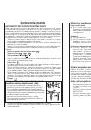
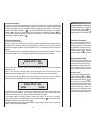
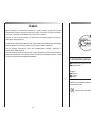
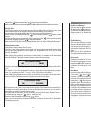
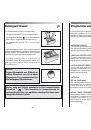
PROGRAM END
AT
18:00
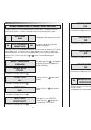
Release the ( ) button and press the ( ) button to enter your selection.
When you have entered your chosen language, the display will then ask for the “New time” to be set.
Set New Time
This function needs to be set for two reasons: firstly to display the current time of day on the
screen and secondly for the programme end/delay start settings to work correctly.
You will notice in the display window that the hours on the clock will be flashing.
Set the hours by continually pressing the ( ) button and then press the ( ) button to enter
the hour.
Next the minutes on the clock will begin to flash, again press the ( ) button until the required
minutes are displayed and press ( ) to input the selection.
When you have Set the New Time, the display will then ask if you wish to “Setting the time mode”.
Setting the time mode
There are two ways to select the time mode.
The first is if you wish programme end or delay start to be programmed by starting the actual
time you want the programme to end or begin, e.g., programme to end 18.00. This is called
Absolute Time Mode.
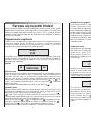
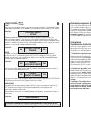
When utilising the programme end function (or start delay), an example can be seen below
when the Absolute Time Mode has been selected in the menu set-up stage.
Therefore, when setting the Programme end time the programme (as shown above) will end at
18.00.
The second is if you wish programme end time or delay start to be programmed by adding
hours; e.g., programme to end in 1
1
/
2
hours. This is called Relative Time Mode.
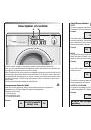
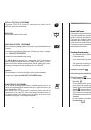
When utilising the programme end function (or start delay), an example can be seen below
when the Relative Time Mode has been selected in the menu set-up stage.
Both options are very useful, but we feel that the Absolute Time Mode will be more beneficial
and easier to use since there will be no need to calculate how many hours you will need to
leave before you want the machine to end or start.
On reaching the set time mode you will be asked if you would like to select “Relative” time or -
by scrolling through using the ( ) button - “Absolute” time.
Enter the preferred setting by pressing the ( ) button.
When you have entered your preferred time-mode, the display will then ask for the Enable
Final Beeping to be set.
PROGRAM END
IN 1H 30M
78
Оглавление инструкции
- Страница 1 из 58
PL RU EN pralek automatycznych serii Instrukcja obs∏ugi ëÚˇθ̇fl χ¯Ë̇ àÌÒÚÛ͈Ëfl ÔÓ ˝ÍÒÔÎÛ‡Ú‡ˆËË washing machine User instructions
- Страница 2 из 58
Spis treÊci Wst´p Ogólne uwagi dotyczàce dostawy Uwagi dotyczàce bezpieczeƒstwa Szybki start Instalacja U˝yteczne rady dotyczàce prania: Pierwsze u˝ycie pralki Infotext Opis elementów sterowania Szuflada na proszek Ârodki pioràce, dodatki do prania, zalecane iloÊci Wybór programu Sortowanie prania
- Страница 3 из 58
Ogólne uwagi dotyczàce dostawy Prosz´ sprawdziç, czy wraz z urzàdzeniem zosta∏y prawid∏owo dostarczone nast´pujàce artyku∏y: - Podr´cznik u˝ytkownika - Karta gwarancyjna - Zatyczka - Zbiorniczek na detergent w p∏ynie i wybielacz Nale˝y upewniç si´, czy urzàdzenie nie zosta∏o uszkodzone podczas
- Страница 4 из 58
Pod∏àczanie w´˝a doprowadzajàcego wod´. Instalacja pralki ➝ 3) Zatkaj otwór w tylnym panelu zatyczkå dostarczonå wraz z pralkå. Pod∏àcz prostà koƒcówk´ w´˝a do kurka odcinajàcego dop∏yw wody. 4) Umieéciç wyciszajacy materiaä tak jak pokazano na rysunku. 5) Wypoziomowaç pralkë manipulujåc jej
- Страница 5 из 58
Zasilanie elektryczne i rady dotyczàce bezpiecznego korzystania z pralki U˝yteczne rady dotyczàce prania: Pralki dostosowane sà do pracy przy jednofazowym napi´ciu zasilania 220V-230V, 50 Hz. Oto zalecenia prowadzàce do wykorzystywania urzàdzenia w sposób najbardziej przyjazny Êrodowisku oraz
- Страница 6 из 58
SYGNAL KONCA? TAK SZYBKI PRZEWODNIK PO MENU CANDY INFOTEXT Pod∏àczyç pralk´ do wody i pràdu zgodnie z opisem na str. 7. Wybraç pokr´t∏em jakikolwiek program. Po krótkim oczekiwaniu na wyÊwietlaczu pojawi si´ napis: WELCOME 0:00 12 Potwierdziç wciskajàc przycisk ( 90 ten napis pojawia si´ wtedy, gdy
- Страница 7 из 58
Pierwsze u˝ycie pralki Infotext Niniejsze urzàdzenie dzia∏a równie˝ przed zaprogramowaniem systemu Infotext, jednak pralka ta dysponuje funkcjami opóênionego startu i koƒca programu, których skuteczne dzia∏anie wymaga zaprogramowania tego sysemu. Jest to operacja ∏atwa a urzàdzenie zosta∏o
- Страница 8 из 58
Opis elementów sterowania Sygna∏ dêwi´kowy Jest to opcjà w∏àczajàcà sygnalizacj´ zakoƒczenia cyklu prania. Kolejne wciskanie przycisku ( ) umo˝liwia wybór opcji „TAK” lub „NIE”. Wprowadzenie wybranej opcji odbywa si´ przez wciÊni´cie przycisku ( ), po czym ekran wyÊwietlacza przejdzie do nast´pnego
- Страница 9 из 58
START/PAUZA B START Aby uruchomiç program, nale˝y jeden raz wcisnàç przycisk Start. Czujniki pralki wykryjà teraz ∏adunek przeznaczony do prania i na wyÊwietlaczu uka˝e si´ napis: Prosz´ czekaç. Przyk∏ad: PROSZE CZEKAJ USTAW Na panelu pralki Infotext wyÊwietlony zostanie nast´pnie czas konieczny do
- Страница 10 из 58
Przycisk ∏atwe prasowanie E Uruchomienie tej funkcji pozwala zmniejszyç do minimum gniecenie si´ pranych tkanin przez modyfikacj´ parametrów programu dla wybranego cyklu i typu tkaniny. Szczególnie w przypadku tkanin mieszanych po∏àczone dzia∏anie fazy stopniowego sch∏adzania wody, braku obrotów
- Страница 11 из 58
Kontrolki Przycisków M Zapalajà si´, gdy wciskamy odpowiednie przyciski. Szuflada na proszek Szuflada na proszek jest podzielona na 3 przegródki: WyÊwietlacz INFOTEXT N Obroty x 100 IloÊç obrotów wirówki wybranego programu 12 Temp ºC BAWE¸NA BIA¸A INTENSYWNE Opis wybranego programu 90 Maksymalna
- Страница 12 из 58
Dozowanie Ârodki pioràce, dodatki do prania, zalecane iloÊci Wybór Êrodka pioràcego Detergenty ogólnego przeznaczenia – Detergenty w proszku do ka˝dego rodzaju prania, ze Êrodkami wybielajàcymi, sà szczególnie odpowiednie dla programów z goràcà wodà (60° i wi´cej), w przypadku prania tkanin mocno
- Страница 13 из 58
Wybór programu TABELLA PROGRAMMI PROGRAMMA PER: SELEZIONE PUNTATORE MANOPOLA PROGRAMMI SU: Tessuti resistenti Pralka posiada 4 róãne grupy programów stosowane w zaleãnoéci od rodzaju materiaäu i jego stopnia zabrudzenia. Programy te róãniå sië rodzajem prania, temperaturå i däugoéciå cyklu prania
- Страница 14 из 58
Sortowanie prania AUTOMATYCZNY DOBÓR POZIOMU WODY Pralka wyposa˝ona jest w system automatycznego doboru poziomu wody. System ten umo˝liwia wykorzystanie optymalnej iloÊci wody, potrzebnej do wyprania i wyp∏ukania konkretnej iloÊci za∏adowanego prania. Pozwala to zmniejszyç zu˝ycie wody i energii
- Страница 15 из 58
TABELA PROGRAMÓW PROGRAM dla materia∏ów Materiaäy wytrzymaäe baweäna, len baweäna mieszane wytrzymaäe Materiaäy mieszane i syntetyczne mieszane, wytrzymaäe Syntetyczne (nylon, perlon), baweäniane mieszane Bardzo delikatne materiaäy MAKS. ÄADUNEK kg ÉRODEK PIORÅCY TEMP. °C ❙❙ ❙ BAWELNA BIALA
- Страница 16 из 58
Przeprowadzki i okresy d∏u˝szego postoju pralki. Czyszczenie i rutynowa konserwacja pralki Do czyszczenia zewn´trznej obudowy pralki nie u˝ywaj Êrodków ciernych, alkoholi ani rozpuszczalników. Wystarczy przetrzeç jà wilgotnà szmatkà. Pralka wymaga niewielu czynnoÊci konserwacyjnych. Sà to: –
- Страница 17 из 58
Wykrywanie usterek Co mo˝e byç przyczynà … Usterki, które mo˝na usunàç we w∏asnym zakresie Przed skontaktowaniem si´ z serwisem technicznym prosimy o sprawdzenie poni˝szej listy. W przypadku stwierdzenia, i˝ maszyna dzia∏a lub ˝e zosta∏a zainstalowania niepoprawnie lub wykorzystywana jest w sposób
- Страница 18 из 58
ëÓ‰ÂʇÌË Fig. 2 Dane techniczne ■ Maksymalny ci´˝ar prania suchego 6 kg ■ CiÊnienie wody w sieci 0,5 - 10 bar (0,05 - 1 MPa) Wymiary ■ SzerokoÊç ■ G∏´bokoÊç ■ WysokoÊç ëÚ‡Ìˈ‡ 36 37 37 38 39 40 43 48 54 57 59 62 64 66 68 69 ǂ‰ÂÌË 鷢Ë ҂‰ÂÌËfl åÂ˚ ·ÂÁÓÔ‡ÒÌÓÒÚË Å˚ÒÚ˚È ÒÚ‡Ú èÓÎÂÁÌ˚ ÒÓ‚ÂÚ˚
- Страница 19 из 58
ǂ‰ÂÌË ÇÌËχÚÂθÌÓ ËÁÛ˜ËÚ ‰‡ÌÌÛ˛ ËÌÒÚÛÍˆË˛ ÔÓ ˝ÍÒÔÎÛ‡Ú‡ˆËË Ë ‰Û„Û˛ ËÌÙÓχˆË˛, ÓÚÌÓÒfl˘Û˛Òfl Í ÒÚˇθÌÓÈ Ï‡¯ËÌÂ Ë Â ‡·ÓÚÂ. ëÓı‡ÌËÚ ‚Ò˛ ‰ÓÍÛÏÂÌÚ‡ˆË˛ ‰Îfl ÔÓÒÎÂ‰Û˛˘Ëı ÍÓÌÒÛθڇˆËÈ ËÎË Ô‰‡˜Ë ‰Û„ËÏ ÔÓθÁÓ‚‡ÚÂÎflÏ. ÇÌËχÌËÂ: ‰‡Ì̇fl χ¯Ë̇ Ô‰̇Á̇˜Â̇ ËÒÍβ˜ËÚÂθÌÓ ‰Îfl ·˚ÚÓ‚Ó„Ó ÔËÏÂÌÂÌËfl.
- Страница 20 из 58
m) ÇÌËχÌËÂ! èË ÛÒÚ‡ÌÓ‚Í χ¯ËÌ˚ ̇ ÍÓ‚Ó‚˚ı ÔÓÍ˚ÚËflı ۷‰ËÚÂÒ¸, ˜ÚÓ ‚ÂÌÚËÎflˆËÓÌÌ˚ ÓÚ‚ÂÒÚËfl ‚ ÓÒÌÓ‚‡ÌËË Ï‡¯ËÌ˚ Ì Á‡Í˚Ú˚ ‚ÓÒÓÏ. n) èÓ‰ÌËχÈÚ χ¯ËÌÛ ‚‰‚ÓÂÏ. o) ÖÒÎË Ï‡¯Ë̇ ‡·ÓÚ‡ÂÚ ÌÂÔ‡‚ËθÌÓ ËÎË ‚˚¯Î‡ ËÁ ÒÚÓfl, ‚˚Íβ˜ËÚ χ¯ËÌÛ, ÔÂÂÍÓÈÚ ÔÓ‰‡˜Û ‚Ó‰˚ Ë Ì ÔÓθÁÛÈÚÂÒ¸ ². ÑÎfl ‚ÓÁÏÓÊÌÓ„Ó
- Страница 21 из 58
èÓ‰Íβ˜ÂÌËÂ Í ÒÂÚË ‚Ó‰ÓÒ̇·ÊÂÌËfl Îòpåæüòå ëåíòû, êpåïÿùèå øëàíã. Îòêpóòèòå öåíòpàëüíûé áîëò (A), 4 áîêîâûõ áîëòà (B) è îòñîåäèíèòå òpàâåpñó (C). Hàêëîíèòå ìàøèíó âïåpåä è âûòàùèòå äâà ïëàñòèêîâûõ ïàêåòà, ñîäåpæàùèõ äâà çàùèòíûõ ∋ëåìåíòà èç ïîëèñòèpîëà, ïîòÿíóâ âíèç. ➝ 凯Ë̇ ÛÍÓÏÔÎÂÍÚÓ‚‡Ì‡ Á‡ÎË‚Ì˚Ï
- Страница 22 из 58
ùÎÂÍÚ˘ÂÒÍÓ ÔÓ‰Íβ˜ÂÌËÂ Ë ÏÂ˚ ·ÂÁÓÔ‡ÒÌÓÒÚË ëÚˇθ̇fl χ¯Ë̇ ‡·ÓÚ‡ÂÚ ÓÚ ÒÂÚË Ó‰ÌÓÙ‡ÁÌÓ„Ó ÔÂÂÏÂÌÌÓ„Ó ÚÓ͇ 230 Ç Ë 50 Ɉ. ì·Â‰ËÚÂÒ¸, ˜ÚÓ ˝ÎÂÍÚÓÔӂӉ͇ ‡ÒÒ˜Ëڇ̇, ÔÓ ÏÂ̸¯ÂÈ ÏÂÂ, ̇ 3 ÍÇÚ. á‡ÚÂÏ ‚ÒÚ‡‚¸Ú ‚ËÎÍÛ ‚ ÓÁÂÚÍÛ Ò Á‡ÁÂÏÎÂÌËÂÏ Ë ‰ÓÔÛÒÚËÏ˚Ï ÚÓÍÓÏ 10 Ä. ì·Â‰ËÚÂÒ¸ ‚ ̇΢ËË Á‡ÁÂÏÎÂÌËfl ‚
- Страница 23 из 58
êÖÜàå ÇêÖåÖçà ÄÅëéãûíçõâ ç‡ÊÏËÚ Í·‚Ë¯Û ( ÖÒÎË Ì‡ ‰ËÒÔΠéíçéëàíÖãúçõâ, ̇ÊÏËÚ Í·‚Ë¯Û ( ) ) ëàÉç. éäéçó-ü? ÑÄ ç‡ÊÏËÚ Í·‚Ë¯Û ( ÖÒÎË Ì‡ ‰ËÒÔΠNO, ̇ÊÏËÚ Í·‚Ë¯Û ( ) ÖÒÎË Ì‡ ‰ËÒÔΠNO, ̇ÊÏËÚ Í·‚Ë¯Û ( ) ëÚˇθÌÛ˛ χ¯ËÌÛ Infotext ÌÂÓ·ıÓ‰ËÏÓ Á‡ÔÓ„‡ÏÏËÓ‚‡Ú¸ Ú‡Í, ˜ÚÓ·˚ ·˚ÎË Ô‡‚ËθÌÓ
- Страница 24 из 58
ìÒÚ‡ÌÓ‚ËÚ¸ çÓ‚Ó ÇÂÏfl ùÚÛ ÙÛÌÍˆË˛ ÌÂÓ·ıÓ‰ËÏÓ Á‡ÔÓ„‡ÏÏËÓ‚‡Ú¸ ÔÓ ‰‚ÛÏ Ô˘Ë̇Ï: ‚Ó-Ô‚˚ı, ÓÚÓ·‡Ê‡Ú¸ ÚÂÍÛ˘Â ‚ÂÏfl ̇ ‰ËÒÔÎÂÂ; ‚Ó-‚ÚÓ˚ı, ‰Îfl Ô‡‚ËθÌÓÈ ‡·ÓÚ˚ ÙÛÌ͈ËÈ ÓÚÎÓÊÂÌÌ˚È ÒÚ‡Ú/ ÔÓ„‡ÏÏËÛÂÏÓ ‚ÂÏfl ÓÍÓ̘‡ÌËfl ÔÓ„‡ÏÏ˚. Ç˚ ·Û‰ÂÚ ÓÔӂ¢ÂÌ˚ ÏË„‡ÌËÂÏ ‡Áfl‰Ó‚ ˜‡ÒÓ‚ ̇ ‰ËÒÔÎÂÂ. óÚÓ·˚
- Страница 25 из 58
B ä·‚˯‡ "ÒÚ‡Ú/Ô‡ÛÁ‡" éÔËÒ‡ÌË ԇÌÂÎË ÛÔ‡‚ÎÂÌËfl N ëíÄêí ÑÎfl Á‡ÔÛÒ͇ ÔÓ„‡ÏÏ˚ ̇ÊÏËÚ ̇ ˝ÚÛ Í·‚˯Û. 凯Ë̇ ̇˜ÌÂÚ Á‡„ÛÁÍÛ ·Âθfl Ë ÔÓÔÓÒËÚ Ç‡Ò ÔÓ‰Óʉ‡Ú¸. M ç‡ÔËÏ ÜÄàíÖ ... áÄèìëä: èêéÉê чΠ̇ ‰ËÒÔΠÓÚÓ·‡ÁËÚÒfl ‚ÂÏfl ‚˚ÔÓÎÌÂÌËfl ÔÓ„‡ÏÏ˚ Ë Ì‡˜ÌÂÚÒfl ‚˚ÔÓÎÌÂÌË ˆËÍ· ÒÚËÍË. 凯Ë̇
- Страница 26 из 58
C ä·‚˯‡ ·ÎÓÍËÓ‚ÍË ÔÓ„‡ÏÏ ùÚÓ – ÔÓÎÂÁ̇fl ÙÛÌ͈Ëfl, ÍÓÚÓ‡fl Ô‰ÓÚ‚‡˘‡ÂÚ ‰ÂÚflÏ, Ë„‡˛˘ËÏ Ò Í·‚˯‡ÏË ,χ¯ËÌ˚, ÒÎÛ˜‡ÈÌÓ ‚ÌÂÒÚË Í‡ÍËÂ-ÎË·Ó ËÁÏÂÌÂÌËfl ‚ Á‡‰‡ÌÌÛ˛ LJÏË ÔÓ„‡ÏÏÛ. èÓÒΠÚÓ„Ó, Í‡Í Ç˚ ‚˚·‡ÎË ÔÓ„‡ÏÏÛ Ë Ì‡Ê‡ÎË ÌÂÓ·ıÓ‰ËÏ˚ ‰ÓÔÓÎÌËÚÂθÌ˚ ÙÛÌ͈ËÓ̇θÌ˚ Í·‚˯Ë, ̇ÊÏËÚ Í·‚˯Û
- Страница 27 из 58
H äçéèäÄ àçíÖçëàÇçéâ ëíàêäà ç‡Ê‡ÚËÂÏ ˝ÚÓÈ ÍÌÓÔÍË, ÍÓÚÓ‡fl ÏÓÊÂÚ ·˚Ú¸ ‡ÍÚË‚ËÓ‚‡Ì‡ ÚÓθÍÓ ‚ ÔÓ„‡ÏÏ ÒÚËÍË ıÎÓÔ˜‡ÚÓ·ÛχÊÌ˚ı Ú͇ÌÂÈ, ‚Íβ˜‡˛ÚÒfl ‚ ‡·ÓÚÛ ‰‡Ú˜ËÍË ÌÓ‚ÓÈ ÒËÒÚÂÏ˚ ÄÍÚË‚‡. ùÚË ‰‡Ú˜ËÍË ÔÓ‰‰ÂÊË‚‡˛Ú ÔÓÒÚÓflÌÌÓÈ ‚˚·‡ÌÌÛ˛ ÚÂÏÔ‡ÚÛÛ ‚ Ú˜ÂÌËË ˆËÍ· ÒÚËÍË Ë ÒΉflÚ Á‡ ‚‡˘ÂÌËÂÏ ·‡‡·‡Ì‡.
- Страница 28 из 58
äÓÌÚÂÈÌ ‰Îfl ÏÓ˛˘Ëı Ò‰ÒÚ‚ P åÓ˛˘Ë Ò‰ÒÚ‚‡, ‰Ó·‡‚ÍË Ë Ëı ‰ÓÁËӂ͇ Ç˚·Ó ÏÓ˛˘Â„Ó Ò‰ÒÚ‚‡ éÚ‰ÂÎÂÌË ‰Îfl ÏÓ˛˘Ëı Ò‰ÒÚ‚ ‡Á‰ÂÎÂÌÓ Ì‡ ÚË ÓÚ‰ÂÎÂÌËfl: - éÚ‰ÂÎÂÌËÂ, Ó·ÓÁ̇˜ÂÌÌÓ “I” ‰Îfl ÔÓ„‡ÏÏ Ô‰‚‡ËÚÂθÌÓÈ ÒÚËÍË Ë “Å˚ÒÚÓÈ ëÚËÍË”. - Oòäåëåíèå ” “ ñëóæèò äëÿ ñïåöèàëüíûõ äîáàâîê: ñìÿã÷èòåëè,
- Страница 29 из 58
ÇõÅéê èêéÉêÄåå ÑÓÁËӂ͇ èËÏÂÌflÈÚ ÚÓθÍÓ Ú ÏÓ˛˘Ë Ò‰ÒÚ‚‡, ÍÓÚÓ˚ Ô‰̇Á̇˜ÂÌ˚ ‰Îfl ËÒÔÓθÁÓ‚‡ÌËfl ‚ ÒÚˇθÌÓÈ Ï‡¯ËÌÂ. Ç˚ ÏÓÊÂÚ ÔÓÎÛ˜ËÚ¸ ̇ËÎÛ˜¯Ë ÂÁÛθڇÚ˚ ÒÚËÍË, ËÁ‡ÒıÓ‰Ó‚‡‚ ÏËÌËχθÌÓ ÍÓ΢ÂÒÚ‚Ó ÏÓ˛˘Ëı Ò‰ÒÚ‚ Ë ÒÓı‡ÌË‚ ·ÂθÂ, ÂÒÎË ÔËÏÂÚ ‚Ó ‚ÌËχÌË ÒÚÂÔÂ̸ Á‡„flÁÌÂÌËfl ËÁ‰ÂÎËÈ, ‡
- Страница 30 из 58
ëèÖñàÄãúçÄü èêéÉêÄååÄ “Åõëíêõâ éíÜàå” èÓ„‡Ïχ “Åõëíêõâ éíÜàå” ‚˚ÔÓÎÌflÂÚÒfl ̇ χÍÒËχθÌÓÈ ÒÍÓÓÒÚË (ÍÓÚÓ‡fl ÏÓÊÂÚ ·˚Ú¸ ÛÏÂ̸¯Â̇ ÒÓÓÚ‚ÂÚÒÚ‚Û˛˘ÂÈ ÍÌÓÔÍÓÈ). éÒÌӂ̇fl ÒÚË͇ Ä‚ÚÓχÚ˘ÂÒ͇fl ÔÓÎÓ‚ËÌ̇fl Á‡„ÛÁ͇ íÓθÍÓ ÒÎË‚ èÓ„‡Ïχ íÓθÍÓ ÒÎË‚ ÓÒÛ˘ÂÒÚ‚ÎflÂÚ ÒÎË‚ ‚Ó‰˚. èêéÉêÄååÄ “MIX & WASH SYSTEM” ùÚ‡
- Страница 31 из 58
ÇÌËχÌËÂ: ‚Ó ‚ÂÏfl ÒÓÚËÓ‚ÍË ËÁ‰ÂÎËÈ Û·Â‰ËÚÂÒ¸, ˜ÚÓ: - ‚ ËÁ‰ÂÎËflı ‰Îfl ÒÚËÍË ÓÚÒÛÚÒÚ‚Û˛Ú ÏÂÚ‡Î΢ÂÒÍË Ô‰ÏÂÚ˚ (ÒÍÂÔÍË, ·Û·‚ÍË, ¯ÔËθÍË, ÏÓÌÂÚ˚ Ë Ú.Ô.); - Á‡ÒÚ„ÌÛÚ˚ ÔÓ‰Ó‰ÂflθÌËÍË, ÏÓÎÌËË, Ͳ˜ÍË, ÂÏÌË Ë Á‡‚flÁ‡Ì˚ ‰ÎËÌÌ˚ ÎÂÌÚ˚ Ó‰Âʉ˚; - Û‰‡ÎÂÌ˚ Ͳ˜ÍË Ò Á‡Ì‡‚ÂÒÓÍ; - Òӷ≇˛ÚÒfl ÂÍÓÏẨ‡ˆËË Ì‡
- Страница 32 из 58
TAÁËÈÖA ÏPOÃPAMM CTÈPKÈ Ïpoãpaììa còèpêè äëÿ Maêc. çaãpyçêa, êã êìäéüíäÄ ÇõÅéêÄ èêéÉêÄåå Ç èéãéÜÖçàà Çäã.: ÑËÒÔÎÂÈ INFOTEXT ÅÂÎ˚ Ú͇ÌË Ò Ô‰‚‡ËÚÂθÌÓÈ ÒÚËÍÓÈ 90 P ïãéèéä àçíÖçëàÇçÄü 6 ÑÓ: 90° ● ● ñ‚ÂÚÌ˚ ÌÂÎËÌfl˛˘Ë Ú͇ÌË 60 ïãéèéä çÖãàçüûô. íäÄçà 6 ÑÓ: 60° ● ● ñ‚ÂÚÌ˚ ÌÂÎËÌfl˛˘Ë Ú͇ÌË 40 ïãéèéä
- Страница 33 из 58
óËÒÚ͇ Ë ÔÂËӉ˘ÂÒÍÓ ӷÒÎÛÊË‚‡ÌË ÑÎfl ‚̯ÌÂÈ ˜ËÒÚÍË Ï‡¯ËÌ˚ Ì ÔÓθÁÛÈÚÂÒ¸ ‡·‡ÁË‚Ì˚ÏË Ò‰ÒÚ‚‡ÏË, ÒÔËÚÓÏ ËÎË ‡ÒÚ‚ÓËÚÂÎflÏË. ÑÓÒÚ‡ÚÓ˜ÌÓ ÔÓÚÂÂÚ¸ χ¯ËÌÛ ‚·ÊÌÓÈ Ò‡ÎÙÂÚÍÓÈ. 凯Ë̇ Ú·ÛÂÚ ÌÂÒÎÓÊÌÓ„Ó ÛıÓ‰‡: - ˜ËÒÚÍË ÓÚ‰ÂÎÂÌËÈ ÍÓÌÚÂÈ̇ ‰Îfl ÏÓ˛˘Ëı Ò‰ÒÚ‚; - ˜ËÒÚÍË ÙËθڇ. óËÒÚ͇ ÓÚ‰ÂÎÂÌËÈ
- Страница 34 из 58
ìÒÚ‡ÌÂÌË ÌÂÔÓ·‰ÓÍ óÚÓ ÏÓÊÂÚ ·˚Ú¸ Ô˘ËÌÓÈ… çÂÔÓ·‰ÍË, ÍÓÚÓ˚ Ç˚ ÏÓÊÂÚ ÛÒÚ‡ÌËÚ¸ Ò‡ÏÓÒÚÓflÚÂθÌÓ. è‰ ÚÂÏ Í‡Í ‚˚Á‚‡Ú¸ χÒÚ‡ Ò‚ËÒÌÓ„Ó ˆÂÌÚ‡ ÔÓÒÏÓÚËÚ ÒÎÂ‰Û˛˘Û˛ Ú‡·ÎˈÛ. éÔ·ÚÛ ‚˚ÁÓ‚‡ Ç˚ ·Û‰ÂÚ ÔÓËÁ‚Ó‰ËÚ¸ Á‡ Ò‚ÓÈ Ò˜ÂÚ, ÂÒÎË Ó͇ÊÂÚÒfl, ˜ÚÓ Ï‡¯Ë̇ ̇ıÓ‰ËÚÒfl ‚ ÌÓχθÌÓÏ ‡·Ó˜ÂÏ ÒÓÒÚÓflÌËË
- Страница 35 из 58
ë‚ËÒ å‡¯Ë̇ ÔÓÒÚ‡‚ÎflÂÚÒfl Ò „‡‡ÌÚËÈÌ˚Ï ÒÂÚËÙË͇ÚÓÏ, ÍÓÚÓ˚È ÔÓÁ‚ÓÎflÂÚ ÔÓθÁÓ‚‡Ú¸Òfl ÛÒÎÛ„‡ÏË ìÔÓÎÌÓÏÓ˜ÂÌÌÓ„Ó ë‚ËÒÌÓ„Ó ñÂÌÚ‡ ‚ Ú˜ÂÌË ӉÌÓ„Ó „Ó‰‡ ÓÚ ‰‡Ú˚ ÔÓÍÛÔÍË. ç Á‡·Û‰¸Ú ÓÚÔ‡‚ËÚ¸ ÔÓ˜ÚÓÈ ˜‡ÒÚ¸ "Ä" „‡‡ÌÚËÈÌÓ„Ó ÒÂÚËÙË͇ڇ ‚ Ú˜ÂÌË 10 ‰ÌÂÈ ÒÓ ‰Ìfl ÔÓÍÛÔÍË. ëÓı‡ÌËÚ ˜ÂÍ ËÎË Í‚ËÚ‡ÌˆË˛
- Страница 36 из 58
Contents Page Preface General delivery notes Notes on safety Quick start Useful advice for the user Using Infotext for the first time Description of controls Detergent drawer Programme selector The main wash Programme guide Detergents, washing aids and amounts to use Cleaning and routine
- Страница 37 из 58
General delivery notes On delivery check that there is the following with the appliance: – Instruction manual – Certificate of guarantee – Caps – Inlet hose – Liquid detergent or liquid beach compartment (container) and check that no damage has occurred during transit, and if so, call your nearest
- Страница 38 из 58
Useful advice for users Tips on using your domestic appliance in the most environmentally-friendly and economical way A quick guide around your Candy Infotext menu: Connect product up to the electric / water supplies and drainage (see pag. 102). Select any wash programme. After a short time a
- Страница 39 из 58
SET FINAL BEEP YES Press ( if NO is displayed press ( if NO is displayed press the ( ) Programming the machine always select NO, if YES press ( ) Infotext needs to be programmed so that the correct clock setting, language and personal requirements are set. When the machine is turned on and the
- Страница 40 из 58
Release the ( ) button and press the ( ) button to enter your selection. When you have entered your chosen language, the display will then ask for the “New time” to be set. Set New Time This function needs to be set for two reasons: firstly to display the current time of day on the screen and
- Страница 41 из 58
Start/Pause Button Description of controls N START To start a programme press this button once. The machine will now be sensing the wash load and ask you to please wait. M Example I HGF EDCB B PLEASE WAIT SET PARAMETERS The Infotext panel will then display the time to complete the programme and
- Страница 42 из 58
Programme Lock C E Crease guard Button This is a useful feature to prevent children playing with the option buttons and tampering with the programme you have set. After you have set the programme and option buttons you require, press start and then programme lock. This “locks” the control panel.
- Страница 43 из 58
Intensive Button H By pressing this button, which can only be activated in the Cotton cycles, the sensors in the new Activa system come into operation. They affect both the selected temperature, keeping it at a constant level throughout the wash cycle, and the mechanical function of the drum. The
- Страница 44 из 58
Detergent drawer P Programme selector TABELLA PROGRAMMI PROGRAMMA PER: SELEZIONE PUNTATORE MANOPOLA PROGRAMMI SU: Tessuti resistenti The detergent drawer is split into 3 compartments: - the compartment labelled "I" is for prewash detergent; - the compartment labelled " " is for special additives,
- Страница 45 из 58
SPECIAL “FAST SPIN” PROGRAMME Programme “FAST SPIN” carries out a maximum spin (which can be reduced by using the correct button). Main wash Auto half load DRAIN ONLY This programme drains out the water. “MIX & WASH SYSTEM” PROGRAMME This is an exclusive Candy system and involves 2 great advantages
- Страница 46 из 58
Selecting the wash programme Note: when sorting laundry – check there are no metal objects in the laundry (such as paper clips, safety pins, pins, coins etc...); – In the event of a machine failure during the warranty period and foreign objects are found to be the cause of the failure a labour
- Страница 47 из 58
TABLE OF PROGRAMMES PROGRAM FOR PROGRAMME S SELECTOR ON: DISPLAY INFOTEXT WEIGHT MAX Kg TEMP. °C CHARGE DETERGENT ❙❙ Resistant fabrics Cotton, linen Whites with Prewash 90 P Fast coloureds 60 ** Cotton, mixed Mixed fabrics and synthetics Mixed, resistant Synthetics (nylon, perlon), mixed cotton
- Страница 48 из 58
Detergents, washing aids and amounts to use Choice of detergent General purpose detergents – Powder detergents, for a thorough wash, with bleaching agent, particularly suitable for use in hot wash programmes (60°C and over), for heavily soiled and stained laundry. – Liquid detergents, particularly
- Страница 49 из 58
Cleaning and routine maintenance Do not use alcohol-based scourers and /or thinners on the outside of your washing machine, just a wipe with a damp cloth will suffice. The washing machine needs very little maintenance: – Cleaning the drawer compartments. – Cleaning the filter. Cleaning the drawer
- Страница 50 из 58
It is unlikely that water will be visible in the drum! This is due to the latest technology that achieves the same standard of washing and rinsing but with far less water consumption. Trouble shooting What might be the cause of… Defects you can remedy yourself Before calling GIAS Service for
- Страница 51 из 58
Customer Service Installation The appliance is covered by a certificate of guarantee which allows you free use of the Candy Technical Support Service. Remember to send off the guarantee certificate for validation within 10 days of the date of purchase. You should retain the receipt issued by the
- Страница 52 из 58
Water supply Safety antitwist device (press and twist to remove the washer) ➝ The machine has an inlet hose with 3/4» threaded ferrules fitted to the ends to attach between the threaded connector on the appliance and the cold water supply. ➝ The appliance must be connected to the water mains using
- Страница 53 из 58
- Страница 54 из 58
- Страница 55 из 58
- Страница 56 из 58
Z zastrzezeniem prawa do modyfikacji technicznych i ewentualnych bäëdów drukarskich. V˘robce se omlouvá za pfiípadné tiskové chyby v tomto návodû k pouÏití. Dále si v˘robce vyhrazuje právo provést potfiebné zmûny na sv˘ch v˘robcích, které nemají vliv na jejich základní charakteristiku. The
- Страница 57 из 58
To urzàdzenie elektryczne jest oznakowane zgodnie z Dyrektywà Europejskà 2002/96/CE dotyczàcà Êmieci tworzonych przez zu˝yty sprz´t elektryczny i elektroniczny (WEEE) Zapewniajàc w∏aÊciwà utylizacj´ tego sprz´tu elektrycznego przyczynicie si´ do unikni´cia szkodliwych dla zdrowia ludzi i Êrodowiska
- Страница 58 из 58