Инструкция для Pioneer DEH-1900R / DEH-1920R
 1
 2
 3
 4
 5
 6
 7
 8
 9
 10
 11
 12
 13
 14
 15
 16
 17
 18
 19
 20
 21
 22
 23
 24
 25
 26
 27
 28
 29
 30
 31
 32
 33
 34
 35
 36
 37
 38
 39
 40
 41
 42
 43
 44
 45
 46
 47
 48
 49
 50
 51
 52
 53
 54
 55
 56
 57
 58
 59
 60
 61
 62
 63
 64
 65
 66
 67
 68
 69
 70
 71
 72
 73
 74
 75
 76
 77
 78
 79
 80
 81
 82
 83
 84
 85
 86
 87
 88
 89
 90
 91
 92
 93
 94
 95
 96
 97
 98
 99
 100
 101
 102
 103
 104
 105
 106
 107
 108
 109

2
Press
a
or
b
to adjust the level.
+6
to
–
6
is displayed as the level is increased
or decreased.
#
To return to the normal display, press
BAND
.
Adjusting loudness
Loudness compensates for deficiencies in the
low- and high-sound ranges at low volume.
1
Press AUDIO to select LOUD.
2
Press
a
or
b
to turn loudness on or off.
#
You can also turn loudness on or off by press-
ing
LOUD
.
3
Press
c
or
d
to select a desired level.
LOW
(low)
—
HI
(high)
#
To return to the normal display, press
BAND
.
Adjusting source levels
SLA (source level adjustment) lets you adjust
the volume level of each source to prevent ra-
dical changes in volume when switching be-
tween sources.
!
Settings are based on the FM tuner volume
level, which remains unchanged.
!
The MW/LW tuner volume level can also be
adjusted with source level adjustments.
1
Compare the FM tuner volume level
with the level of the source you wish to ad-
just.
2
Press AUDIO to select SLA.
3
Press
a
or
b
to adjust the source vo-
lume.
SLA +4
to
SLA
–
4
is displayed as the source
volume is increased or decreased.
#
To return to the normal display, press
BAND
.
Other Functions
Adjusting initial settings
Using the initial settings, you can customize
various system settings to achieve optimal per-
formance from this unit.
1
Press SOURCE and hold until the unit
turns off.
2
Press SOURCE and hold until function
name appears in the display.
3
Press FUNCTION to select one of the in-
itial settings.
Press
FUNCTION
repeatedly to switch be-
tween the following settings:
FM
(FM tuning step)
—
A-PI
(auto PI Seek)
—
SAVE
(power save)
Use the following instructions to operate each
particular setting.
#
To cancel initial settings, press
BAND
.
#
You can also cancel initial settings by holding
down
SOURCE
until the unit turns off.
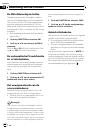
Setting the FM tuning step
Normally the FM tuning step employed by
seek tuning is 50 kHz. When AF or TA is on,
the tuning step automatically changes to 100
kHz. It may be preferable to set the tuning step
to 50 kHz when AF is on.
!
The tuning step remains at 50 kHz during
manual tuning.
1
Press FUNCTION to select FM.
2
Press
c
or
d
to select the FM tuning
step.
Press
c
to select
50
(50 kHz). Press
d
to se-
lect
100
(100 kHz).
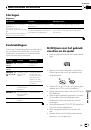
Switching Auto PI Seek
The unit can automatically search for a differ-
ent station with the same programming, even
during preset recall.
Operating this unit
En
11
English
Section
02