Инструкция для Panasonic NV-RZ15EN, NV-VZ15EN, NV-VZ14EN
 1
 2
 3
 4
 5
 6
 7
 8
 9
 10
 11
 12
 13
 14
 15
 16
 17
 18
 19
 20
 21
 22
 23
 24
 25
 26
 27
 28
 29
 30
 31
 32
 33
 34
 35
 36
 37
 38
 39
 40
 41
 42
 43
 44
 45
 46
 47
 48
 49
 50
 51
 52
 53
 54
 55
 56
 57
 58
 59
 60
 61
 62
 63
 64
 65
 66
 67
 68
 69
 70
 71
 72
 73
 74
 75
 76
 77
 78
 79
 80
 81
 82
 83
 84
 85
 86
 87
 88
 89
 90
 91
 92
 93
 94
 95
 96
 97
 98
 99
 100
 101
 102
 103
 104
 105
 106
 107
 108
 109
 110
 111
 112
 113
 114
 115
 116
 117
 118
 119
 120
 121
 122
 123
 124
 125
 126
 127
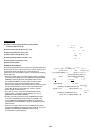 128
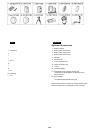 129
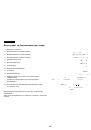 130
 131
 132
 133
9 , 1 1
1 2 , 1 4
■ :.:p
OFF ►ON
F A D E I N
► S L I D E
F A D E O U T
► S L I D E
F A D E C O L O U R ^ B L A C K
1 0 , 1 3
2 , 4 , 6 , 7
4^ :$:
liSi/Tvi±J [FADE SETUP] (2i$^bS$)
- (-» 26)
1 «I) [ AV]^ '
m»
[DIGITAL FADE]
2 ft [SET] (iss) ffl ■
mm
[
on
] »
3
«a [ AT] « ’ 51» [FADE IN]
()^X)
»
4 ft[sET]ffl '
“
5
W a [ A T ] 3 ! ■ S» [FADE
O U T ] °
6 ft[sET]ia ’
°
7
)I$[FADE C0L0UR]('Hl^b6»)|gS^»MKlfe»
•BLACK
(Mfe)
GREEN
(^fe)
WHITE
(Sfe)
CYAN
YELLOW
(wfe)
BLUE '
( M f e )
► RED —
MAGENTA <■
(imè)
8 ft [MENU] ( n m ) ffl >
“
9
■ fttt[FADE]ffl »
10
- ft«»Mià/^ibffi ■ Mi&ft
a»
11 ^3-4«?» -
[FADE] ffl °
12
■ ft'fi[FADE]ffl °
13
- f t f t a M 5 & / ] ¥ ± f f l -
a »
14
3i№[FADE]ffl°
ENGLISH
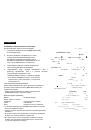
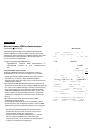
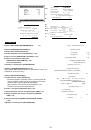
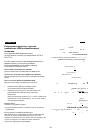
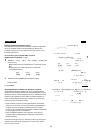
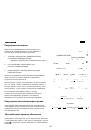
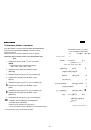
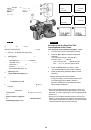
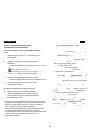
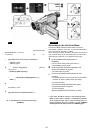
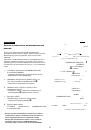
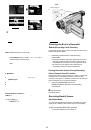
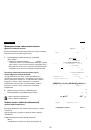
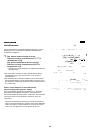
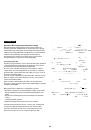
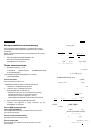
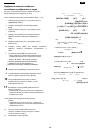
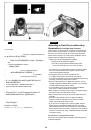
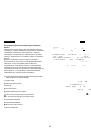
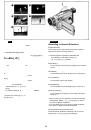
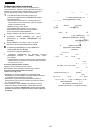
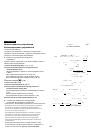
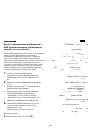
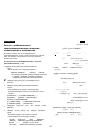
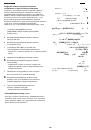
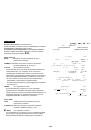
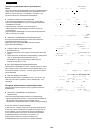
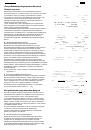
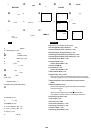
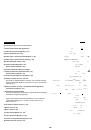
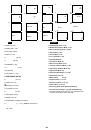
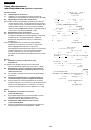
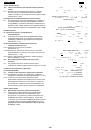
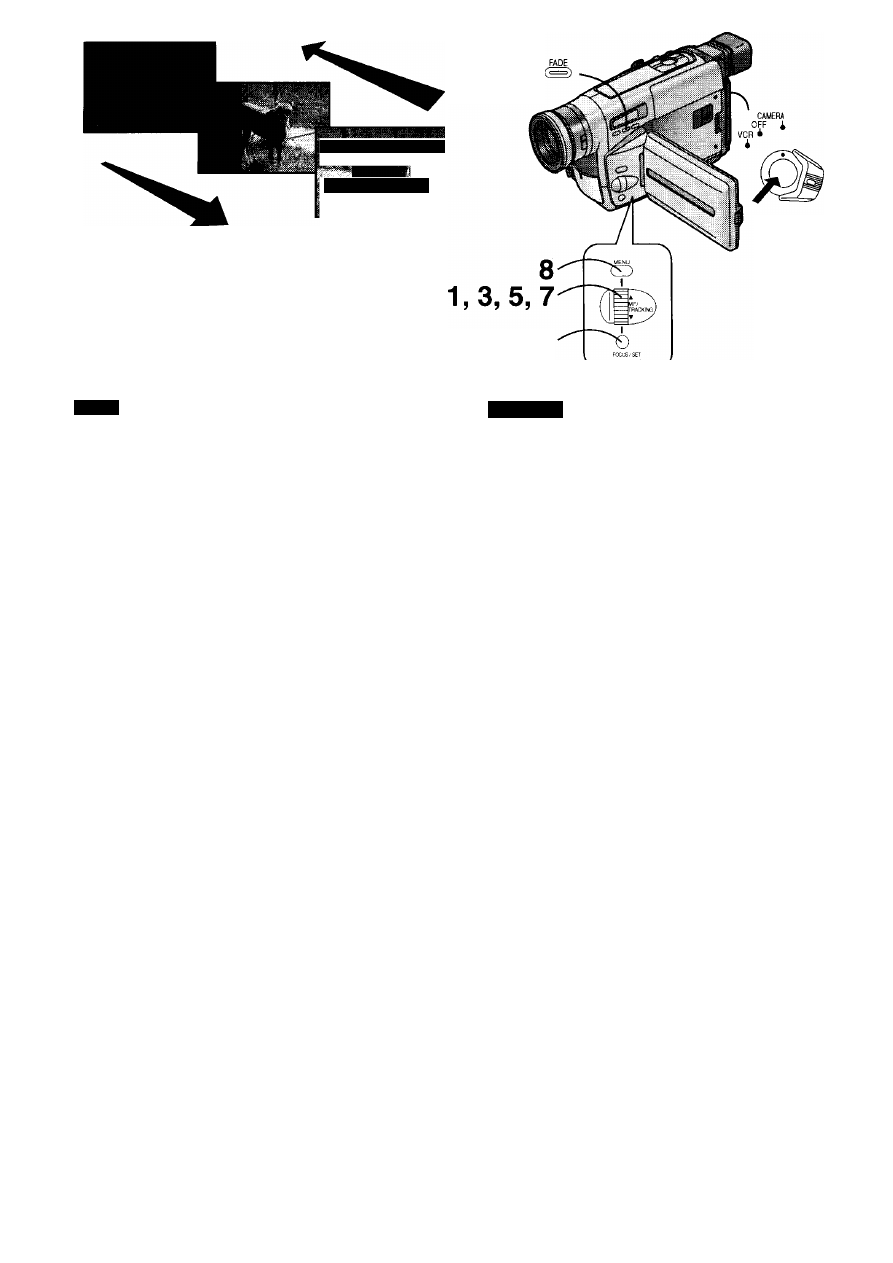
Digital Fade
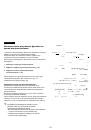
There are various Digital Fade Modes available.
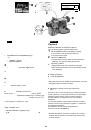
After displaying the [FADE SETUP] Sub-Menu... 26)
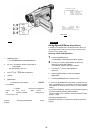
1
Turn the
[ A T ]
Dial to select [DIGITAL FADE].
Press the [SET] Button to select [ON].
Turn the
[ A T ]
Dial to select [FADE IN].
Press the [SET] Button to select the desired
the fade in effect.
Turn the
[ A T ]
Dial to select [FADE OUT].
Press the [SET] Button to select the desired
the fade out effect.
2
3
4
5
6
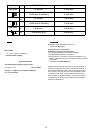
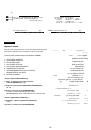
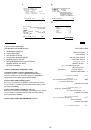
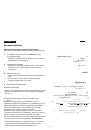
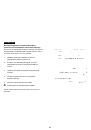
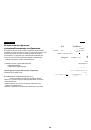
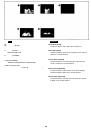
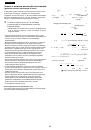
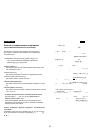
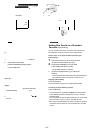
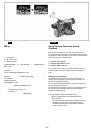
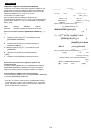
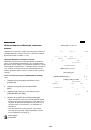
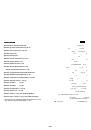
Set [FADE COLOUR] to the desired colour.
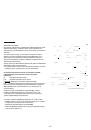
• The colours of the Digital Fade change in the following
order:
BLACK
WHITE —> YELLOW —>
RED -
GREEN
WHITE
CYAN
BLUE
MAGENTA*
8
9
Press the [MENU] Button to exit the menu.
10
11
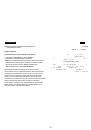
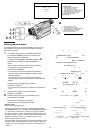
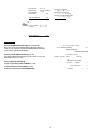
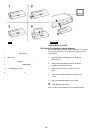
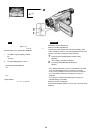
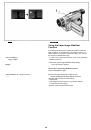
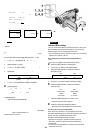
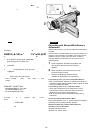
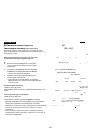
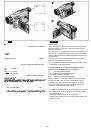
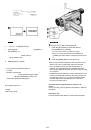
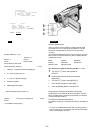
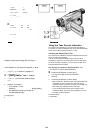
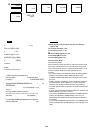
With the Movie Camera in the Recording
Pause Mode, keep the [FADE] Button
pressed.
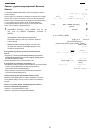
When the picture has completely
disappeared, press the Recording Start/Stop
Button to start recording.
Approximately 3-4 seconds later, release the
[FADE] Button.
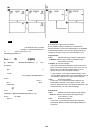
•The picture appears gradually with the selected digital
fade effect.
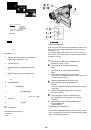
12
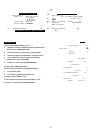
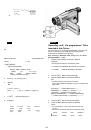
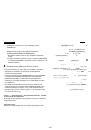
During recording, keep the [FADE] Button
pressed.
•The picture disappears gradually with the selected digital
fade effect.
13
After the picture has completely
disappeared, press the Recording Start/Stop
Button to stop recording.
1 4
Release the [FADE] Button.
78
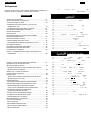
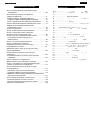
Оглавление инструкции
- Panasonic
- VHS-C Movie Camera
- Содержание
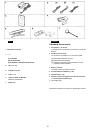
- Standard Accessories
- Аксессуары в комплекте
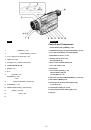
- Controls and Components
- Органы управления и компоненты
- 1 [dc in] (SaitiiiA)
- 2 )l$55aS«5lsa,igaSM3sgitWSSW35ait«iiSffi “
- 1 M[CAMERA/OFFA/CR]ISiSlg*Ì [OFF] <>
- 4 )i#35aìt«sas«gM35)^®gi§iPi53iì«}ia® »
- окГ
- Подменю [ЦИФРОВЫЕ ЭФФЕКТЫ] © (-М19)
- Подменю [НАСТРОЙКА FADE] @ (-М21)
- Подменю [НАСТРОЙКА ДАТЫ/ВРЕМЕНИ] © (-► 47)
- Подменю [ИНДИКАЦИЯ НА ЭКРАНЕ] (5) (-» 43,123,125)
- Подменю [ЭКРАН/ВИДОИСКАТЕЛЬ] (6) (-» 39)
- Подменю [ДРУГИЕ ФУНКЦИИ] @
- ENGLISH
- 1 Press the [SET] Button to select the item that you want to adjust.
- 2 Turn the [A T] Dial to increase or decrease the vertical bars of the Bar Indication.
- Exiting the Menu
- ■ Adjusting the Angle of the LCD Monitor
- Регулировка яркости и уровня цветности ЖКИ видеомонитора/ искателя
- 1 M-M8.20)
- 4 EJECT] (S^ttl)ffl °
- 6 mrmm^mm. ■ ^««[lock]® °
- 2 s[MENu](mm)ffl^tiiSii»
- 1
- 1
- 1,3, 5, 7,9 2, 4, 6, 8
- 7 »»[AV]^ ’ IS£M[14] o
- 8 S[SET]ffl ' SSNlN.HS-ii) »
- 9 «»[AT]^ ■ |gSM[30] ■>
- 10 a[MENu](sn)ffl ’ s^aisipa^rB'iiss»
- ENGLISH
- Setting the Date and Time
- For example: To set the clock to 15th October
- 1 Turn the [AT] Dial to set to [2002].
- 2 Press the [SET] Button to select [MONTH].
- 3 Turn the [AT] Dial to set to [10].
- 4 Press the [SET] Button to select [DATE].
- 5 Turn the [AT] Dial to set to [15].
- 6 Press the [SET] Button to select [HOUR].
- 7 Turn the [AT] Dial to set to [14].
- 8 Press the [SET] Button to select [MIN.].
- 9 Turn the [AT] Dial to set to [30].
- 1 0 Press the [MENU] Button to finish the date and time setting.
- Установка даты и времени
- 4
- 5
- ENGLISH
- Recording in the Fuii Auto Mode
- Set the [CAMERA/OFF/VCR] Switch to [CAMERA],
- Press the [PROG. AE] Button repeatedly until the [AUTO] Indication © appears.
- Press the Recording Start/Stop Button to start recording.
- To pause recording:
- Press the Recording Start/Stop Button again.
- To finish recording:
- Set the [CAMERA/OFF/VCR] Switch to [OFF].
- 1
- 12 2
- H i^ag?fi^^M[BLc] o
- 1 (am) Bf :
- 2
- 1 iH[CAMERA/OFF/VCR]MMSMS[VCR](^^
- 2
- 3
- 4
- 1 i*iT»SiB#«^-'F[FOCUS/SET] (^H/|gS)
- 2 «It [TRACKING] (ffiSf) ig ' H®«» o
- (^LuLU ** Cii им 4J(}|
- «Lut ojJboJ [FOCUS/SET] jjJt h t 1
- .¿jLLJI [TRACKING] jjI 2
- 1 «
- 1 aia»«®«sisM[sis]»
- 1 s[MENu](mm)ffl “
- 2 W» [AT]^ ’ S»[DIGITAL EFFECT] (Iii5i?!)#g) ■
- [SET](|g$)ffl»
- 3 Wll [AT] m ’ M9 [DIGITAL EFFECT] °
- 4 «[SET]li ’ »
- 5 g[MENU]ffl ■
- ENGLISH
- Using Special Effects (Digital Effects)
- Использование специальных
- эффектов
- (цифровых эффектов)
- Выбор желаемого цифрового эффекта
- 1 Нажмите кнопку [MENU].
- 2 Поверните регулятор [АТ] для выбора подменю [ЦИФРОВЫЕ ЭФФЕКТЫ], а затем нажмите кнопку [SET].
- 3 Поверните регулятор [АТ] для выбора пункта [ЦИФРОВЫЕ ЭФФЕКТЫ].
- 4 Нажмите кнопку [SET] для выбора желаемого цифрового эффекта.
- 5 Нажмите кнопку [MENU] для выхода из меню.
- 0 iiâittü[B/w]
- Digital Effects [DIGITAL EFFECT]
- Цифровые эффекты [ЦИФРОВЫЕ ЭФФЕКТЫ]
- 1 W»[AT]Sg ’ ^»[DIGITAL EFFECT](*t®lji)#g)»
- 2 S[SET] [D.ZOOM] »
- 4 ^[CAMERA SETUP]iS¥±^»[DIGITAL ZOOM]»
- 5 S[SET]ffl ■
- 6 S[MENU]ffl ’ Jitiillll »
- 7 ««^Mi§mse[w]^^ ’ mmjmmn ■ »iia
- Using the Digital Zoom Function
- Использование функции цифровой трансфокации
- Fading In/Out
- 9,11 12,14
- liSi/Tvi±J [FADE SETUP] (2i$^bS$) - (-» 26)
- 1 «I) [ AV]^ ' m» [DIGITAL FADE]
- 3 «a [ AT] « ’ 51» [FADE IN] ()^X) »
- 4 ft[sET]ffl ' “
- 5 Wa[AT]3! ■ S» [FADE OUT]°
- 6 ft[sET]ia ’ °
- 7 )I$[FADE C0L0UR]('Hl^b6»)|gS^»MKlfe»
- 8 ft [MENU] (nm) ffl > “
- 9 ■ fttt[FADE]ffl »
- 11 ^3-4«?» - [FADE] ffl °
- 12 ■ ft'fi[FADE]ffl °
- 13 - ftftaM5&/]¥±ffl -
- 14 3i№[FADE]ffl°
- 2
- 3
- 4
- 5
- 6
- 8
- 9
- 1 «»[AT]« ’ ^»[INTERVAL REC]“
- 2 S[SET](sSS)ffl ’ S»[ON] °
- 4 S[SET]ffl ■ »
- 2
- 3
- 4
- 5
- 6
- 7 S[MENu](sm)ffl ’
- 7
- 8
- 1 ^[MENUlfflo
- 2 «»[AT]« ’ S»[CAMERA SETUP] (Silts
- ’ ^i^KlSETjffl °
- 3 WS [ AT] ig - S» [MOTION SENSOR] »
- 4 «[SET]M ’ S»[ON] °
- 5 a[MENU]ia ’ »
- ENGLISH
- Motion-Sensor-Controlled Recording
- Запись, управляемая сенсором движения
- 1 Нажмите кнопку [MENU].
- 2 Поверните регулятор [АТ] для выбора подменю [НАСТРОЙКА КАМЕРЫ], а затем нажмите кнопку [SET].
- 3 Поверните регулятор [АТ] для выбора пункта [СЕНСОР ДВИЖЕНИЯ].
- 4 Нажмите кнопку [SET] для выбора режима [ВКЛ].
- 5 Нажмите кнопку [MENU] для выхода из меню.
- ■ Сенсор движения может работать неправильно в следующих ситуациях записи:
- 1 íl#[0 LUX 0FF/0N]MB5IS«Í [ON] ■ ^í[0LUX]íg.т^
- Recording in Dark Piaces without Any liiumination (O Lux Night View Function)
- Запись в темных местах без освещения
- Recording with Manuai White Baiance Adjustment
- Запись с ручной регулировкой баланса белого
- 1 aaiSllpROG. AE](g/iAE)ffl ’ aSli.Txiij^ [AUTO] (SB) ig/TNiii^ha^iirx^± °
- 2 }^[w/T]»is^]#a#^[T]. fi^g#!É o o
- 3 SBiMF]« ’
- 4 )i$[w/T]»*i#^M#^[w] ’
- ENGLISH
- Recording with Manual Focus Adjustment
- Запись с ручной регулировкой фокуса
- 1 aaiS?il)[PROG.AE](gJiAE)ffl ’
- 3
- 4
- 5
- 6
- 3
- 4
- 5
- 6
- Редактирование вставкой
- 1 1,3
- 1 • »siisih«® °
- 2 tI§ [OTHER FUNCTIONS]
- [AUDIO DUBBING](#i«]^M)tgSI^[ON] »
- }S[B]ffi"
- ENGLISH
- Adding New Sound on a Recorded Cassette (Audio Dubbing)
- Добавление нового звука на записанную кассету (аудио перезапись)
- Выполните действия пунктов 1-4 на стр. 101 перед выполнением действий следующих пунктов.
- Выполните воспроизведение стоп-кадра в точке, в которой Вы желаете начать аудио перезапись.
- 2 Установите режим [ВКЛ] для пункта [AUDIO DUBBING] в подменю [ДРУГИЕ ФУНКЦИИ].
- 3 Нажмите кнопку Воспроизведение [^] для начала аудио перезаписи.
- ENGLISH
- (ffiPSMNV-VZ15/RZ15)
- O «i?ffi[ll] (^64)
- ■ ¡Eitai#«iSfSW«#
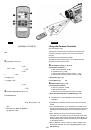
- Using the Remote Controller
- Использование устройства дистанционного управления
- 5
- 1 ^^»»[AOPEN]# ’
- 5 «[MENu](sm)ffl ’
- 6 iSll)SftllSт^§£ís§§ ’
- 8
- 8
- 8
- Запись С предварительно запрограммированными титрами, вставленными в изображение
- Удаление титров
- MI^M=Síiт^
- 1 S[DATE/TITLE](0iH/Si=S)ia ’
- filSTvtiJ [DIGITAL EFFECT] " (-» 26)
- 1 «111 [AT]^ ’ S»[DIGITAL EFFECT](ISiilJjig) ■
- 2 fi?*SiS±fi5[SET](Sjf)ffi -
- 3 «»[ATl^'Sif [EFFECTKibSg)»
- 4 SiSETjffl ’ M»[ON] °
- 5 ft[MENU](Mm)ffl ’ StiiSIlo
- ENGLISH
- Playback Digital Effects
- After displaying the [DIGITAL EFFECT] Sub-Menu... (-> 26)
- Turn the [AT] Dial to select [DIGITAL EFFECT].
- Press the [SET] Button to select the desired digital effect.
- Turn the [AT] Dial to select [EFFECT]. Press the [SET] Button to select [ON].
- Press the [MENU] Button to exit the menu.
- Suspending the Playback Digital Effect Temporarily
- Cancelling the Playback Digital Effect
- Цифровые эффекты при воспроизведении
- После высвечивания подменю [ЦИФРОВЫЕ ЭФФЕКТЫ]... {-¥
- 1 Поверните регулятор [АТ] для выбора пункта [ЦИФРОВЫЕ ЭФФЕКТЫ].
- 2 Нажмите кнопку [SET] для выбора желаемого цифрового эффекта.
- О Поверните регулятор [АТ] для выбора пункта [ЭФФЕКТЫ].
- 4 Нажмите кнопку [SET] для выбора режима « [ВКЛ].
- 3 Нажмите кнопку [MENU] для выхода из меню.
- 1 )t§[FADE SETUP] ()miS:®)?mm-hKl[DIGITAL FADE](»]i/l^^b)|g:®i[ON] « (-»26)
- 2 )»[FADE IN] ()^A) °
- 3 )t§[FADE OUT]('2i^tiJ)tS$iE»MflDI!Hii'^^bitt
- 4 )I§[FADE COLOUR] ()ii^^bfe«)|g:®ftll^Wfe
- 5 Sc[MENu](sif)ffl ■
- 6 ’ ®tt[FADE]ffl»
- 7 ■ 3iM[FADE]ia»
- 8 ■ ^[fade]« - Mi# sascttT'M»
- 9 ■ gjwia °
- 10 iiil[FADE]ffl »
- 3 »»[AT]« ’ [^»[COUNTER RESET] (ttafggm
- 4 S[SET]ffl ’ jl»[YES](S) o
- o
- ENGLISH
- ■ Изменение индикации счетчика ленты
- 5 «[►►]sÈ[^^]ffi°
- 3, 5,6
- 1
- 1 Connect the AC Adaptor.
- Перезапись (копирование)
- 1 Подсоедините адаптер переменного тока.
- 2 Вставьте записанную кассету в видеокамеру и переключите видеокамеру в режим ВКМ.
- 3 Вставьте незаписанную кассету в ВКМ и переведите его в режим паузы записи.
- 4 Инициируйте воспроизведение на видеокамере.
- 5 Инициируйте запись на ВКМ.
- Остановите запись на ВКМ.
- 7 Остановите воспроизведение на видеокамере.
- Меры предосторожности
- Как работает регулировка баланса белого (окраски)
- Как работает регулировка фокуса
- Indications
- Индикации
- Optional Accessories
- Аксессуары, за дополнительную плату
- VHS-C Movie Camera