Инструкция для Clavia NORD Lead A1, NORD Lead A1R
 1
 2
 3
 4
 5
 6
 7
 8
 9
 10
 11
 12
 13
 14
 15
 16
 17
 18
 19
 20
 21
 22
 23
 24
 25
 26
 27
 28
 29
 30
 31
 32
 33
 34
 35
 36
 37
 38
 39
 40
Chapter 11 MIdI
| 33
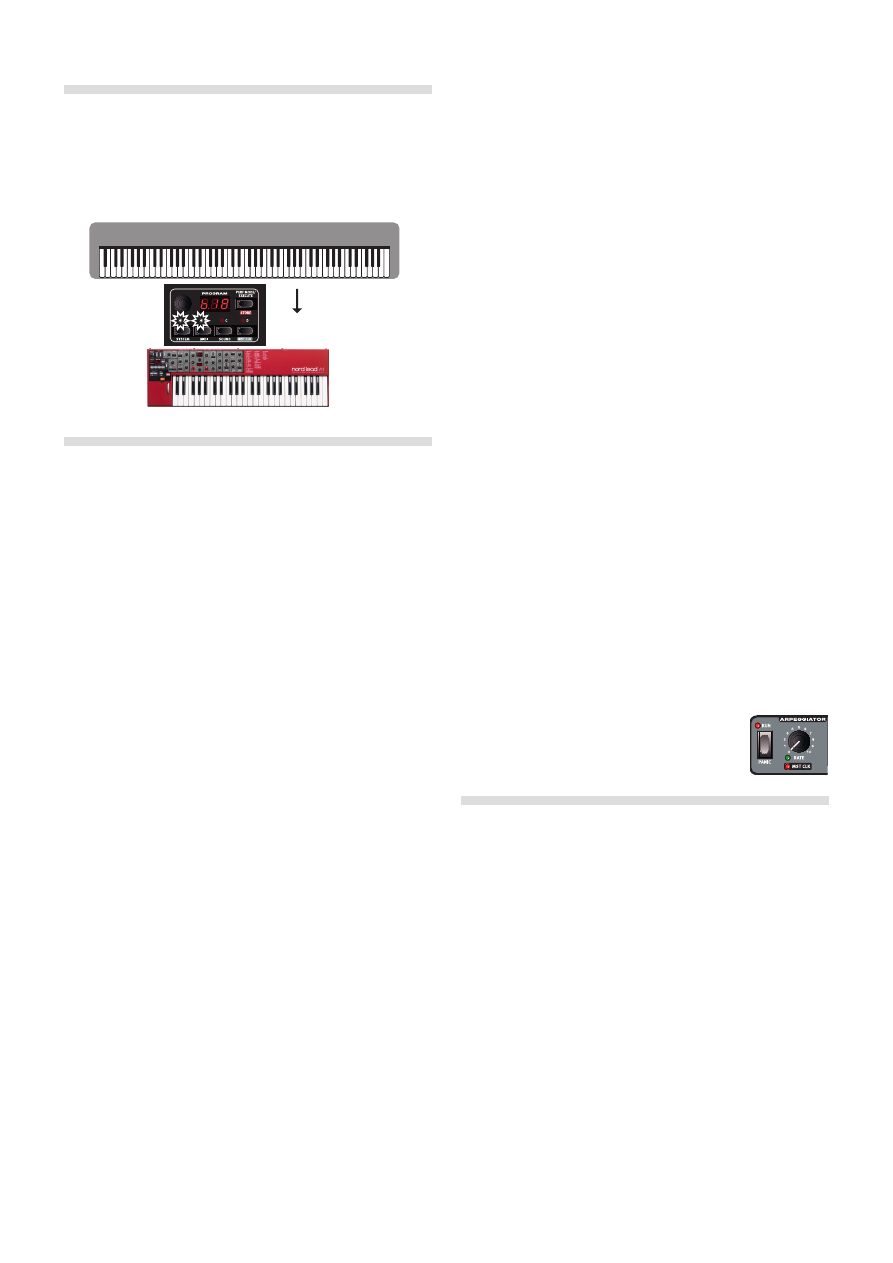
Control Slots with another keyboard
Use a Performance with some of the Slots controlled from the Lead A1
itself and other Slots from an external keyboard or sequencer, set to
corresponding Slot MIDI channel(s). Active Slots will be controlled from
the A1 keyboard, inactive Slots are controlled from external units.
Message types
Program Changes and Bank Select
Program Change messages are transmitted on the Global MIDI chan-
nel and are recognized on the Global and/or the Slot MIDI Channels.
Bank Select messages (CC00, CC32) are used to select the 8 program
banks (CC00, value 0 + CC32 values 0-7) or the 4 performance banks
(CC00, value 0 + CC32, value 0-3) when Performance Mode is active.
Bank Select messages should be immediately followed by a Program
Change message when you wish to select a bank from an external
unit.
The Slots will respond to incoming Program Change messages on their
individual Slot MIDI Channels.
Incoming Program Change messages on the Global MIDI Channel will
change the performance, if Performance Mode is enabled.
M
Incoming Program Change on the Global MIDI Channel will
change programs on the focused Slot if Performance Mode is not
enabled.
If you do not want the Nord Lead A1 to transmit or respond to Program
Change messages, this can be turned off in the MIDI Menu.
Control Change messages
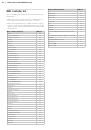
Most of the parameters on the Nord Lead A1 panel will generate a CC
message if operated, and the reception of these messages will change
the parameter accordingly. A full list of the parameters and their Control
Change number is on page 34.
If you do not want the Nord Lead A1 to transmit or respond to Control
Change messages, this can be turned off in the MIDI Menu.
Pedal Control Change
A Control pedal transmits CC7 if it is set to volume in the System Menu
and CC11 if is set to be a Morph source. The sustain pedal transmits
CC64.
Volume
The output level of an Performance or an individual Slot can be set by
transmitting CC7 to the Nord Lead A1 on the Global, or any of the Slot
MIDI Channels.
Pan CC
The position of an Performance or a individual Slot in the stereo pan-
orama can be set by transmitting CC10 to the Nord Lead A1 on the
Global Channel, or any of the Slot MIDI Channels.
MIDI Local
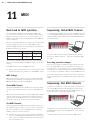
If a sequencer is set to echo back incoming MIDI data, this can cause
double triggered notes if the Nord Lead A1 keyboard is used. If this
occurs, set MIDI Local to Off.
MIDI Thru
A Soft Thru Channel can be set in the MIDI Menu. By doing this, in-
coming note messages on that channel from the USB MIDI or the 5-pin
MIDI Input, will be re-routed through the 5-pin MIDI Out connector.
MIDI Clock
The Nord Lead A1 Master Clock will automatically sync to incoming
MIDI Clock.
M
The Nord Lead A1 does not transmit MIDI Clock messages. If you
want to synchronize several units including the Nord Lead A1, an
external MIDI Clock source should be used.
USB MIDI
If you use a computer running Windows XP, Vista, Windows 7 or
Windows 8, install the Nord v3.x USB driver to be able to use the MIDI
via USB functionality. This driver is available through Windows Update
by just connecting the computer to the Internet with the Nord Lead
A1 connected at one of the USB ports. The USB driver can also be
downloaded from the www.nordkeyboards.com website.
M
Computers running Mac OSX have a native USB MIDI support for
the Nord units. No driver installation is necessary.
Panic
If notes get stuck during a performance, press Panic.
This will reset incoming CC messages and send an
All Notes Off message to all Slots.
MIDI Dumps
Transmit settings
Complete Program and Performance settings can be transmitted
through MIDI as Controller Change or System Exclusive messages. The
transmissions are executed in the MIDI Menu.
A Control Change transmission contains the settings of the single
Program in focus and can be used to initialize a sequencer track with
Program parameters.
Use System Exclusive to store a Program or a complete Performance
on a computer or in a sequencer. A System Exclusive transmission can
also contain all the Programs or Performances in a Bank.
Receive Programs or Banks
Make sure that the MIDI Channel on the transmitting device matches
the Global (or Slot) MIDI Channel on the Nord Lead A1 and start the
transmission on the computer/sequencer.
Single Programs will be placed in the Nord Lead A1 edit buffer, you
need to Store these if you want to keep them.
The currently active Program Bank in the Nord Lead A1 will be over-
written if a System Exclusive package of a complete Bank is received.
Slot C & D
Slot A & B
Оглавление инструкции
- Страница 1 из 41
User Manual Nord Lead A1 Nord Lead A1R OS Version 1.3x Part No. 50425 Copyright Clavia DMI AB Print Edition: F
- Страница 2 из 41
The lightning flash with the arrowhead symbol within an equilateral triangle is intended to alert the user to the presence of uninsulated voltage within the products enclosure that may be of sufficient magnitude to constitute a risk of electric shock to persons. CAUTION - ATTENTION RISK OF ELECTRIC
- Страница 3 из 41
| Nord Lead A1 User Manual 1 Introduction The Lead For Speed . . . . . . . . . . . . . . . . . . . 5 2 models - keyboard and tabletop . . . . . . 5 2 Overview The Panel . . . . . . . . . . . . . . . . . . . . . . . . . . 6 Oscillator, Filter & Amp Env . . . . . . . . . . . . Modulation . . . . .
- Страница 4 из 41
4 | Nord Lead A1 User Manual v1.3x LP 12, 24 . . . . . . . . . . . . . . . . . . . . . . . . LP M . . . . . . . . . . . . . . . . . . . . . . . . . . . . LP TB . . . . . . . . . . . . . . . . . . . . . . . . . . . BP . . . . . . . . . . . . . . . . . . . . . . . . . . . . . HP . . . . . . . . . . .
- Страница 5 из 41
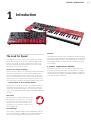
Chapter 1 Introduction 1 Introduction Hardware The Lead For Speed Producing stand-out sounds for live or for the studio, the Lead A1 is ideal for all musical genres. Thanks to its carefully thought-out user interface, the Lead A1 encourages experimentation, allows for far speedier programming than
- Страница 6 из 41
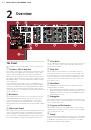
6 | Nord Lead A1 User Manual v1.3x 2 Overview 9 7 8 4 5 2 1 3 6 The Panel We will familiarize ourselves briefly with the controls on the panel here. 1 Oscillator, Filter & Amp Env The Lead A1’s new Oscillator section generates 47 different waveforms from classic analog to digital harmonic and
- Страница 7 из 41
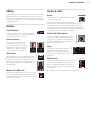
Chapter 2 Overview Editing Knobs & dials Grab a knob or press a button, it is that easy to change a sound in the Nord Lead A1. There are a few different types of buttons, and some of the controls change their behavior depending on overlying modes that may be activated. Let’s look at some of the
- Страница 8 из 41
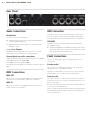
8 | Nord Lead A1 User Manual v1.3x Rear Panel Audio Connections USB Connection Headphones The USB connection connects the Nord Lead A1 to a personal computer. The computer can run the Nord Sound Manager application or be used if the Nord Lead A1 operating system needs to be updated. A 1/4" stereo
- Страница 9 из 41
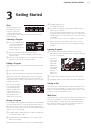
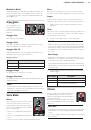
Chapter 3 Getting Started 3 Getting Started Slots 3 The Nord Lead A1 has four Slots labelled A, B, C and D. Each slot represents a complete synthesizer setup, a program. Slots can be used for layering sounds or quickly switch between programs. Hold Shift and press Store. The display starts
- Страница 10 из 41
10 | Nord Lead A1 User Manual v1.3x Creating a Split Storing a Performance When the Split function is ON, the lower part of the keyboard plays on Slots A and B and the upper part on Slots C and D. Storing a performance uses the same procedure as storing programs, see page 9. 1 2 Hold Slot A and
- Страница 11 из 41
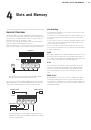
Chapter 4 Slots and Memory 4 | 11 Slots and Memory Slot Handling General Overview The Nord Lead A1 is a four part multi timbral synthesizer. This means that you have four independent synthesizers to be used simultaneously. The synthesizers are divided into Slots, where each Slot contains one
- Страница 12 из 41
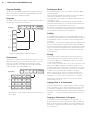
12 | Mod. Wheel A B C D Slot Channel Nord Lead A1 User Manual v1.3x Pitch Stick A B C D A B C D Program Handling Performance Mode The A1 handles two different program entities; Programs and Performances. The memory contains 400 Programs divided into 8 banks, and 200 Performances divided into 4
- Страница 13 из 41
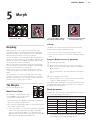
Chapter 5 Morph 5 Morph 1. Hold a morph button... 2. ..turn a knob from here to here. Morphing Morphing allows you to be creative in your sound design, and is all about being able to control virtually any important sound related parameter, in real time from the two Morph sources: the Modulation
- Страница 14 из 41
14 | Nord Lead A1 User Manual v1.3x Editing Morphs Edit a parameter’s Morph range: • Hold the Morph Source button and turn the destination knob to a new position. Clear all parameters assigned to a Morph Source: • Hold Shift and press the Morph Source button that is to be cleared. Clearing one
- Страница 15 из 41
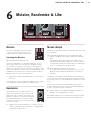
Chapter 6 Mutator, Randomize & Like 6 Mutator, Randomize & Like Mutator Mutate Morph The Nord Lead A1 Mutator is a great and easyto-use tool to spark the creative process by creating totally new or slightly changed sounds. The Mutator and Randomize features in the Nord Lead A1 can be used to create
- Страница 16 из 41
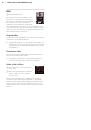
16 | Nord Lead A1 User Manual v1.3x Like 1 Hold Shift and press Like. The Like button lets you save programs or entire performances to the Like memory. The Like memory acts like a scratchpad that can be used during the creative process so save sounds that you might want to keep. Performances and
- Страница 17 из 41
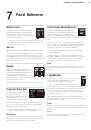
Chapter 7 Panel Reference 7 Panel Reference Master Level Performance Mode/Execute The Master Level knob controls the overall amplitude for the audio outputs - the line level outputs and the headphone output. The knob’s physical position indicates the output level and is not stored in a Program or
- Страница 18 из 41
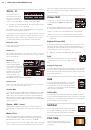
18 | Nord Lead A1 User Manual v1.3x Slot A - D The Nord Lead A1 has 4 Slots, labeled A to D. Each Slot can be loaded with one program. Slots can be used one by one in Program Mode or together in Performance Mode. MM Slot LEDs are red in Program Mode, green in Performance Mode and yellow when you
- Страница 19 из 41
Chapter 7 Panel Reference Modulation Wheel Mono The Modulation Wheel can add vibrato if the Vibrato Voice Mode setting is set to “Wheel” and/or act as a Morph Control, to control one or several parameters while you perform. The Modulation Wheel will transmit MIDI CC 01. Mono makes the Slot
- Страница 20 из 41
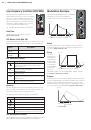
20 | Nord Lead A1 User Manual v1.3x Low Frequency Oscillator (LFO/ENV) Modulation Envelope The Low Frequency Oscillator (LFO) produces a waveform that can be used to create cyclic modulations to the oscillators and filter. The Nord Lead A1 LFO can also be set to an envelope mode. The amount of
- Страница 21 из 41
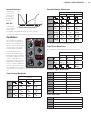
Chapter 7 Panel Reference Inverted Envelope Hold Shift and turn the Decay knob to invert the polarity of the Modulation Envelope. Extended Analog Waveforms amount Shape Mode Shape = 0. time attack (time) decay (time) release (time) Hold Shift and key up turn the Release key down knob to make the
- Страница 22 из 41
22 | Nord Lead A1 User Manual v1.3x Digital Shape d1 Saw spectra with random phase. d2 Square spectra with random phase. d3 Spectra with only even partials. d4 Spectra with only every third harmonic. d5 Spectra with only every fourth harmonic. d6 Spectra with only every fifth harmonic. d7
- Страница 23 из 41
Chapter 7 Panel Reference Sine, Tri, Saw and Pulse Mix LFO ModEnv Osc Contrl LFO ModEnv Osc Contrl LFO ModEnv Osc Contrl Sync Osc Pitch OSC 1 Shape OSC 1 Pitch Reset Sinewave Sub Triangle nom. To Filter Saw 1 oct up OSC 1 OSC 1 Amp Envelope Square 3:rd To Filter To Filter There are four Mixed
- Страница 24 из 41
24 | Nord Lead A1 User Manual v1.3x Keyboard Tracking (KB Track) Filter Keyboard Tracking allows the filter frequency to track the pitch of the keyboard. The Filter is one of the most important components to create the overall timbre of the sound. The harmonic content that the oscillators produce
- Страница 25 из 41
Chapter 7 Panel Reference LP TB will produce some quite drastic harmonic spectra. Low Pass TB is an emulation of the diode ladder filter from the vintage Roland TB-303 from 1982. This is a four pole, 24 dB/octave design but it does not sound anything like the similarly spec’d LP M. The Low Pass TB
- Страница 26 из 41
26 | Nord Lead A1 User Manual v1.3x Tap Tempo Reverb Select Tap repeatedly on the Tap Tempo button to set the tempo for the delay. You need four consecutive taps to set a tempo, but the tempo can be fine tuned with additional taps after those initial four. The Reverb button selects the type of
- Страница 27 из 41
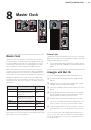
Chapter 8 Master Clock 8 Master Clock External Sync Master Clock The Master Clock is a feature that can synchronize three functions in the Nord Lead A1 to a common tempo; the arpeggiator, the LFO and the delay. The Master Clock tempo has a range between 30 and 300 beats per minute. This tempo can
- Страница 28 из 41
28 | Nord Lead A1 User Manual v1.3x Synced Delay repeats Across the Slots Keep the arpeggio running and we’ll add more things. There is one Master Clock tempo for each performance. All Slots can be in perfect sync with each other. 1 Turn both Delay knobs (Tempo & Dry/Wet) fully counterclockwise,
- Страница 29 из 41
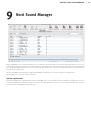
Chapter 9 Nord Sound Manager 9 Nord Sound Manager Nord Sound Manager is a free application that allows you to organize the various memory areas, the partitions in the Nord Lead A1. It is also used to download performances or programs to the Nord Lead A1 or to upload any of these items from the Nord
- Страница 30 из 41
30 | Nord Lead A1 User Manual OS v1.3x 10 The Menus Any settings that you change in the System, MIDI or Sound menu will take immediate effect on a global basis, and will be stored until you change them the next time. Enter the menus by pressing and holding Shift and the System, MIDI or Sound button
- Страница 31 из 41
Chapter 10 The Menus MIDI Menu G - Global MIDI Channel The Global MIDI Channel transmits all keyboard, pedal and panel actions. It can also be used as a receiving channel. Range: 1 - 16, Off (default = 1). A, B, B, D - Slot MIDI Channel Set individual MIDI Channels for the Slots when they should
- Страница 32 из 41
32 | Nord Lead A1 User Manual v1.3x 11 MIDI Nord Lead A1 MIDI operation Sequencing: Global MIDI Channel The Nord Lead A1 is designed to be very flexible in a MIDI setup. You can use it as a keyboard to control its internal sounds and other hardware or software sound sources. It can also be used as
- Страница 33 из 41
Chapter 11 MIDI Control Slots with another keyboard Use a Performance with some of the Slots controlled from the Lead A1 itself and other Slots from an external keyboard or sequencer, set to corresponding Slot MIDI channel(s). Active Slots will be controlled from the A1 keyboard, inactive Slots are
- Страница 34 из 41
34 | Nord Lead A1 User Manual v1.3x Nord Lead A1 parameter MIDI Controller list These are the MIDI Control Change numbers used for the Nord Lead A1 parameters. • Buttons that control “on/off” functions have a Controller value of “0” at the “off” position and a value of “127” at the “on” position. •
- Страница 35 из 41
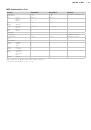
Chapter 11 MIDI MIDI Implementation Chart Function Transmitted Recognized Remarks Basic Channel Default Channel 1 - 16 1 - 16 1 - 16 1 - 16 Indiv. channels for Slot A, B, C & D Mode 1, 3 X *************** Mode 1, 3 X 0-127 0-127 Mode Note Number Default Message Altered True Voice Velocity Note ON
- Страница 36 из 41
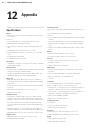
36 | Nord Lead A1 User Manual v1.3x 12 Appendix Performance Section Specifications • Voice modes: Poly, Legato and Mono with Glide, True Unison 1, 2 & 3. General • Four program slots for layering possibilities. • 49-key octave velocity sensitive keyboard with octave shift buttons (+/-2 octaves). •
- Страница 37 из 41
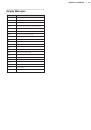
Chapter 12 Appendix Display Messages Message Description Storing Pro Memory Protected. Mst Clk Tempo E.Cl Master Clock is synchronized to external MID Clock, tempo cannot be manually set on the Nord Lead A1. Mutator, Randomize, Init Sound nvt rnd Ini O Press Execute to Mutate Sound. Press Execute
- Страница 38 из 41
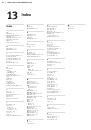
38 | Nord Lead A1 User Manual v1.3x 13 Index Index G A H Amp Env 23 Amplitude Modulation 23 Arpeggio 19 Arpeggio directions 19 Arpeggio range 19 Attack 23 Audio Connections 37 B Band Pass 25 Bend Range 19 C Control Change Mode 31 Control Pedal 8 Control Pedal Mode 30 Control Pedal Type 30 Copy 17
- Страница 39 из 41
FCC Information (U.S.A.) 1. IMPORTANT NOTICE: DO NOT MODIFY THIS UNIT! This product, when installed as indicated in the instructions contained in this manual, meets FCC requirements. Modifications not expressly approved by Clavia may void your authority, granted by the FCC, to use the product. 2.
- Страница 40 из 41
- Страница 41 из 41