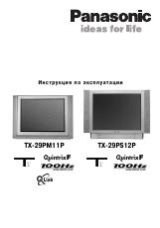
Инструкция для Panasonic NV-RX10EN, NV-RX10EU
 1
 2
 3
 4
 5
 6
 7
 8
 9
 10
 11
 12
 13
 14
 15
 16
 17
 18
 19
 20
 21
 22
 23
 24
 25
 26
 27
 28
 29
 30
 31
 32
 33
 34
 35
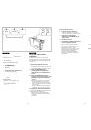 36
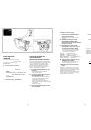 37
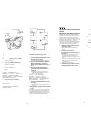 38
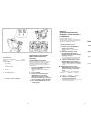 39
 40
 41
 42
 43
 44
 45
 46
 47
 48
 49
 50
 51

@ in®
KaiiKMftawsiKW-heaaBTiR««. Т'Ш*5аж
ft»®, япя.
ийп
«1
йй
ЙЮ«М«.
■aiS3K!ii£«l?.S:
• кяа*г«5Ей!«е 1шяа^.
• waKasti-sssitin^wsEft. аажя-е?.
• ва^^ЕМФПШяжяв*.
» *яа»««г2М«и«а2,т«.
• *Я»К«ЯК*ЖЖ. ?(Ж«1Я«'МЖвЗ*:?8#.
■a««DSiK
siTsaaasi«®®. жя»Ф[1ло/[Ж] ¡ватк«^
(»»««. ЯйЖ«»§ И85И«Ж.)
■Sa:i;SiDT:
i.ajhiiSiiK®.
г. шк^жпмй,
3. stt<a'j'*sa. дямя»ю«й«взЕй*й;г®й
*.
STilSS*.
■e7l!«jiaa£E
Jiaafee6iips;*wffla*iiimtttv;4,
вшштшш.
жлЕ'ййш^шаят^аай. is+n
-гш’ьтшшт
еЯс
aeffin-t!iias3[i«
isiTsafiasi«,
»81
-I'^sa.
ияя»*г«Е®аи
мшайнмагал.
^ШШ§1И>^й1)®Лл>ё
гп®*Я*«Я«жМ#»я*, S-g9(Sfi.
• ;7зая»*г«ч. esMKwaw, [un/o]}iiFfiaiisi
(S*=f.
• siesi^a’jsaMsmsSis-hHKsi. *
ивй
*. «¡^¿ая
шт.
MsK^aws®,
■EilSiiWT:
Ka»(*sws-;siw«. *s;saM.
»'j-.c,-ti6(EKWsaiT)#fF. $»i.
«Я,
g;s-;sa.
»«яэашйТ'ЯМ,
ак=л»з«йт
3SE«, й-зя**й1елщ.
Causes of Condensation and
Remedies
When condensation has formed instde the Movie Camera and on
the tape, recording becomes impossible. In addition, the tape
might remain m contact with the heads and this could sehousty
damage the Movie Camera.
■ Main Causes of Condensation:
•When the Movie Camera is brought from a cold to a warm place.
• When the Movie Camera is taken outdoors from inside an
air-conditioned car or house.
•When the heating is turned on in a cold room.
•When the Movie Camera is exposed to the cold breeze from an
air-conditioner.
•When the Movie Camera is in a very hot or humid place or In a
place with steam.
■ Symptoms of Condensation
When turning on the Movie Camera, the Condensation Indication
(UlO'[j[]] appears m the Finder.
(A few seconds later, the Movie Camera automatically turns itself
off.)
■ Remedy as Follows:
f. Take out the cassette.
2, Keep the Cassette Compartment-open and wait a few hours.
3. A few hours later, turn on the Movie Camera and confirm that
tne Condensation Indication is not displayed any more.
For added safety, wait about 1 more hour.
■ To Prevent Condensation from Forming
Wnen bnnging the Movie Camera from a very cold to a warm
Place, keep it in a tightly closed plastic bag or something similar
tor
1
to 2 hours before using it again.
■ When the Lens is Fogged up
Turn the Movie Camera on ana wait for about 1 hour until it has
reached about tne same temperature as its surroundings.
Dirty Video Heads and Remedy
If tne video heads become dirty with Oust, the picture quality
oeteriorates.
> Symptoms of Dirty Video Heads
• When turning on tne Movie Camera, the [U11/0] Indication
appears in me Finder for the first few seconds.
•When playing back a cassette with dirty heads on a TV, the
picture IS distorted. If the heads are extremely dirty, no picture Is
reproduced.
■ Remedy as Follows:
Use a video heao cleaning cassette to clean the heads. Carefully
follow the instructions tor its use as too much cleaning wears
down the heads, tt the playOacK picture is not clear after cleaning,
It means that the video heads are worn out. Consult qualified
service personnel.
80
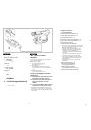
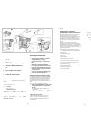
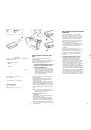
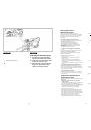
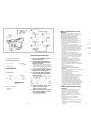
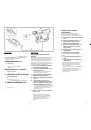
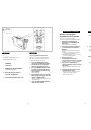
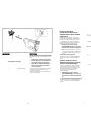
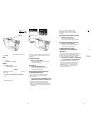
Присоединение плечевого
ремня
Протяните конец плечевого ремня
через держатель плечевого ремня
1
2
3
Надежно прикрепите этот конец
плечевого ремня (0 более 2 см).
Присоедините другой конец
плечевого ремня к другому
держателю плечевого ремня © на
видеокамере.
LjLl£Jf ¿U
a
J Kjj
О) (flLS.^tu i-juLiJI ¿LbJj ijjJaJI (1
a
<bitX 2
u-fj .............а~1.У.Л ¿Uu J;-'-]*;
3
|^L£
©J^Y( bUSJl jLbJ
It *2 mi H ^**U(
29